Obsidian Example Vaults: 22 Working Vaults You Can Open and Copy
An empty vault teaches you very little about Obsidian. A vault someone has actually used shows how folders, links, properties and queries fit together, and you can take it apart to see why. Every example vault below is complete and filled with realistic sample notes, so the dashboards show data and the graph shows connections from the moment you open it. Each one has its own page with a full description and a free download, and the screenshots are real captures of the vault running in Obsidian.
Obsidian example vaults for daily notes and planning
Vaults built around the day and the week: notes that open every morning, plans, habits and reflection.
Obsidian Daily Note Template
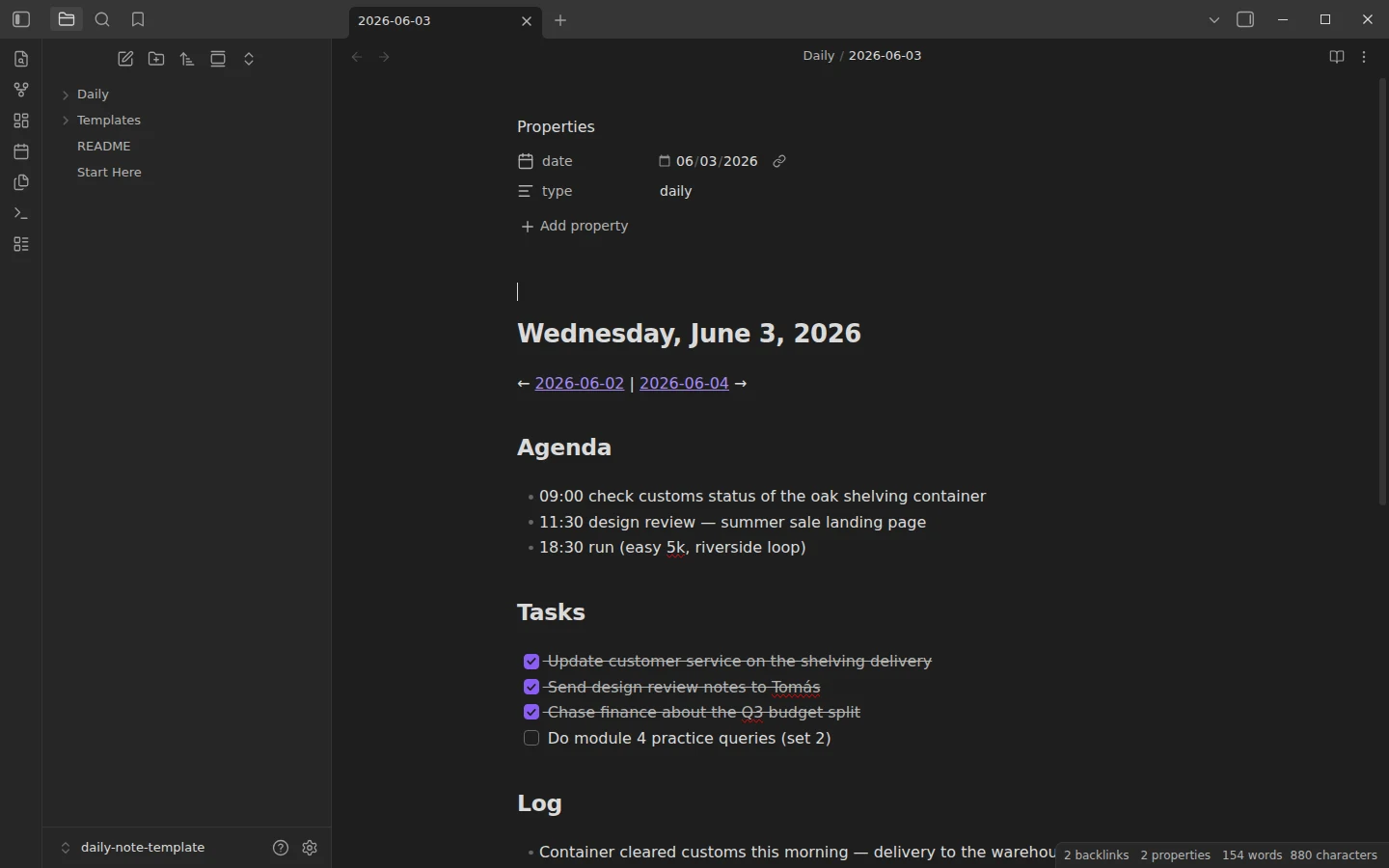
One note per day with Agenda, Tasks, Log and Gratitude, plus a filled example week. Core-only and Templater variants included.
Obsidian Weekly Note Template with a Built-In Weekly Review
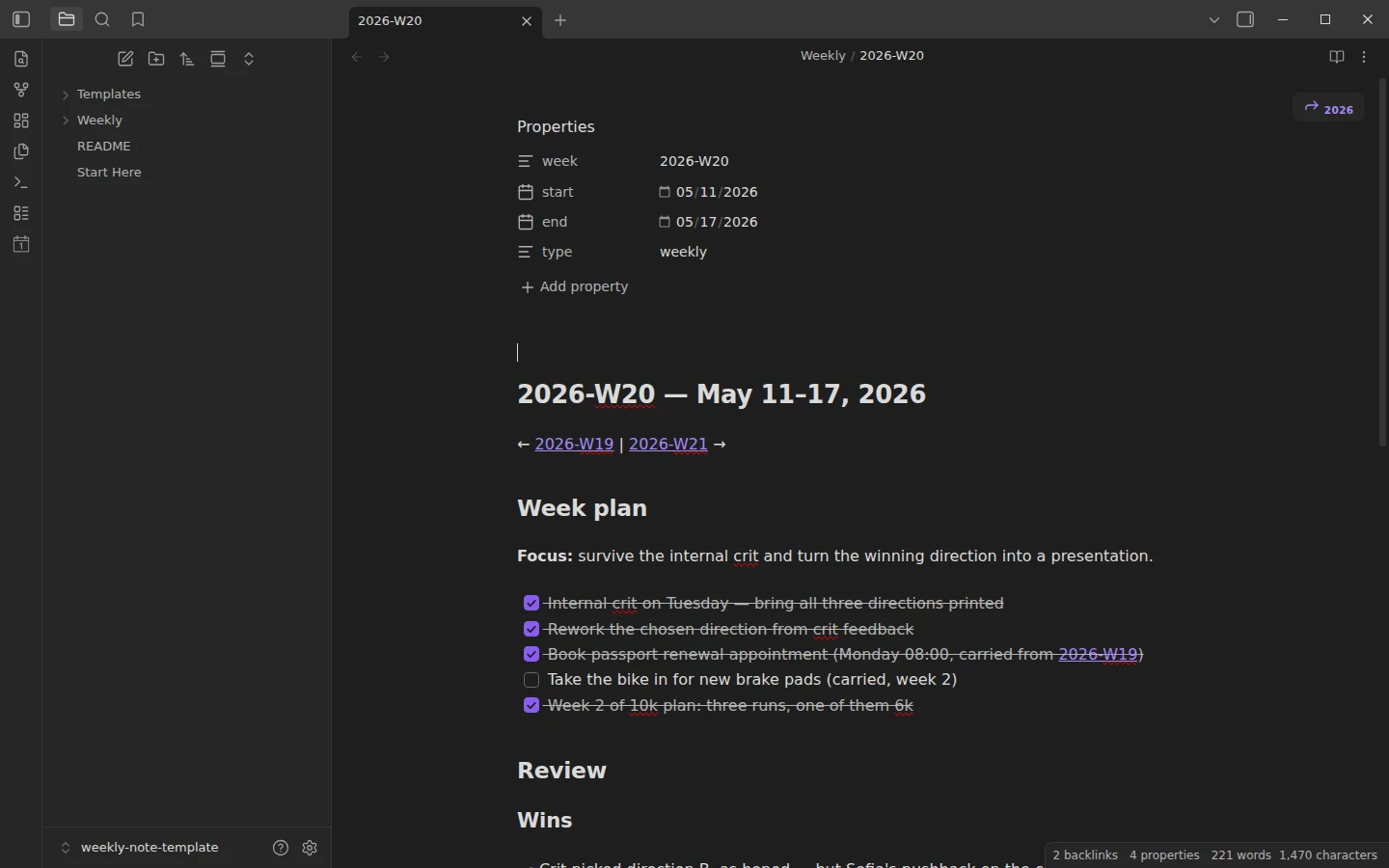
Plan the week and review it in the same note: focus, wins, numbers and carried-over tasks. Four consecutive example weeks show the loop.
Obsidian Daily Planner Template for Time Blocking
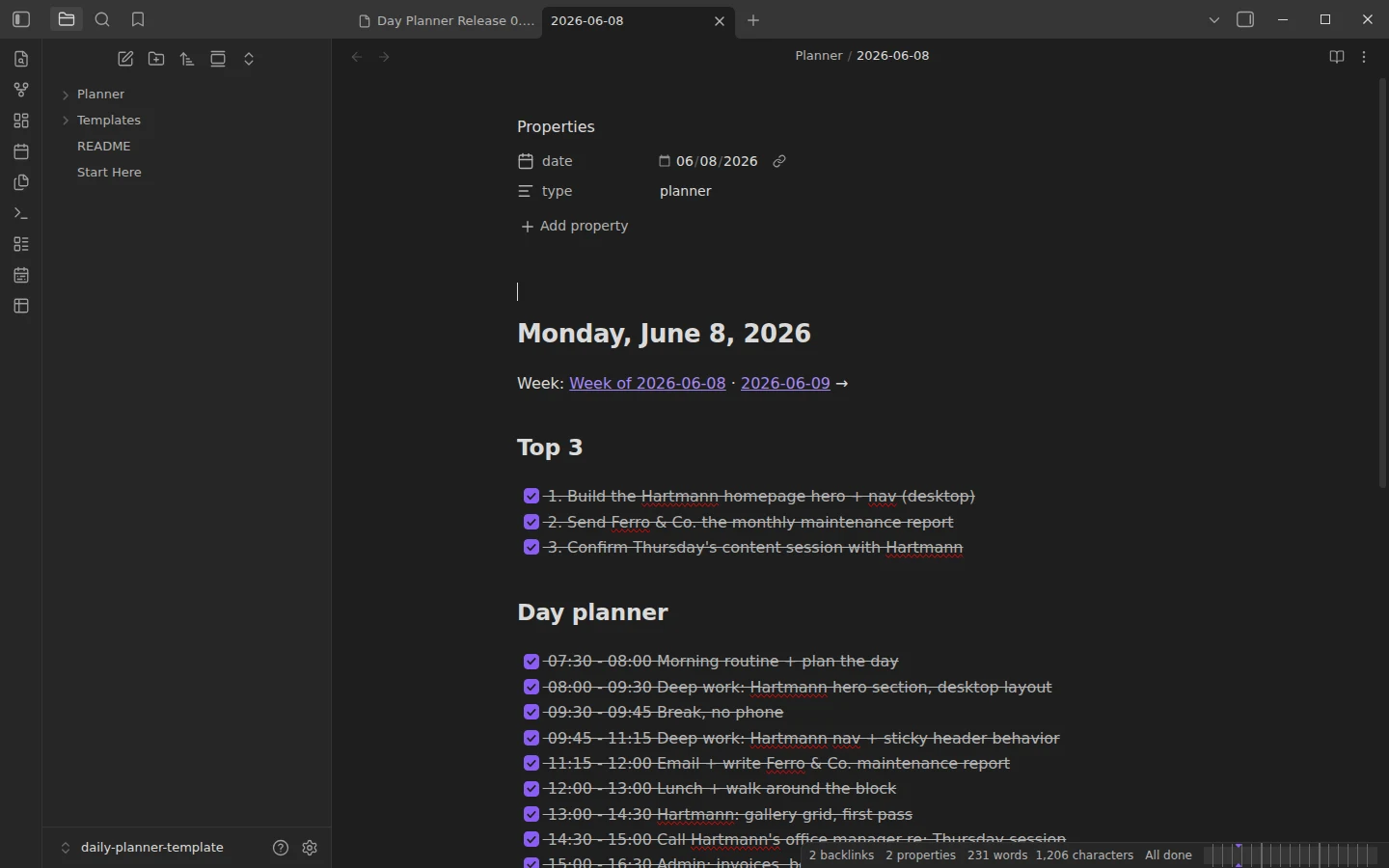
Time-block your day with a Top 3, an hour-by-hour timeline and a shutdown ritual. Works with plain checkboxes or the Day Planner plugin.
Obsidian Habit Tracker
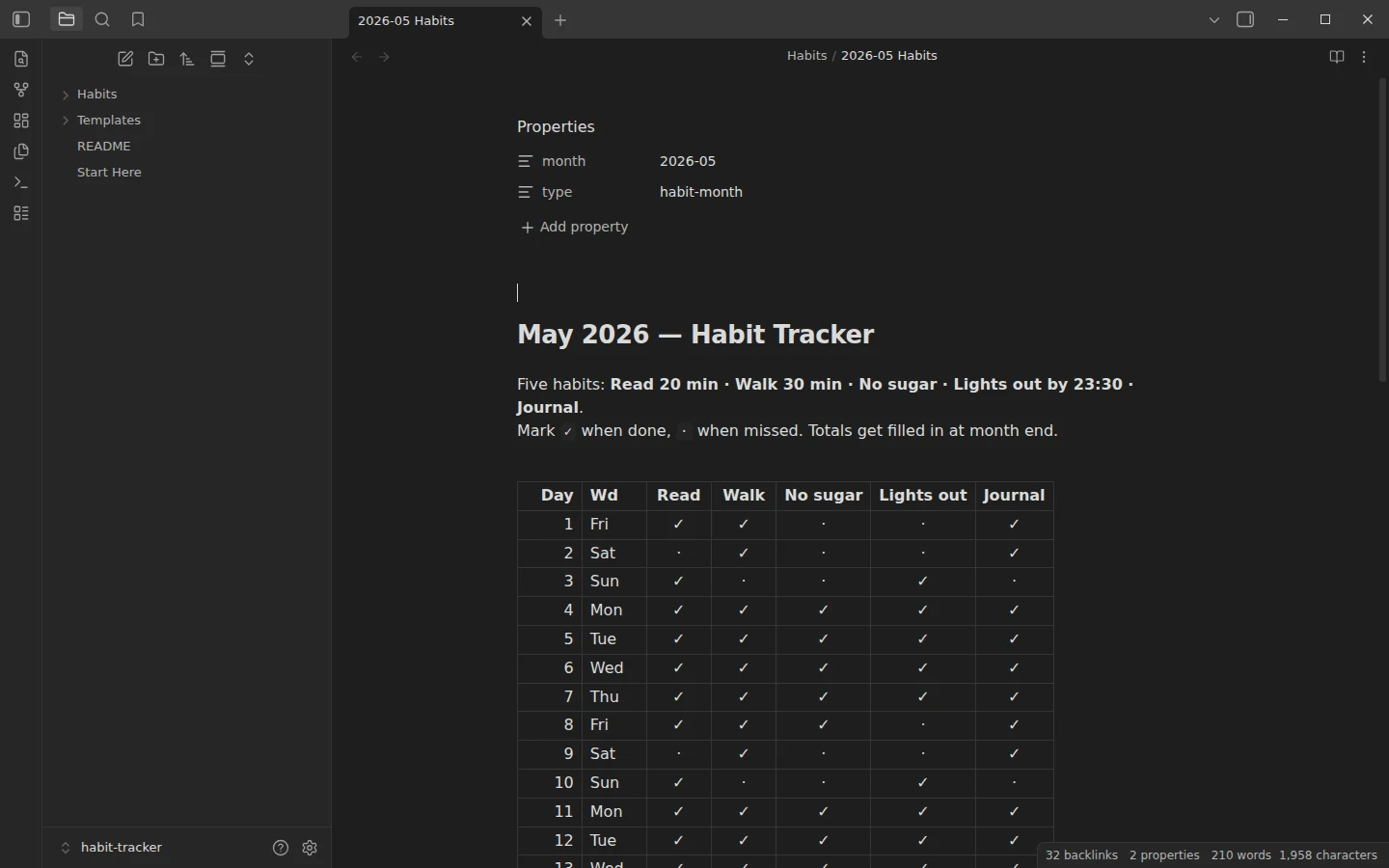
Track five habits in plugin-free monthly grids, or let the Dataview dashboard compute streaks and totals. Two fully tracked months included.
Obsidian Journal Template
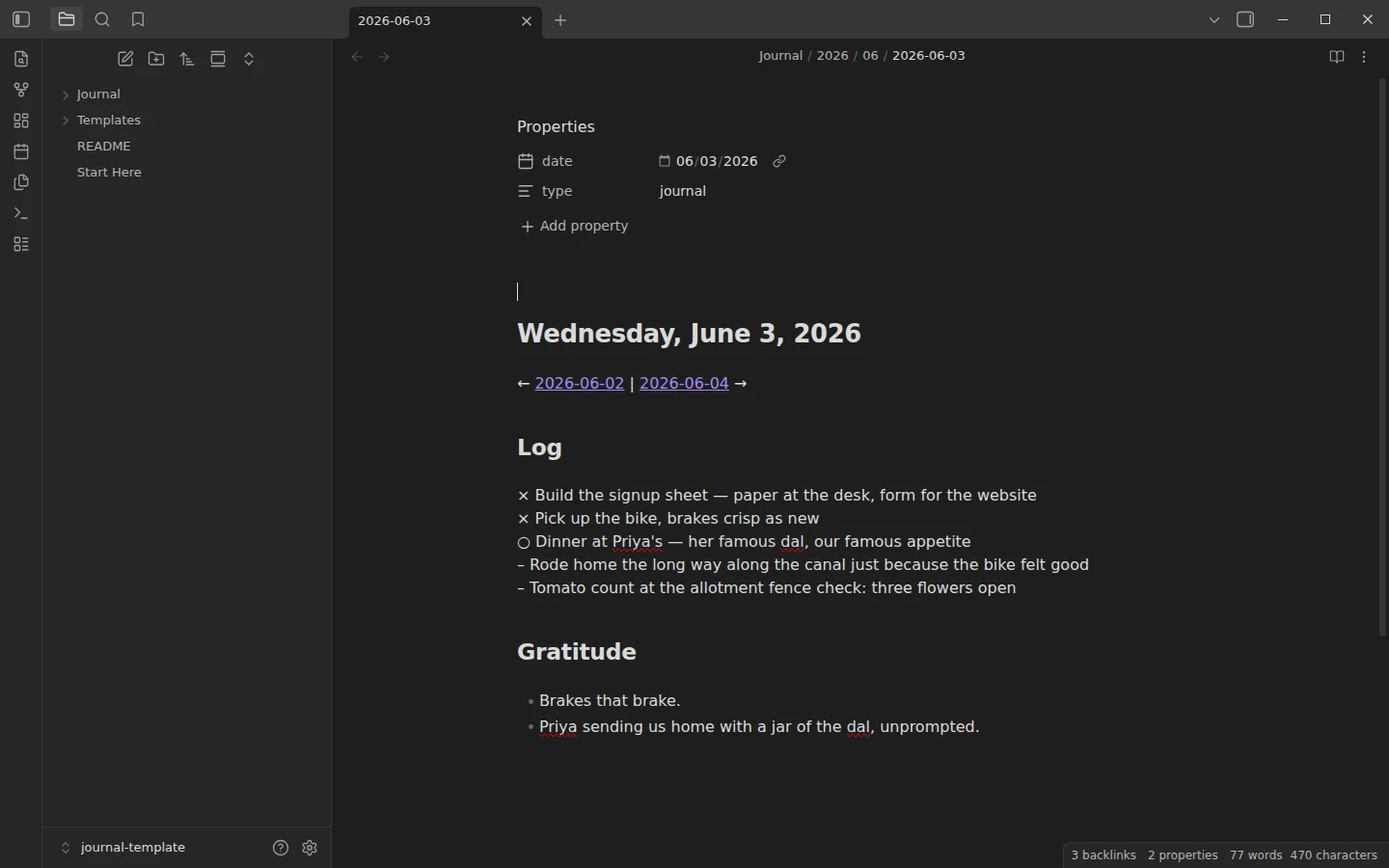
Bullet-journal rapid logging with a gratitude line and a monthly reflection ritual. Three entry variants and two filled example weeks included.
Obsidian Homepage Template
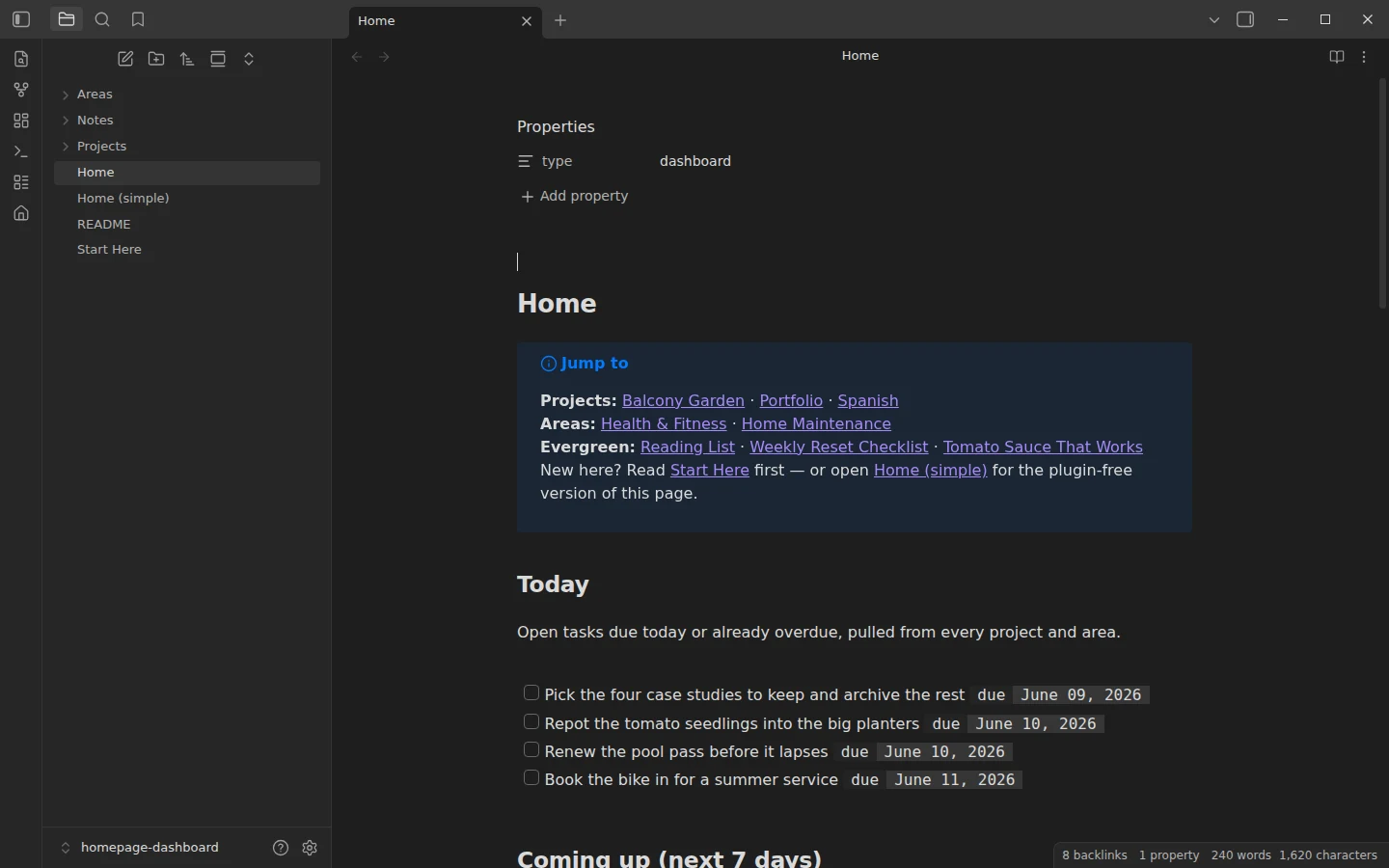
A homepage for your vault: today's tasks, active projects and recent edits on one dashboard note, in plugin-free and Dataview versions.
Example vaults for tasks, projects and work
Systems for getting work done: task lists, boards, project rollups, meeting notes and a personal CRM.
Obsidian Task Management Vault
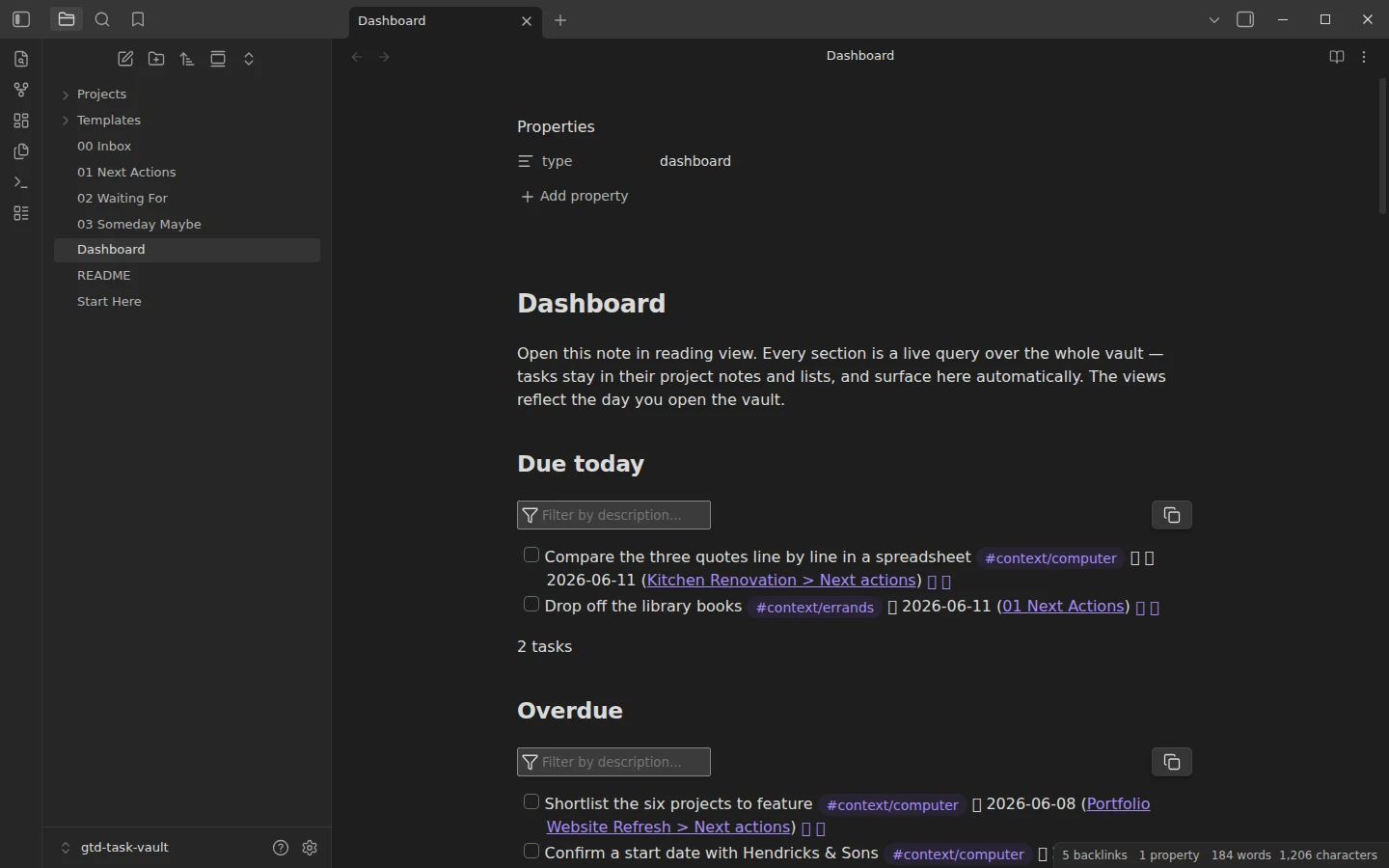
A working GTD system on the Tasks plugin: inbox, next actions with contexts, waiting-for and a live dashboard, preloaded with three sample projects.
Obsidian Kanban Template
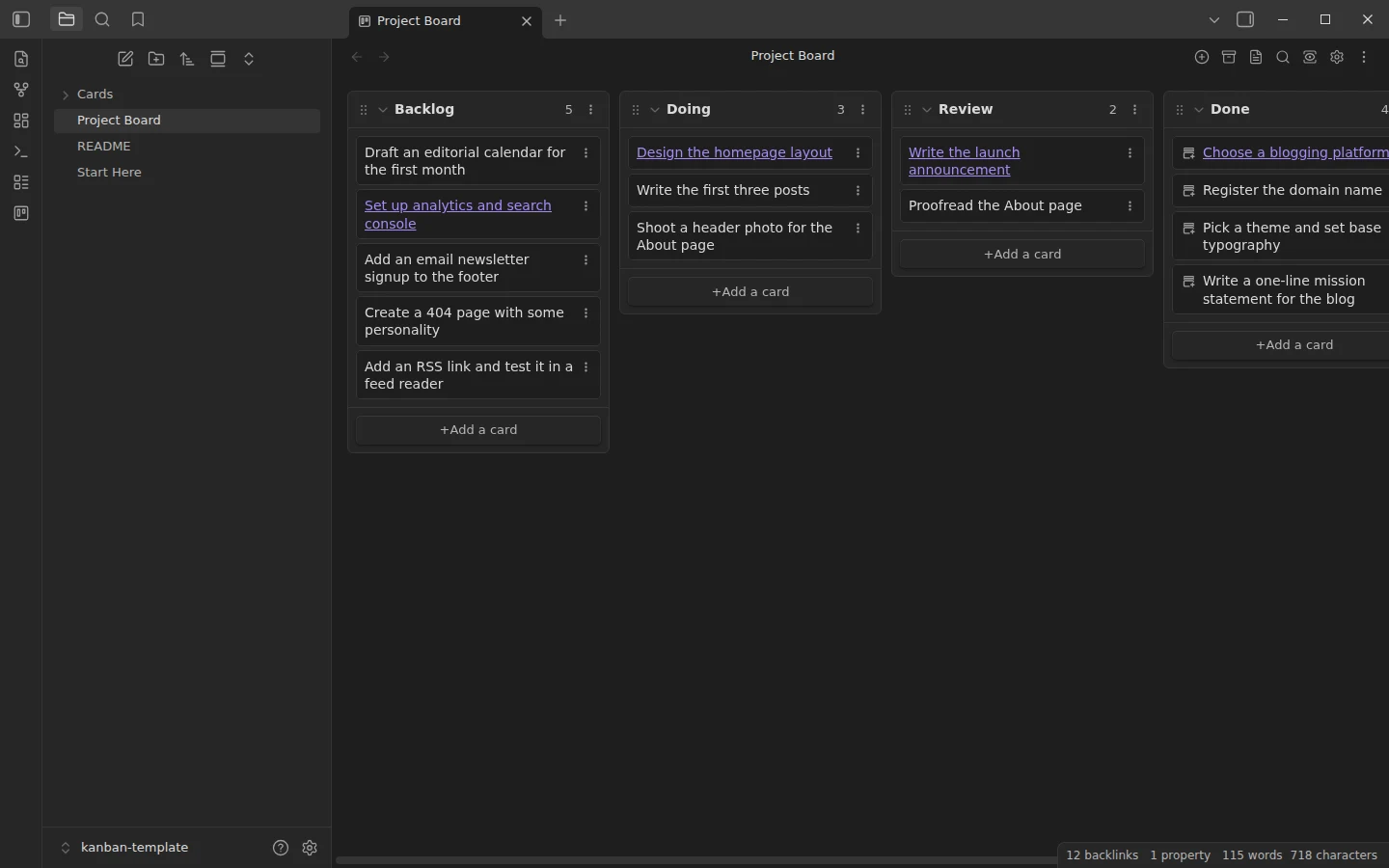
A four-column board — Backlog, Doing, Review, Done — with a realistic example project in flight and the card-to-note pattern for deeper work.
Obsidian Project Management Template with Gantt Timelines
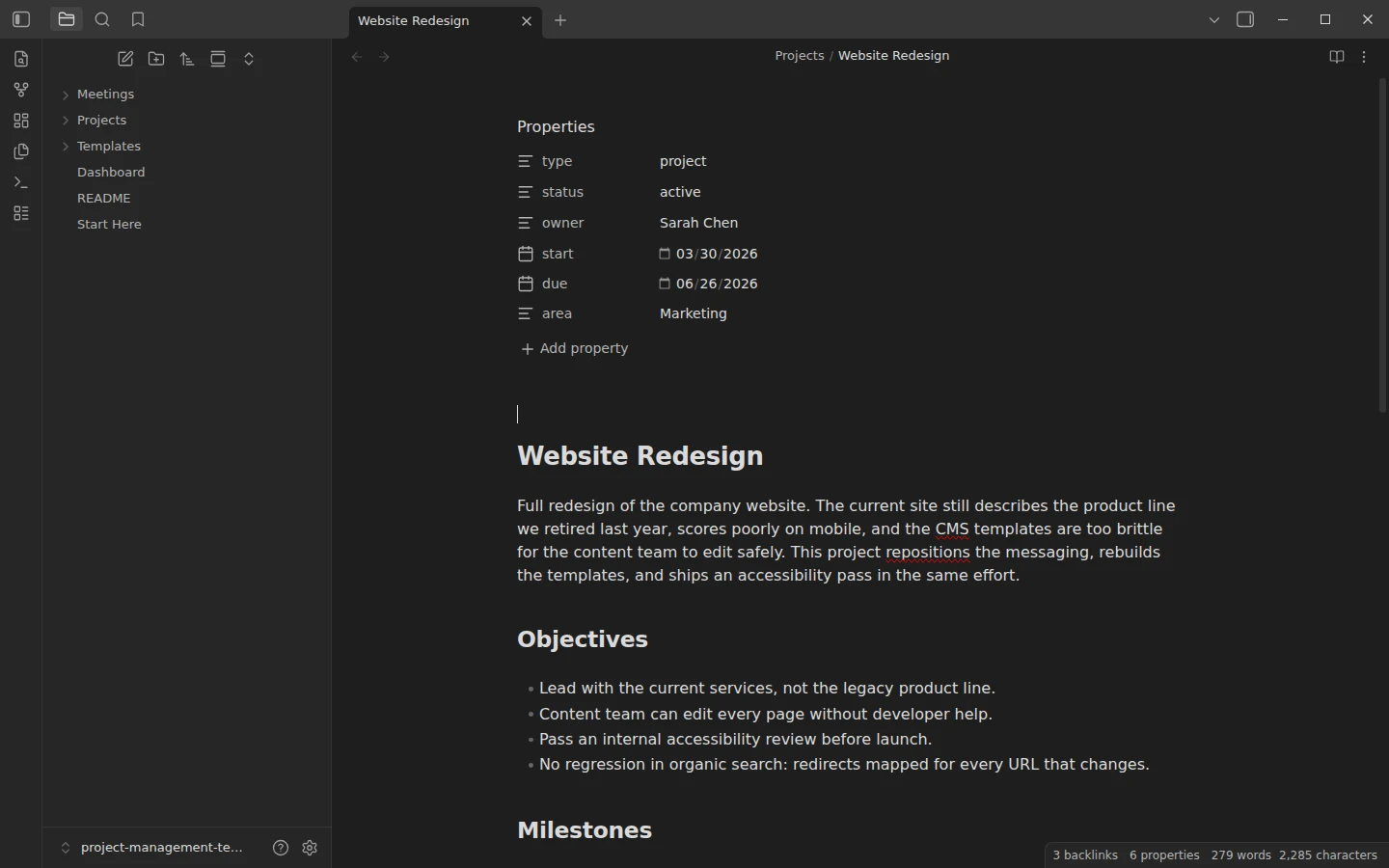
One note per project with frontmatter, milestones, a Mermaid Gantt timeline and linked meetings, rolled up on a Dataview dashboard.
Obsidian Meeting Notes Template
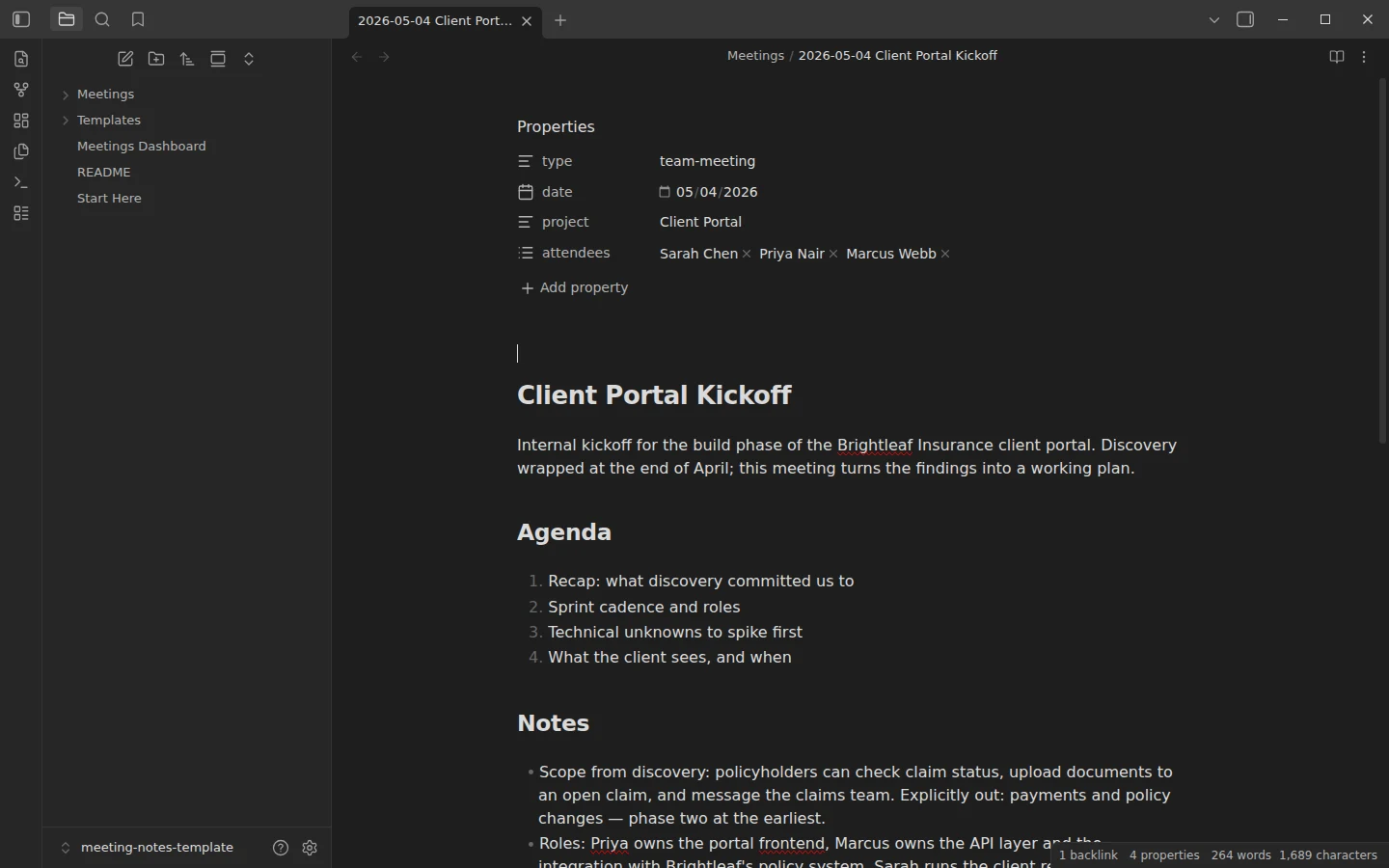
Three meeting note formats — team meeting, 1-on-1 and client call — plus a Dataview dashboard that tracks every open action item. Four filled example meetings included.
Obsidian CRM Template
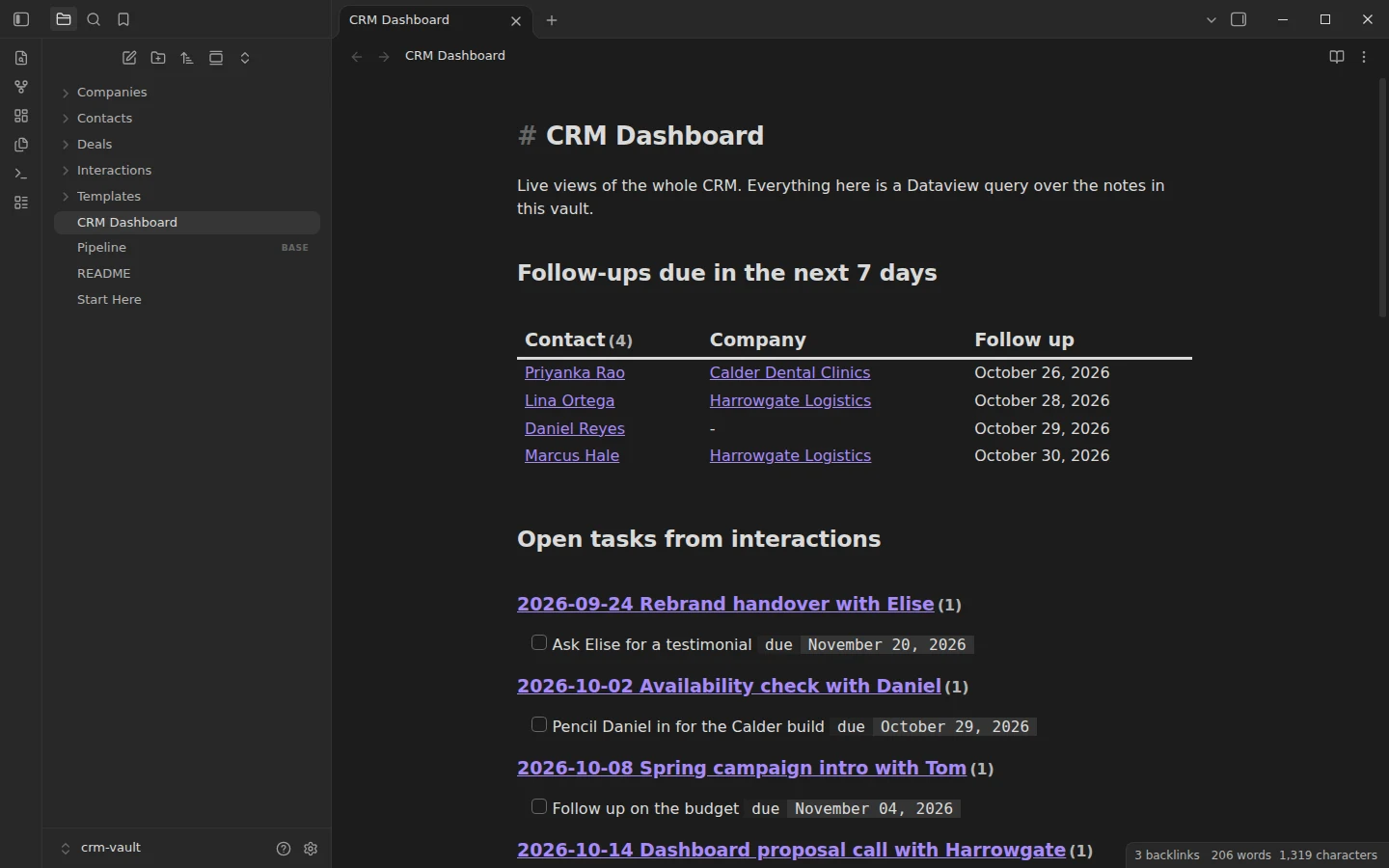
A personal CRM in plain Markdown: 8 contacts, 4 companies, 6 deals and an interaction log, with a Dataview dashboard and a Bases pipeline.
Obsidian Gantt Chart Template
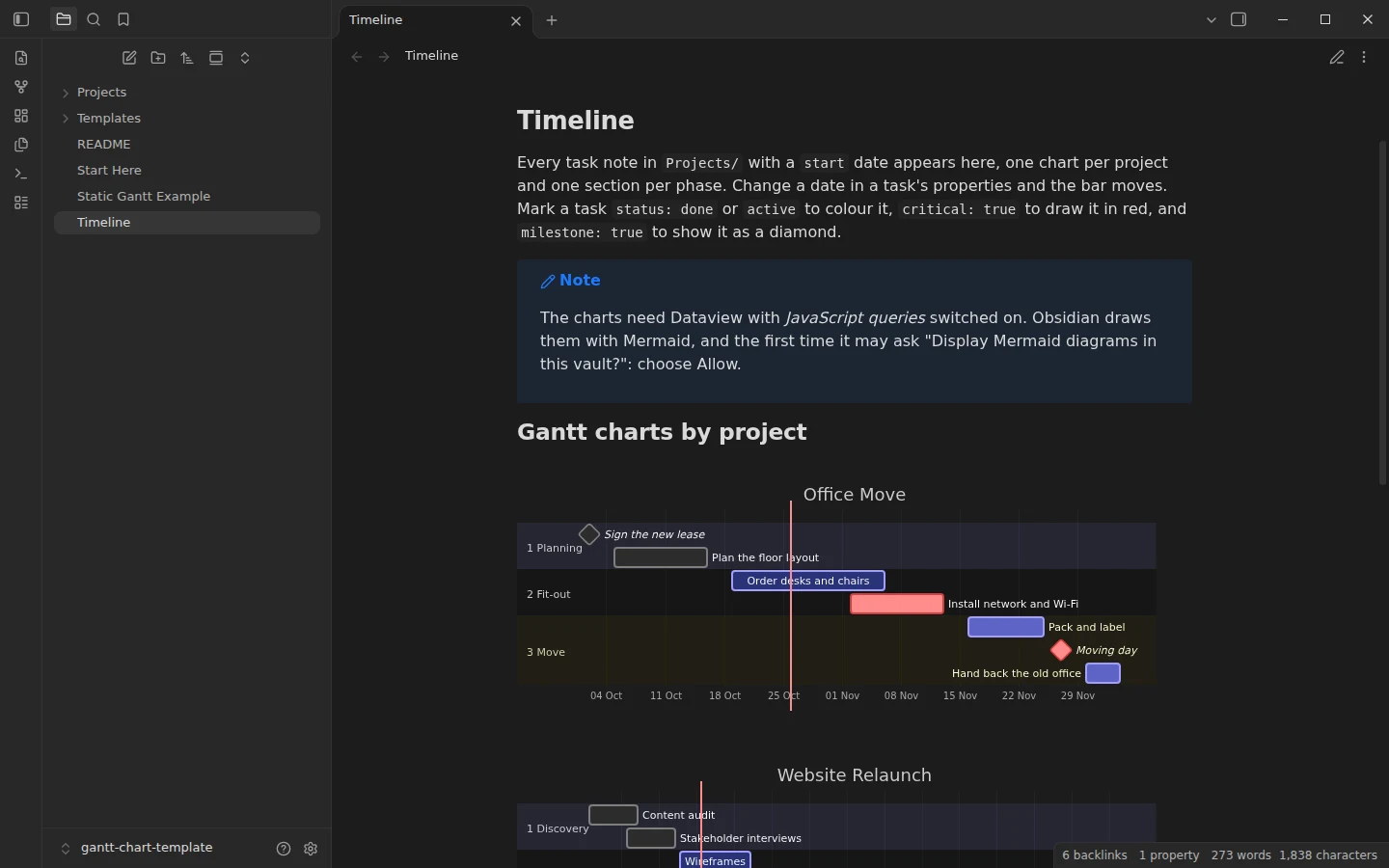
Gantt charts generated from task notes: start and end dates in the properties, one Mermaid chart per project with a section per phase, plus a plugin-free static example.
Example vaults for knowledge management: PARA, Zettelkasten and MOCs
Three ways to organise what you learn, each shown with real notes rather than an empty folder tree.
PARA Method Template for Obsidian
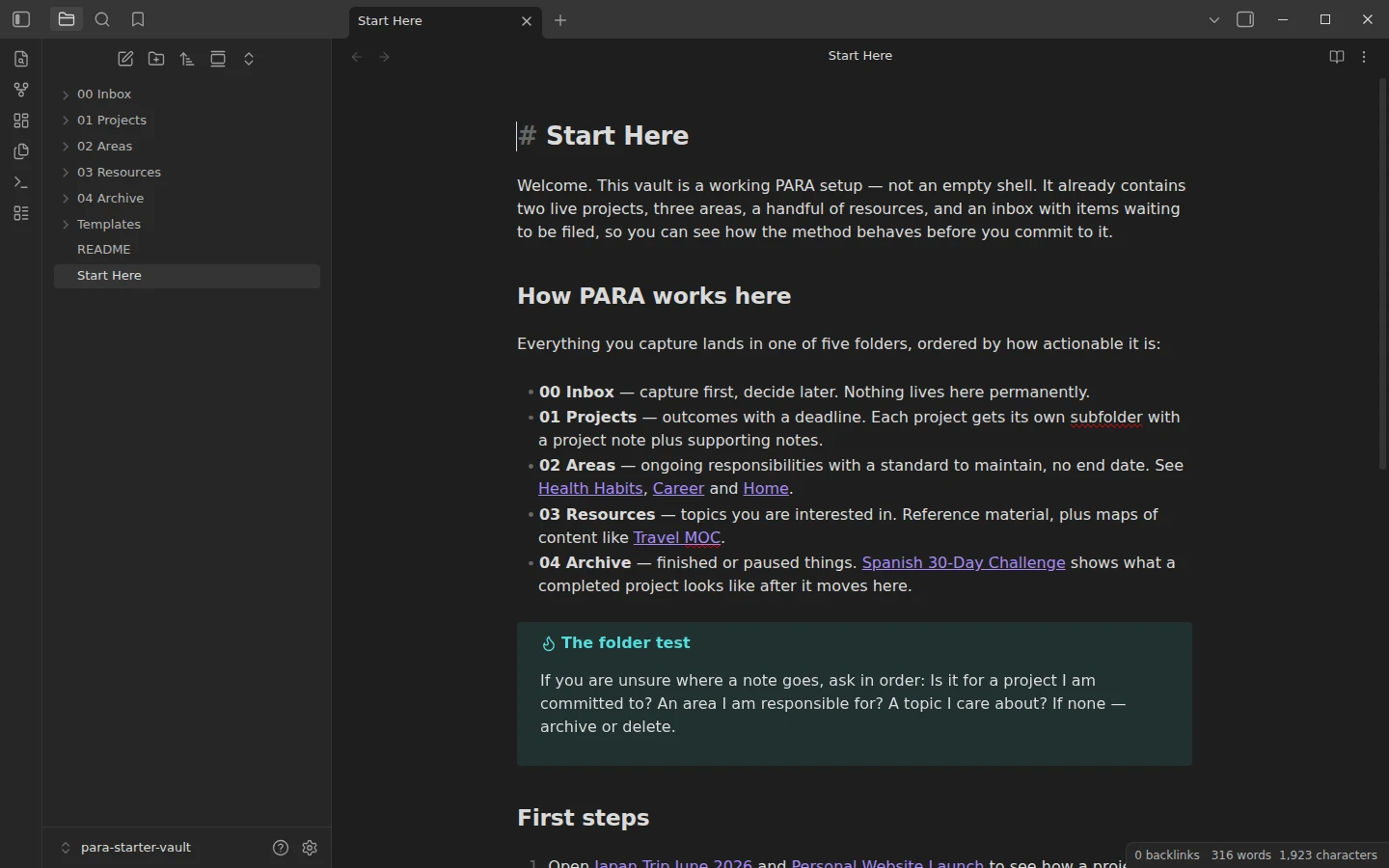
A working PARA setup, not an empty shell: two live projects, three areas, linked resources and an inbox that demonstrates the filing decision. Runs on core plugins only.
Obsidian Zettelkasten Template
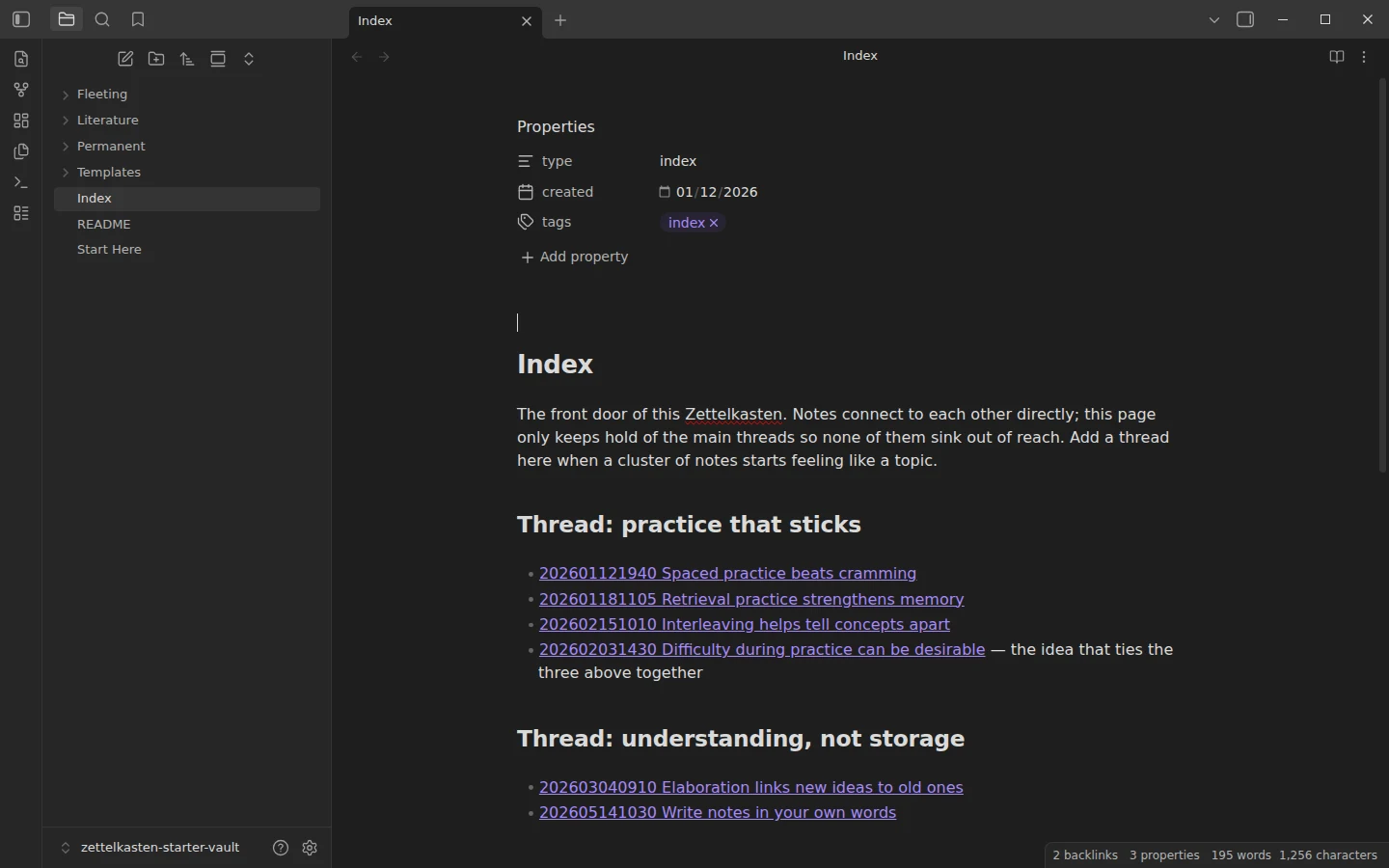
A small working Zettelkasten: fourteen linked notes on learning and memory that demonstrate the fleeting → literature → permanent pipeline, timestamp IDs and an index.
Obsidian MOC Template
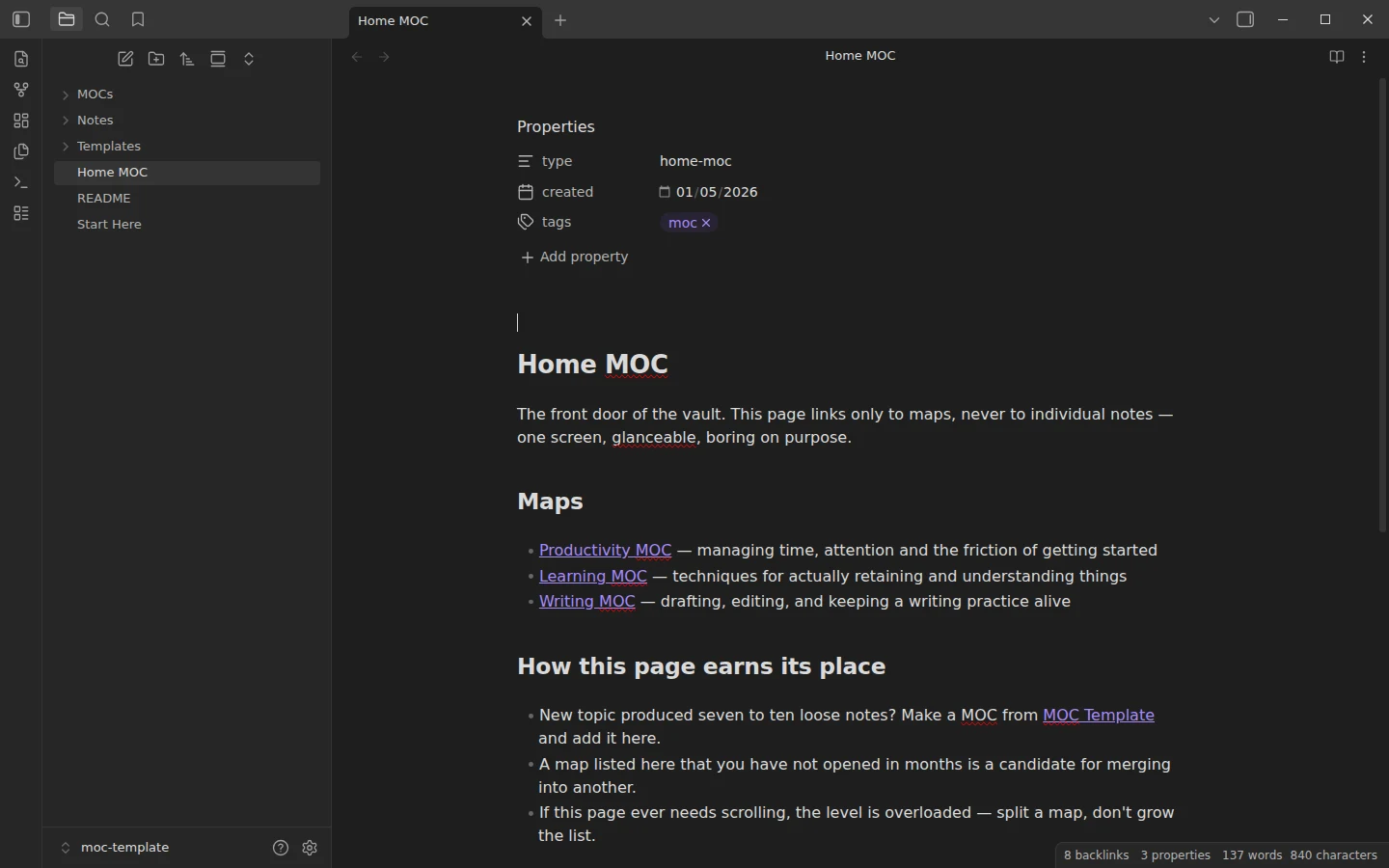
A fully worked map-of-content setup: home MOC, three topic MOCs and fifteen interlinked notes — open the graph view and the three-level tree is already there.
Example vaults for students and reading
Coursework, lecture notes and a reading log, filled with examples you can study before using your own.
Obsidian Student Template
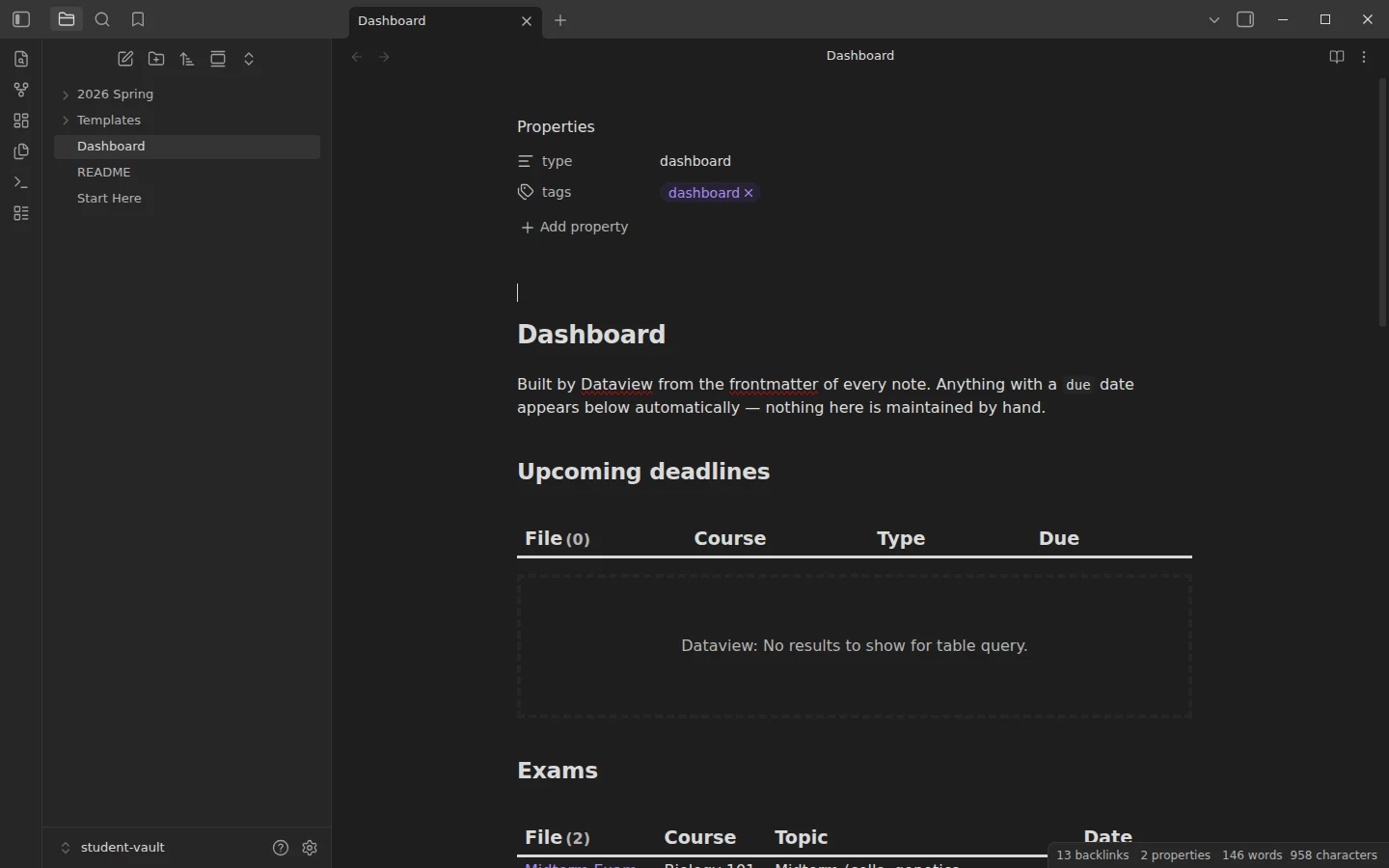
A coursework vault organized by term and course, with a Dataview dashboard that pulls every deadline and exam from note frontmatter. Two example courses and twelve filled notes included.
Obsidian Cornell Notes Template
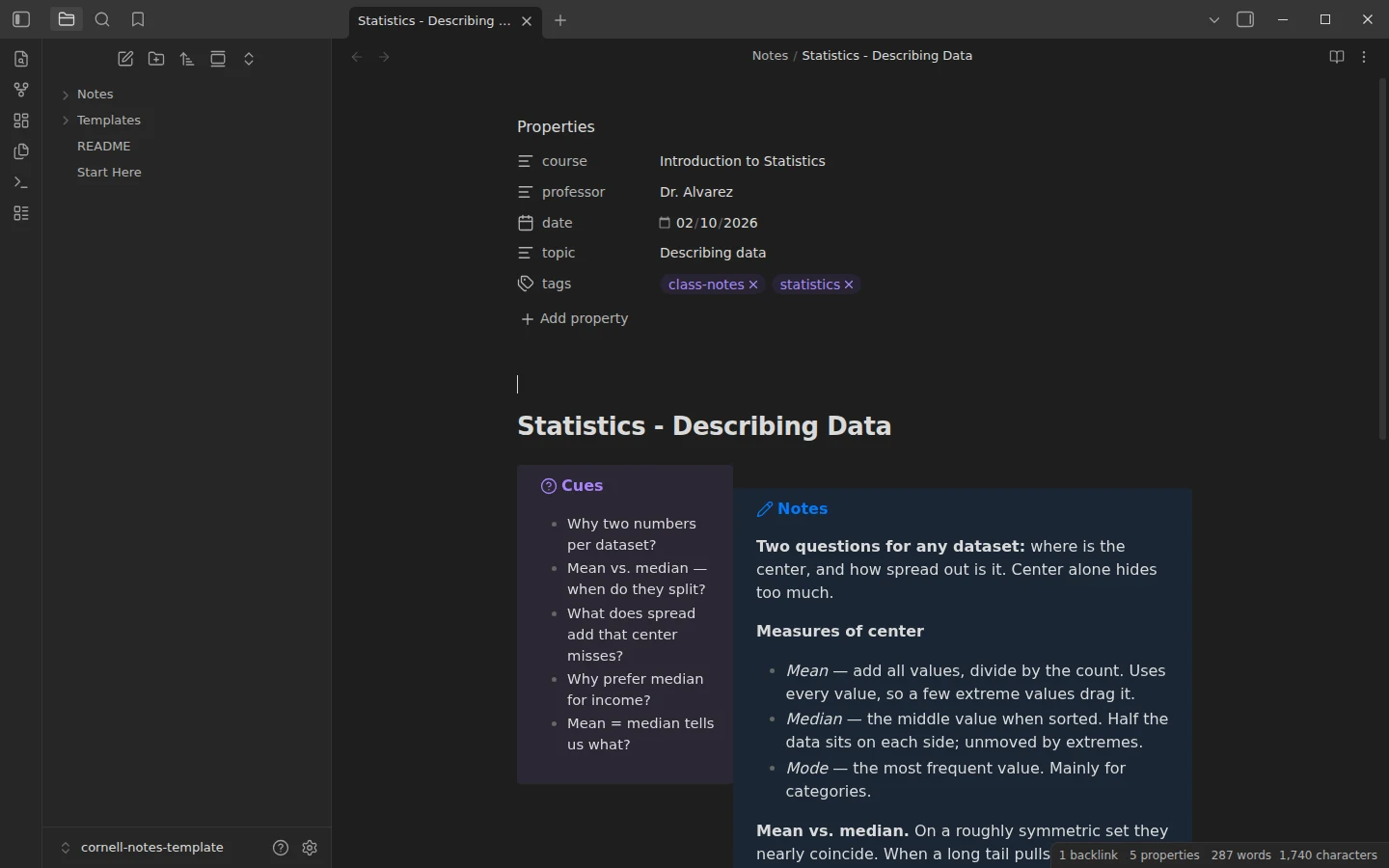
The Cornell method in Obsidian with three callouts and a single CSS snippet — cue column left, notes right, summary below. No community plugins required.
Obsidian Book Notes Template with a Self-Updating Reading Tracker
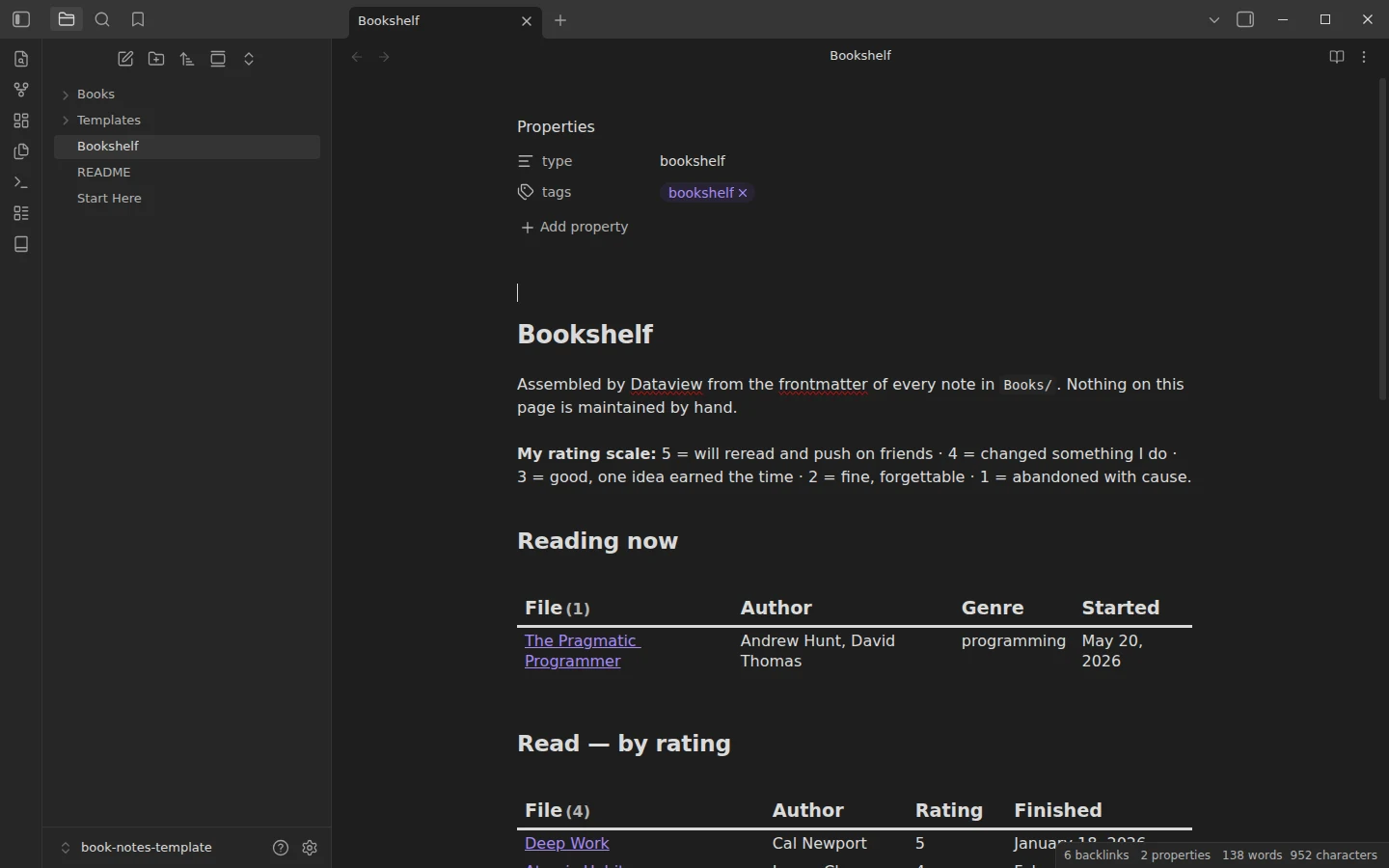
One structured note per book and a Dataview bookshelf that sorts itself by reading status and rating — with six real example books in mixed states.
Example vaults for D&D, TTRPGs and worldbuilding
Campaign, setting and NPC vaults loaded with original fiction, so every link and query has something to show.
Obsidian D&D Template
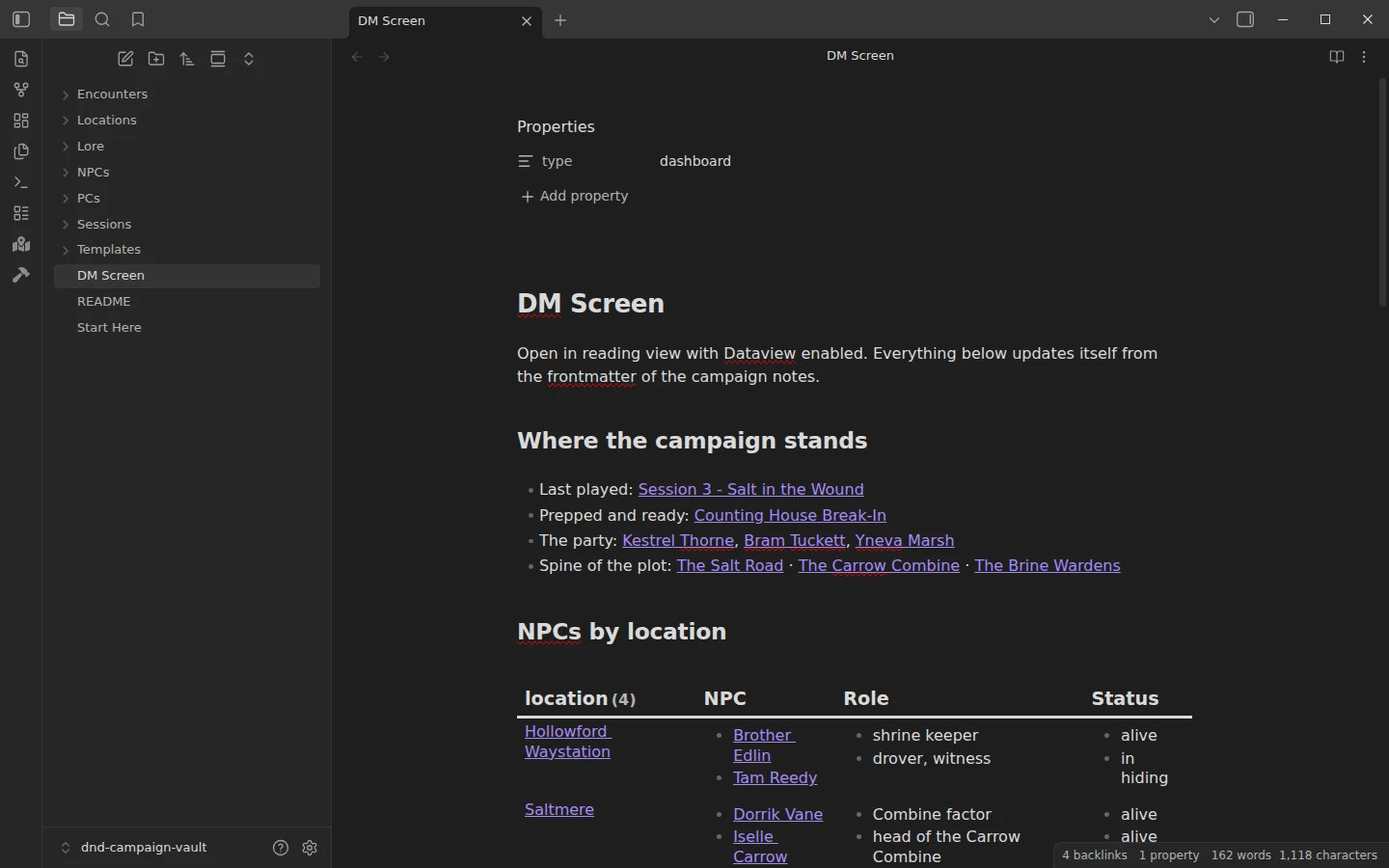
A campaign management vault loaded with The Salt Road Conspiracy: three sessions, eight NPCs, four locations, three encounters and a Dataview DM screen.
Obsidian Worldbuilding Vault
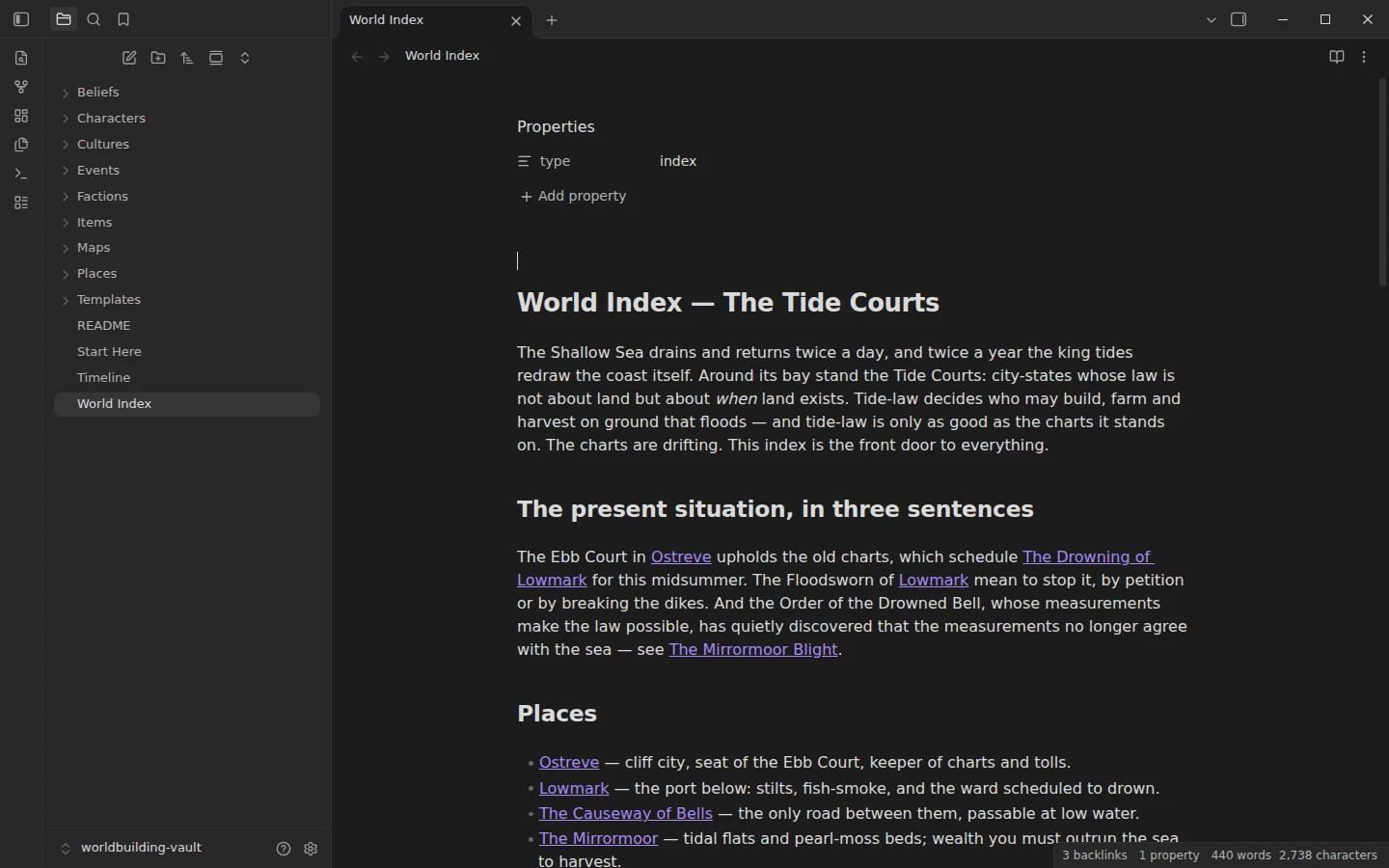
Relational frontmatter for places, characters, factions and events — demonstrated with The Tide Courts, an original setting of around twenty interlinked notes.
Obsidian NPC Template
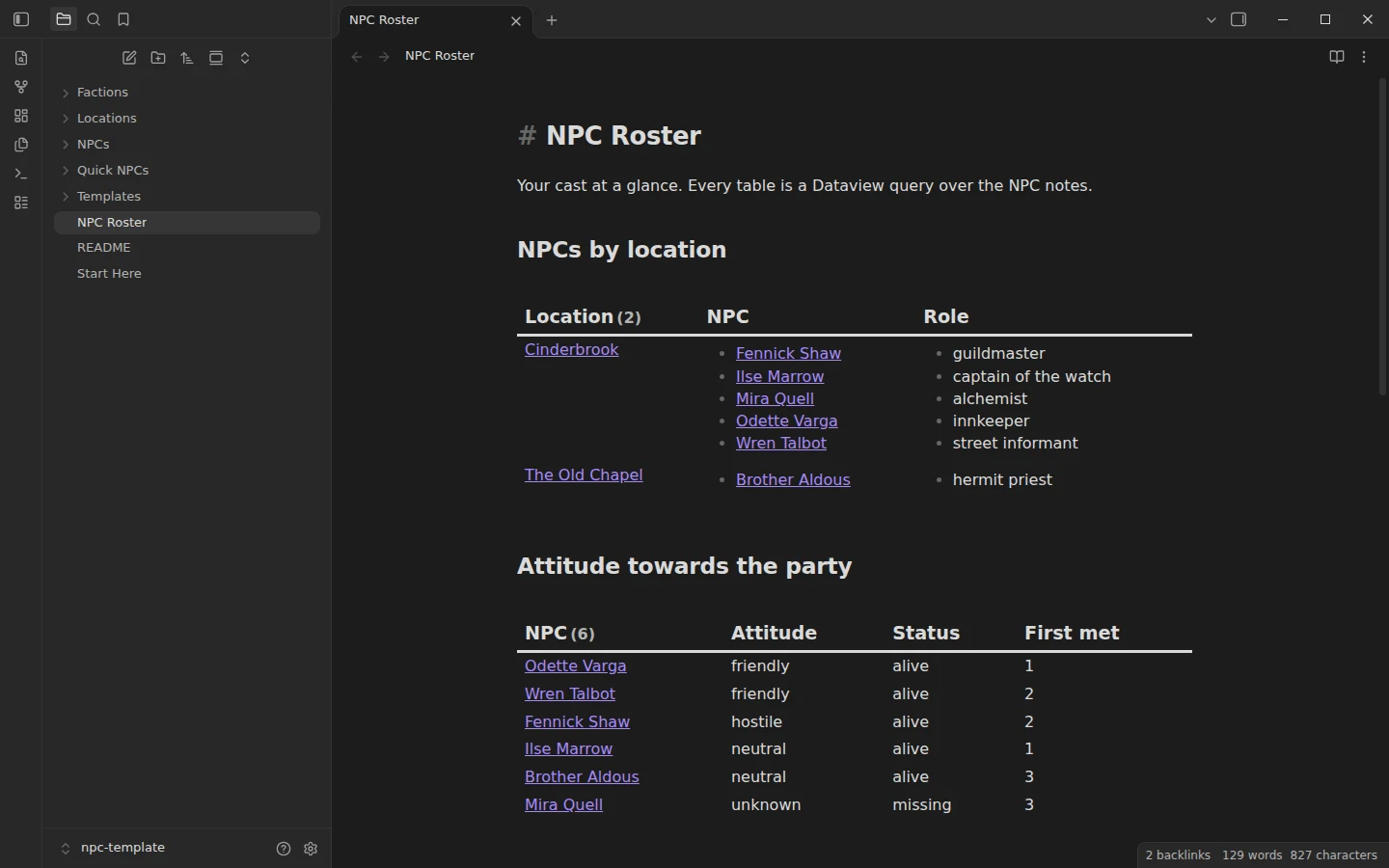
A full NPC template, a quick one for improvising and a Dataview roster by location, faction and attitude, with an original river town of nine NPCs.
Obsidian D&D Character Sheet
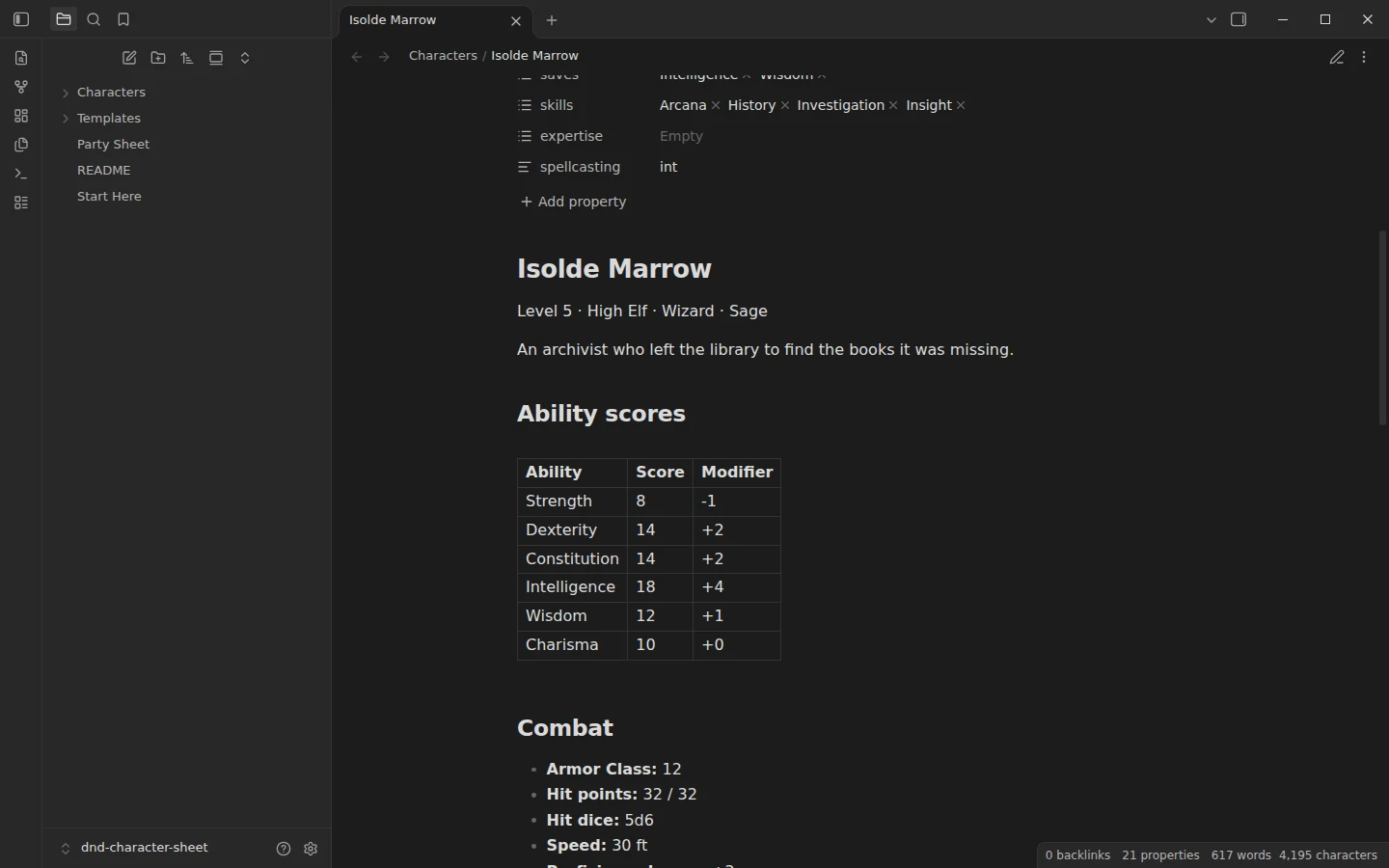
A D&D 5e character sheet where you type the scores once and Dataview calculates modifiers, all 18 skills, saving throws and spell DC, with three example characters and a party sheet.
How to open an Obsidian example vault
Download the zip from the vault's page and unzip it. In Obsidian, open the vault switcher, choose Open folder as vault and pick the folder inside the zip. If the vault uses community plugins, Obsidian asks whether to trust the author; accept, then install the plugins listed in its Start Here note. Open each vault in its own folder rather than copying files into your main vault, so you can explore it without mixing it with your notes.
What to look for in an example vault
Look at the properties at the top of the notes: they are what the dashboards query. Open the graph view to see which notes act as hubs. Then read one template from the Templates folder and compare it with a filled-in note, because the gap between the two is the method. When you find a structure you like, copy the templates and the dashboard into your own vault and leave the sample notes behind. If you are starting from zero, our guide on how to use Obsidian covers the basics first.