Obsidian D&D Template: A Campaign Vault Loaded with a Playable Mini-Campaign
Quick install: unzip the file and open the folder as a vault in Obsidian, or copy the templates into your existing vault. Full install guide
What plugins you need
- Required
- Dataviewcore Templates
- Optional
- LeafletInitiative Tracker
An empty campaign vault teaches you nothing about running one. This Obsidian D&D template comes loaded with The Salt Road Conspiracy, a complete original mini-campaign — three narrated sessions, eight NPCs, four locations, three encounters, three player characters and the lore tying them together — so every query, link and prep workflow is demonstrated on real play data. Run it as written, strip it for parts, or delete it and keep the structure. Everything is original and 5e-compatible: the vault contains no text from any published rulebook.
What's inside this Obsidian campaign template
One note per entity, one folder per type:
- Sessions/ — three session notes, from Blood on the Brine to Salt in the Wound: recap, scene log, clues handed out, and a "next time" block.
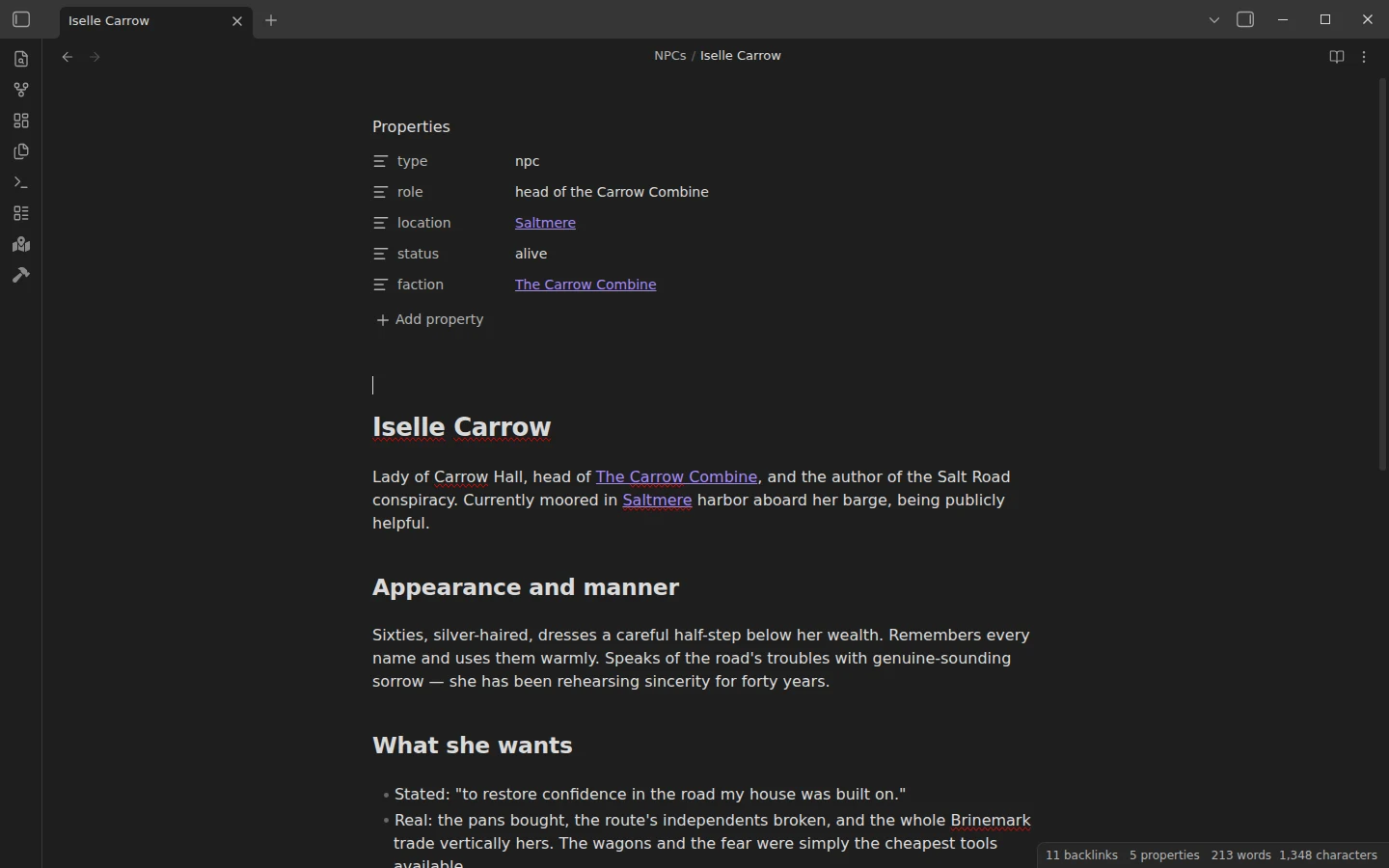
- NPCs/ — eight characters with
role,location,statusandfactionfrontmatter, from harbormaster patron Maera Wace to Iselle Carrow, the conspiracy's author. - Locations/ — four linked places along the Salt Road between Saltmere and Vellharrow.
- Encounters/ — three with original stat blocks: two already run, and the Counting House Break-In prepped with
status: ready, runnable tonight. - PCs/ and Lore/ — the three-character party, plus the factions and history that more than one note needs to agree on.
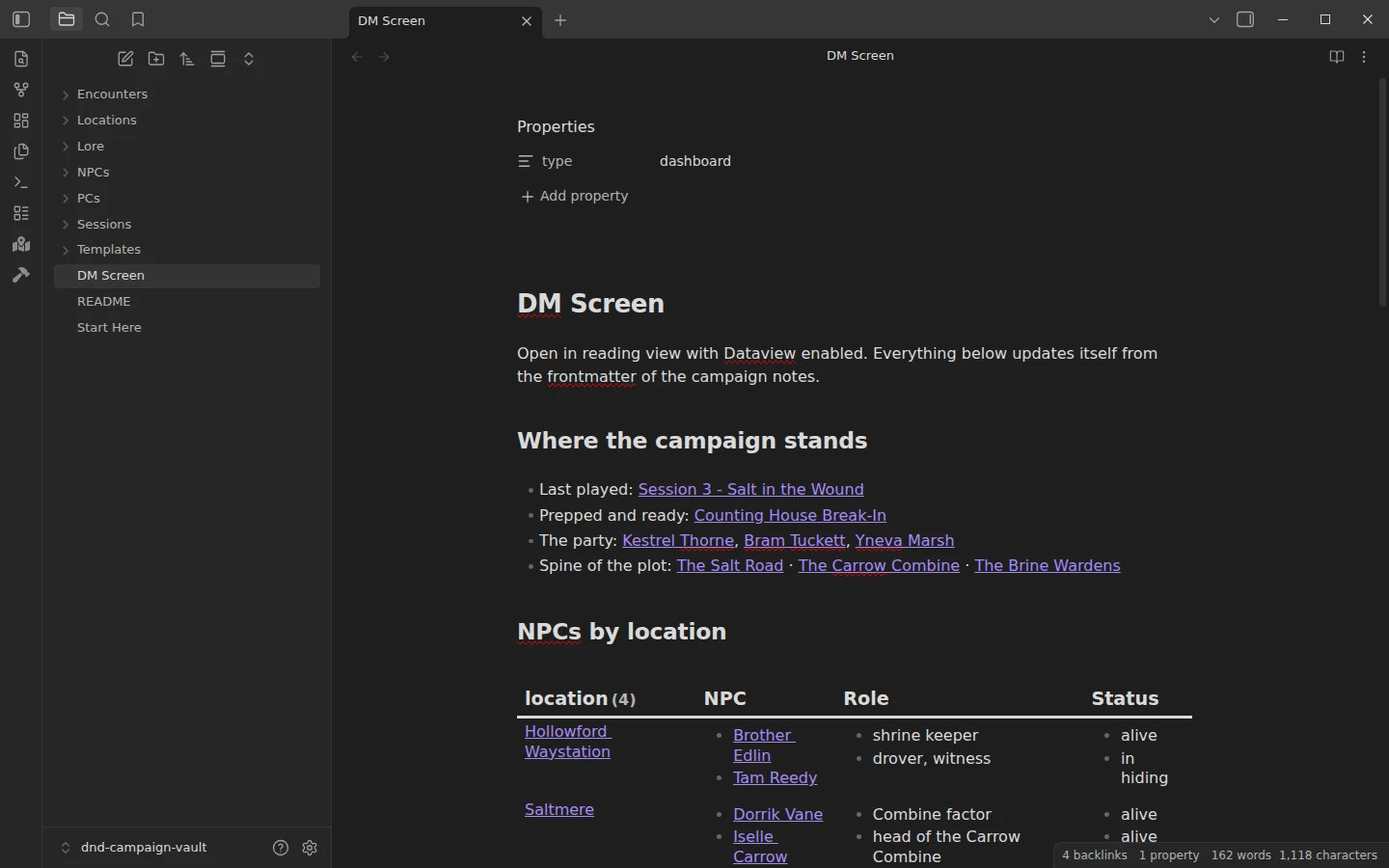
- DM Screen — the Dataview dashboard: NPCs by location and by faction, recent sessions, ready encounters, party roster.
- Templates/ — five, one per entity type: session, NPC, location, encounter, PC.
Running a D&D campaign in Obsidian, session by session
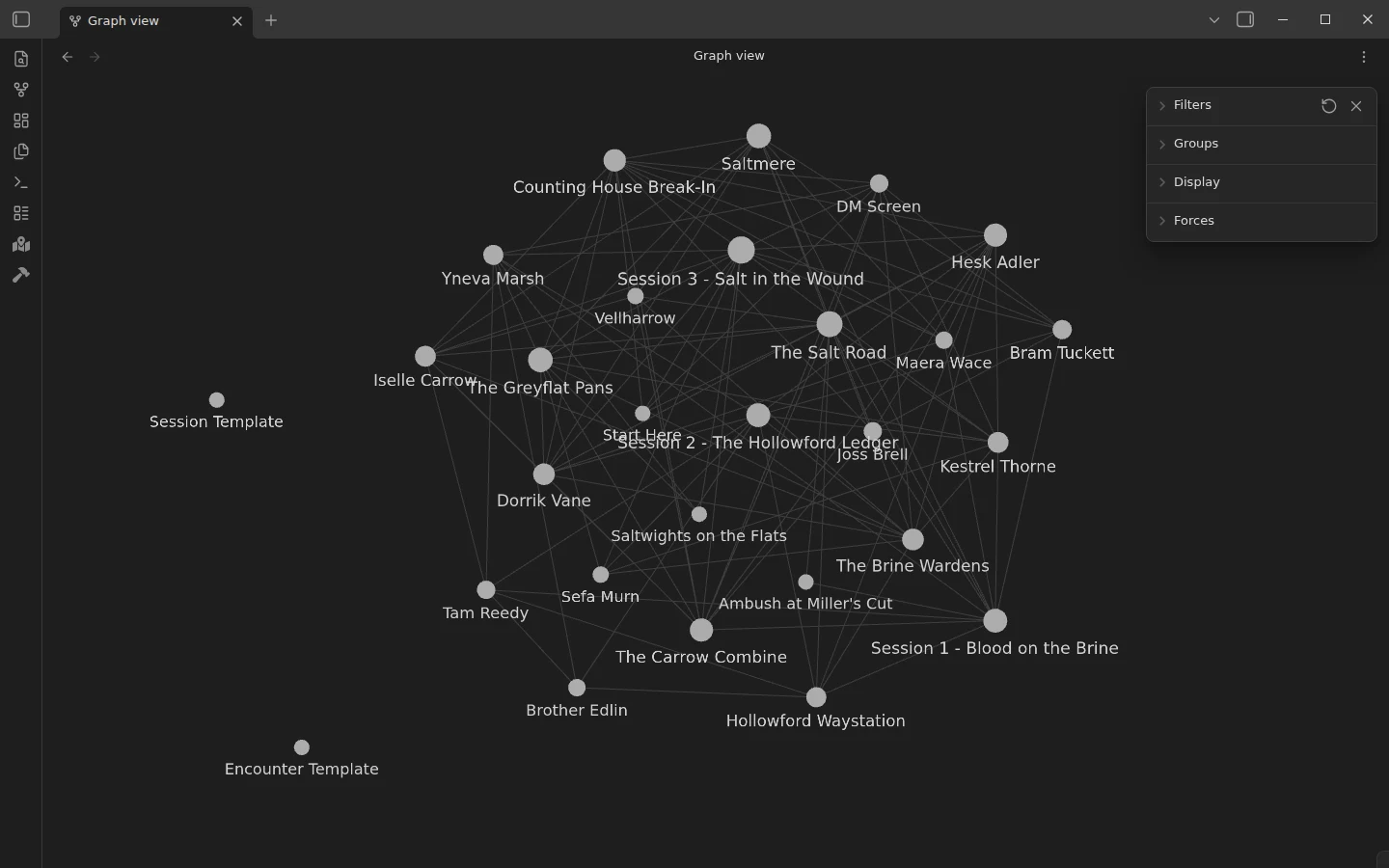
Most Obsidian D&D setups collapse because notes pile up without conventions; here the conventions ship pre-applied, mid-campaign. The loop: after each session, write the recap while it is fresh, log which clues actually reached the players, update the status frontmatter of any NPC the session changed, and let the "next time" block become your prep list. Before the next one, glance at the DM Screen — it already knows which encounter is ready and where everyone is. The example campaign is captured mid-loop on purpose: session three is written up, the break-in is prepped, and the party sits one bad decision from the endgame. Open the graph view too — a campaign vault should look like a web, and this one does.
Obsidian D&D templates included in the campaign vault
The vault has one template for each kind of note a campaign produces. Each starts with properties that Dataview reads, so new notes show up on the DM screen as soon as you create them.
| Template | Properties | Sections |
|---|---|---|
| Session | number, date | recap, what happened, clues handed out, NPCs met or changed, loot, next time |
| NPC | role, location, status, faction | appearance and manner, what they want, what they know, quick stats, appearances |
| Location | region | what this place is, people here, hooks and rumors, secrets |
| Encounter | status, location, difficulty | setup, opposition, terrain and complications, tactics, outcomes |
| PC | player, class, level, ancestry | bonds and hooks, goals, table notes, session log |
The Obsidian DM screen
The DM Screen note is the page to keep open during play. It shows where the campaign stands, NPCs grouped by location and by faction, sessions with the latest first, encounters ready to run and those already run, and the party. Mark an encounter as run and it moves from one list to the other.
Obsidian TTRPG templates for players and game masters
The campaign vault is the DM's side of the table. For deeper NPCs there is the NPC template with a quick version for improvising, players can keep a D&D character sheet that calculates modifiers and skills on its own, and the worldbuilding vault holds the setting itself. All of them use the same kind of properties, so their notes can be copied into one vault and queried together.
Plugins the campaign vault uses
Dataview is the only requirement — every table on the DM Screen runs on it. Two optional plugins are pre-listed in the vault config: Leaflet, which turns map images into pannable, pinnable maps once you add some (nothing in the vault depends on it), and Initiative Tracker, which runs turn order in the sidebar and pairs well with the encounter notes. The core Templates plugin comes pointed at Templates/.
Install the D&D template in Obsidian
Download the zip, unzip it, choose Open folder as vault, enable community plugins, install Dataview, and open the DM Screen in reading view — every table should be populated. The same vault sits on GitHub. Template insertion is covered in core Templates vs Templater. And if your world outgrows a single campaign — regions, deep history, factions that exist whether or not the party meets them — the worldbuilding vault applies the same relational-frontmatter method at setting scale. The D&D, TTRPG and worldbuilding category holds both.
More templates
-
 TTRPG Templates: D&D Campaigns & Worldbuilding Obsidian D&D Character Sheet: a 5e Template That Calculates Itself Free D&D 5e character sheet for Obsidian: ability scores in properties, and Dataview works out modifiers, skills, saves, Passive Perception and spell DC. View template →
 -
 TTRPG Templates: D&D Campaigns & Worldbuilding Obsidian NPC Template: Full and Quick NPC Notes with a Dataview Roster Free Obsidian NPC template pack: full NPC notes with personality, voice, secrets, hooks and relationships, a quick NPC for improvising, and a Dataview roster. View template →
 -
 TTRPG Templates: D&D Campaigns & Worldbuilding Obsidian Worldbuilding Vault: A Template with a Complete Example Setting Free Obsidian worldbuilding templates for places, characters, factions, events, cultures, beliefs and items, in a vault with a complete example setting. View template →
 -
 Kanban & Project Management Templates Obsidian Gantt Chart Template: Timelines Drawn from Your Task Notes Free Obsidian Gantt chart template: tasks are notes with start and end dates, and a Dataview query draws a Mermaid Gantt chart per project, by phase. View template →