Obsidian Worldbuilding Vault: A Template with a Complete Example Setting
Quick install: unzip the file and open the folder as a vault in Obsidian, or copy the templates into your existing vault. Full install guide
What plugins you need
- Required
- Dataviewcore Templates
- Optional
- Timelines (Revamped)
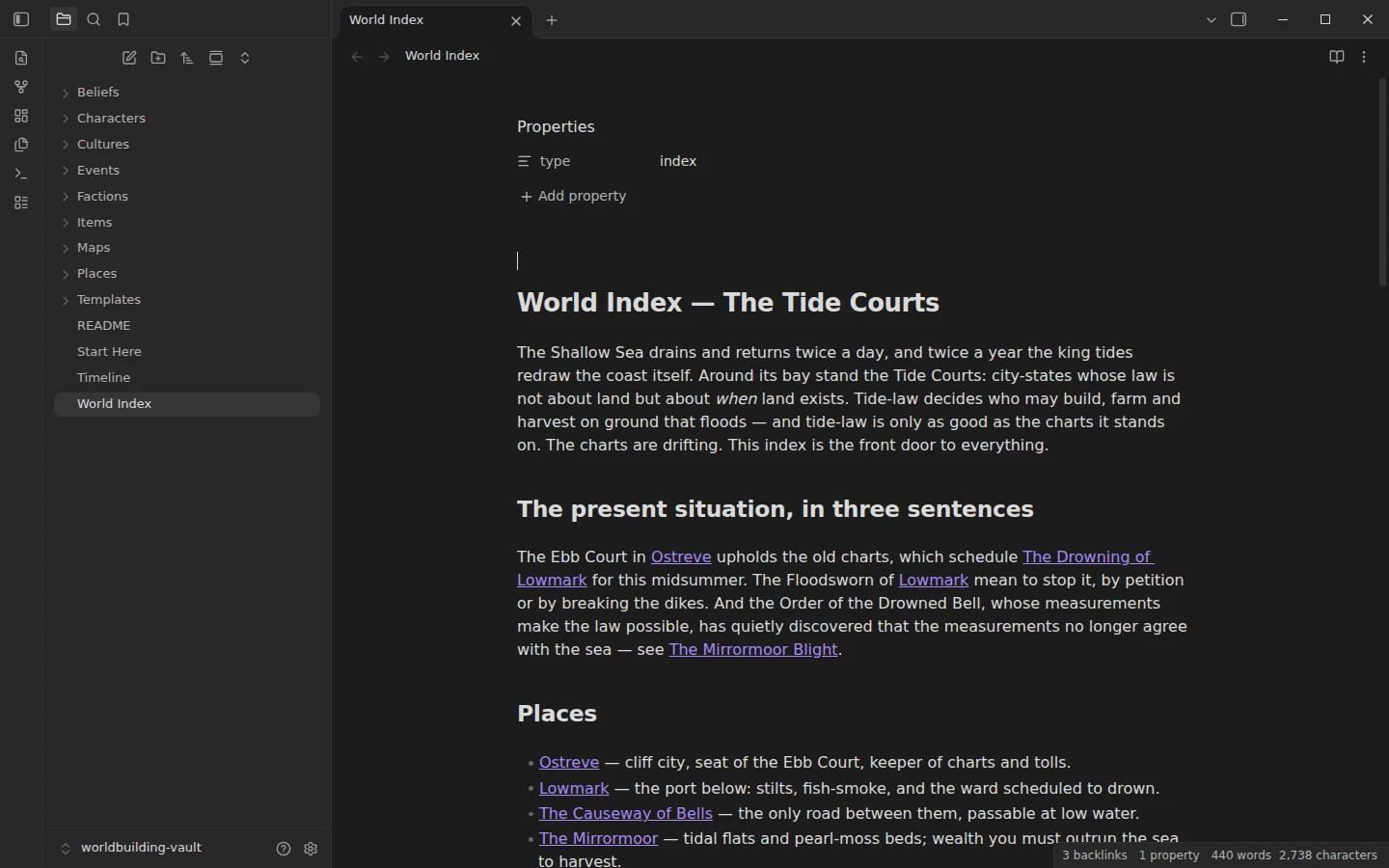
Worldbuilding notes rot in two ways: relationships buried in prose nobody re-reads, and a chronology scattered across files. This Obsidian worldbuilding vault fixes both with one habit — every place, character, faction and event declares its connections in frontmatter — and ships fully demonstrated with The Tide Courts, an original low-magic setting of around twenty densely interlinked notes heading toward a crisis.
What's inside the worldbuilding Obsidian template
- Places/ — six locations with
regionandruled-byfields, from the cliff city of Ostreve to the half-sunk Drowned Abbey. - Characters/ — seven people, each linked to a
homeand afaction. - Factions/ — three powers (the Ebb Court, the Floodsworn, the Order of the Drowned Bell), each with a
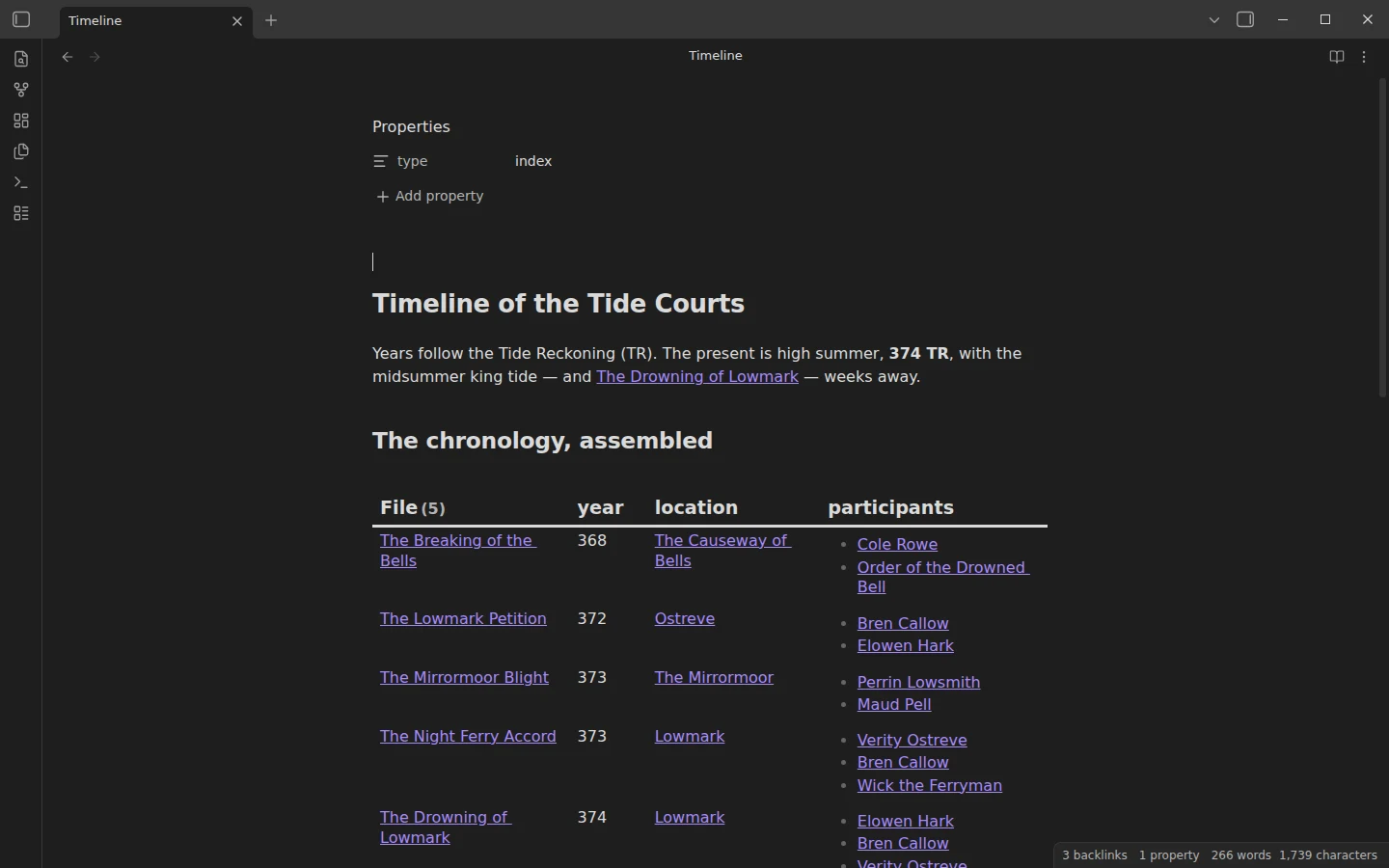
seatand aleader. - Events/ — a five-event chronology carrying
year,locationandparticipants, from the Breaking of the Bells in 368 TR to the Drowning of Lowmark, scheduled and looming. - World Index and Timeline — the master map of the setting and its chronology, both assembled by Dataview and narrated by hand.
- Cultures/, Beliefs/ and Items/ — one culture, one belief and one contested object, each linked to the places and factions around it.
- Maps/ and Templates/ — an intentionally empty maps folder with a note explaining where yours go, plus seven templates: place, character, faction, event, culture, belief, item.
The setting is original to this template and MIT-licensed — reuse the Tide Courts in your own games and stories if it earns a spot at your table.
Using Obsidian for worldbuilding: relationships in frontmatter
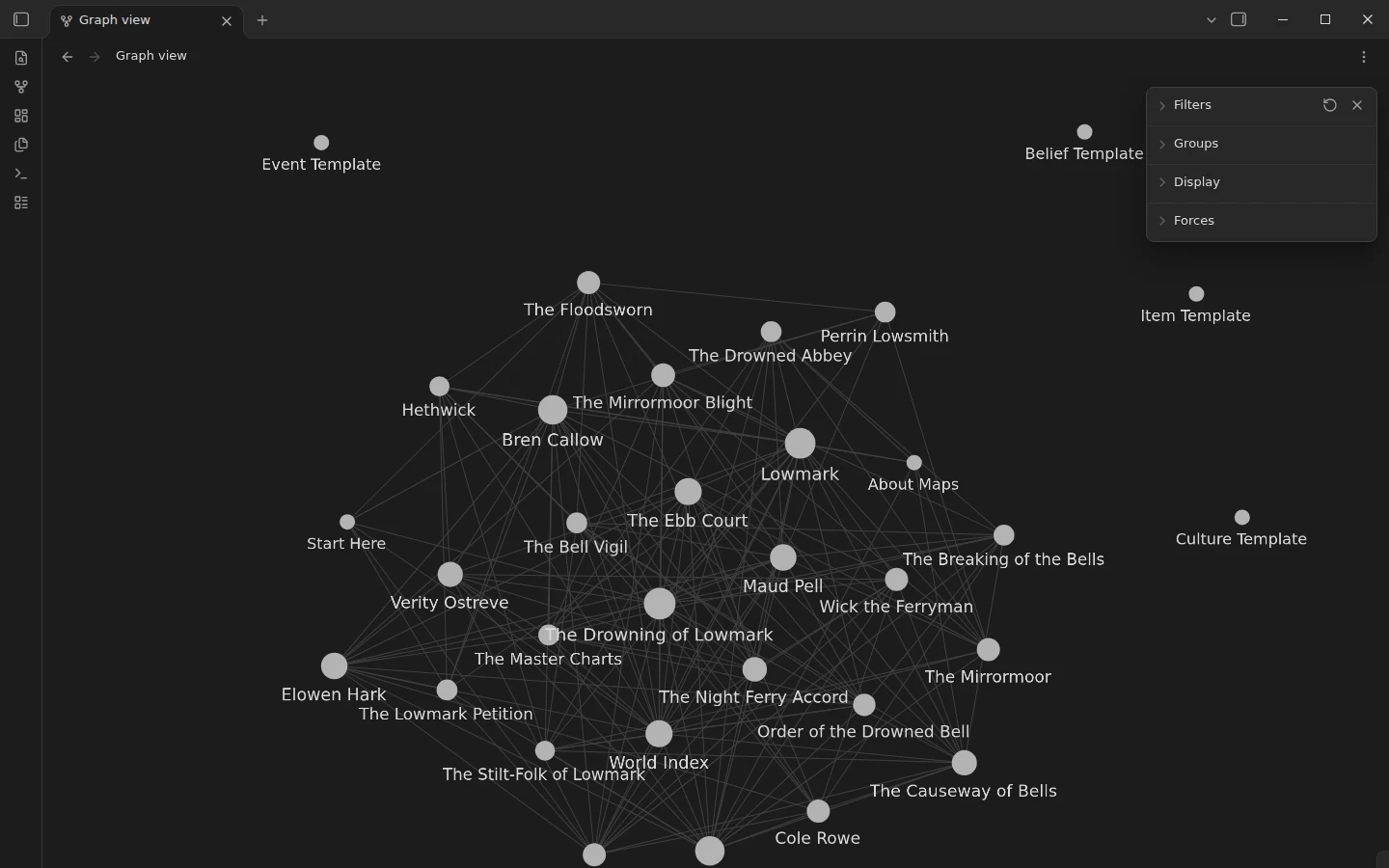
The method is one rule applied everywhere: relationships are frontmatter links (home: "[[Lowmark]]", faction: "[[The Floodsworn]]"), and prose wikilinks do the rest of the weaving. That buys three things at once. The graph view shows the world's true shape — assign color groups by folder and the structure becomes visible immediately. Dataview can answer setting questions ("everyone sworn to the Ebb Court", "every event at the Causeway") because the answers are data, not prose. And renaming a note updates every reference, so the world survives its own revisions. Dates use the world's own calendar kept as a plain number — years of the Tide Reckoning, written 368 TR — so the timeline sorts itself; swap in whatever calendar your setting needs and keep the field numeric. To feel the linking density, read one chain end to end: the Lowmark Petition, to Bren Callow, to the Floodsworn, to the Drowning of Lowmark. When you start your own world, delete the Tide Courts notes and keep the folders, templates and index.
Obsidian Worldbuilding Templates Included in the Vault
The vault ships one template per kind of note, all in the Templates folder and ready for the core Templates plugin. Each one starts with the properties that link it to the rest of the world, then a short set of headings that ask the questions you would otherwise forget.
| Template | Folder | Properties that link it |
|---|---|---|
| Place | Places | region, ruled-by |
| Character | Characters | role, home, faction, status |
| Faction | Factions | seat, leader |
| Event | Events | year, location, participants, status |
| Culture | Cultures | homeland, beliefs |
| Belief | Beliefs | followers, holy-place |
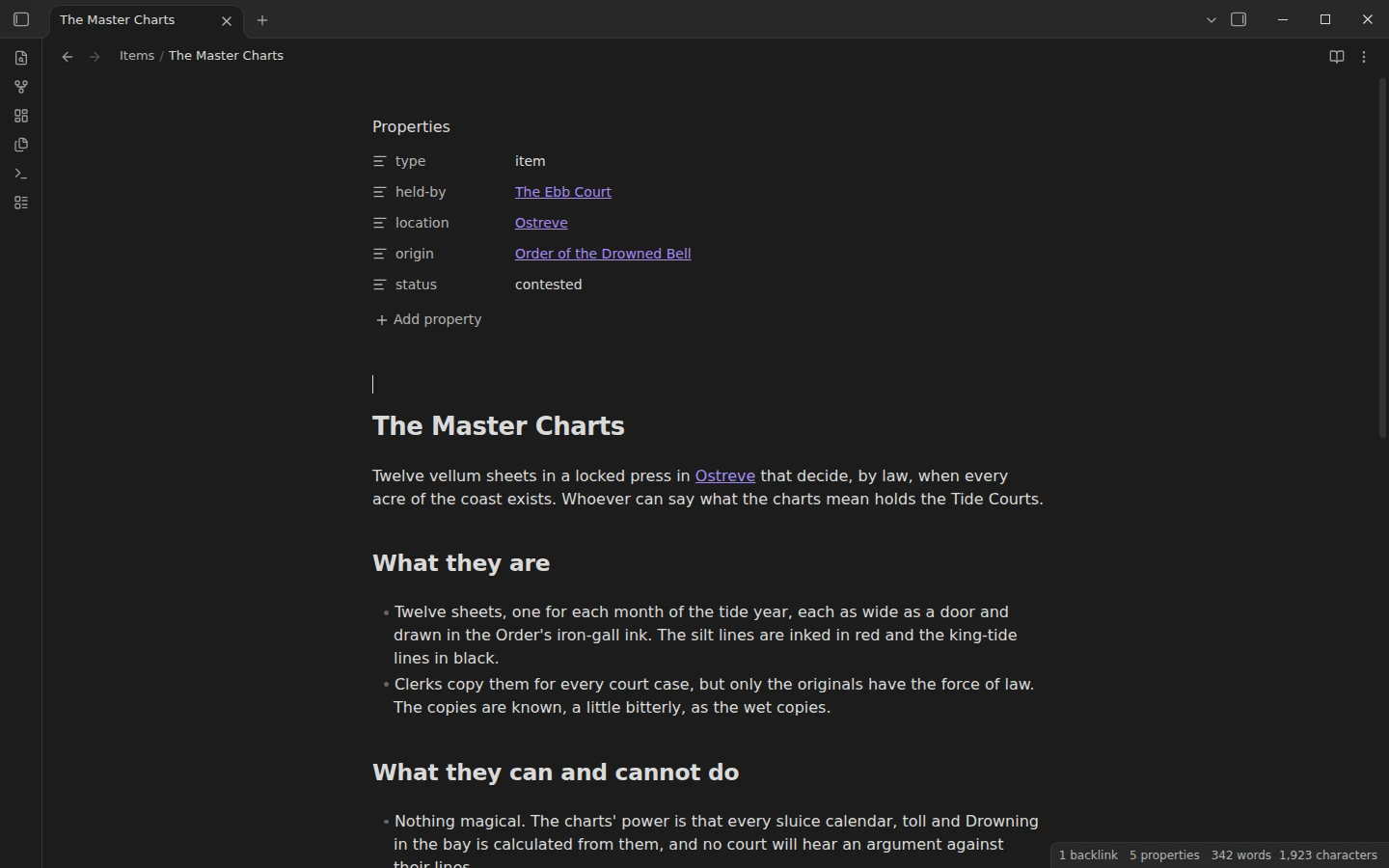
| Item | Items | held-by, location, origin, status |
Obsidian culture template
A culture note answers the questions that make a people feel lived in: daily life, family and kinship, food, customs and taboos, names and speech, dress and craft, and how outsiders see them. The example, The Stilt-Folk of Lowmark, fills every section for the fishing families of the bay. The template starts like this:
---
type: culture
homeland:
beliefs:
---

# {{title}}

## Daily life
## Family and kinship
## Food and drink
## Customs and taboos
## Names and speech
## Dress and craft
## How outsiders see them
Religion and belief template
The belief template covers what believers hold, their practices and holy days, who has authority, the doubts that could split the faith, and what the belief makes characters do. The Bell Vigil, the example, shows how a faith with no priests can still drive a plot.
Item and artifact template
For the objects people fight over: what the item is, what it can and cannot do, its history and everyone who wants it. In The Tide Courts that object is The Master Charts, twelve sheets of tide law kept in a locked press. The World Index now lists every item with a Dataview table of who holds it and where it is kept.
Obsidian as a Worldbuilding Tool for Writers and Game Masters
Obsidian works well for worldbuilding because a world is mostly relationships, and links are what Obsidian does best. Writers tend to use a vault like this as a story bible they look things up in while drafting, and game masters use it to prepare sessions and answer players' questions at the table. The structure suits both, and if you run a campaign the D&D campaign vault adds sessions, encounters and a DM screen on top. Maps go in the Maps folder as images you embed in a note; the note inside it explains how to give each map a companion note so it shows up in the graph.
Plugins the worldbuilding vault uses
Dataview is required — it assembles the rollups in the World Index and the Timeline. Timelines is optional: it can render events as a visual band, but the queried chronology is the plugin-free baseline and keeps working either way. The core Templates plugin ships pointed at Templates/.
Install the worldbuilding template
Download the zip, unzip it, choose Open folder as vault, install Dataview, and read the World Index — it is the front door to everything. The vault is mirrored on GitHub. Inserting the entity templates is covered in core Templates vs Templater. If the point of the world is to run games in it, the D&D campaign vault is this template's table-side twin — the same frontmatter method pointed at sessions, encounters and a party instead of eras and factions. Both live in the D&D, TTRPG and worldbuilding category.
More templates
-
 TTRPG Templates: D&D Campaigns & Worldbuilding Obsidian D&D Character Sheet: a 5e Template That Calculates Itself Free D&D 5e character sheet for Obsidian: ability scores in properties, and Dataview works out modifiers, skills, saves, Passive Perception and spell DC. View template →
 -
 TTRPG Templates: D&D Campaigns & Worldbuilding Obsidian NPC Template: Full and Quick NPC Notes with a Dataview Roster Free Obsidian NPC template pack: full NPC notes with personality, voice, secrets, hooks and relationships, a quick NPC for improvising, and a Dataview roster. View template →
 -
 TTRPG Templates: D&D Campaigns & Worldbuilding Obsidian D&D Template: A Campaign Vault Loaded with a Playable Mini-Campaign Free Obsidian D&D templates: session, NPC, location, encounter and PC templates in a 5e campaign vault with a Dataview DM screen and a mini-campaign. View template →
 -
 Kanban & Project Management Templates Obsidian Gantt Chart Template: Timelines Drawn from Your Task Notes Free Obsidian Gantt chart template: tasks are notes with start and end dates, and a Dataview query draws a Mermaid Gantt chart per project, by phase. View template →