Obsidian Zettelkasten Template: A Starter Vault with 14 Linked Notes
Quick install: unzip the file and open the folder as a vault in Obsidian, or copy the templates into your existing vault. Full install guide
What plugins you need
- Required
- core Templates
- Optional
- Templater
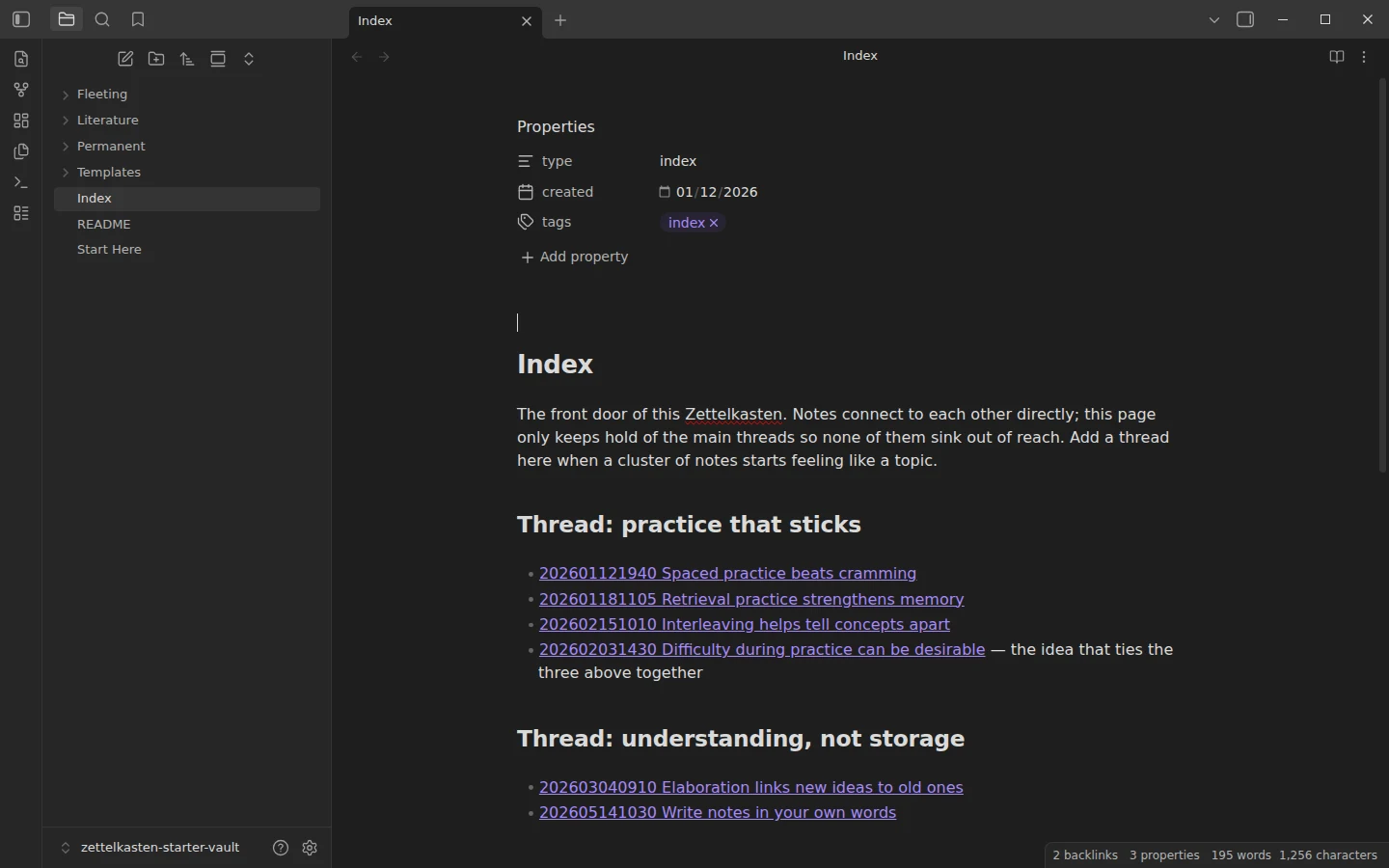
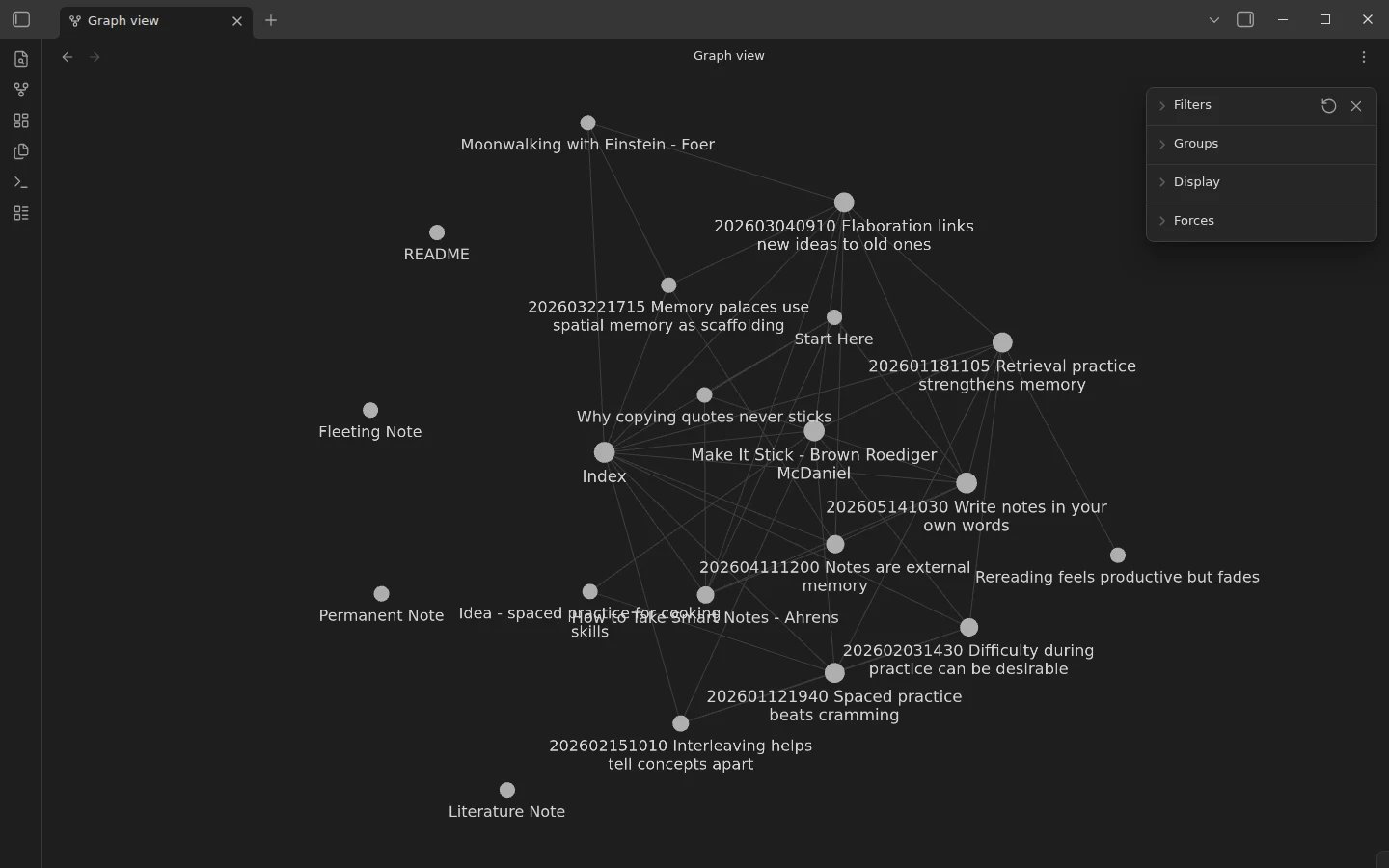
The fastest way to understand a Zettelkasten is to walk through one that already works. This Obsidian zettelkasten template ships as a small but functioning slip-box: fourteen linked notes on learning and memory, the three folders the method needs, timestamp IDs, and an index — so the pipeline is something you click through rather than read about.
What's inside the zettelkasten starter vault
- Fleeting/ — three quick captures in rough shorthand, the kind you process within a day or two and then delete.
- Literature/ — three source notes written in the reader's own words: How to Take Smart Notes (Sönke Ahrens), Make It Stick (Brown, Roediger and McDaniel) and Moonwalking with Einstein (Joshua Foer).
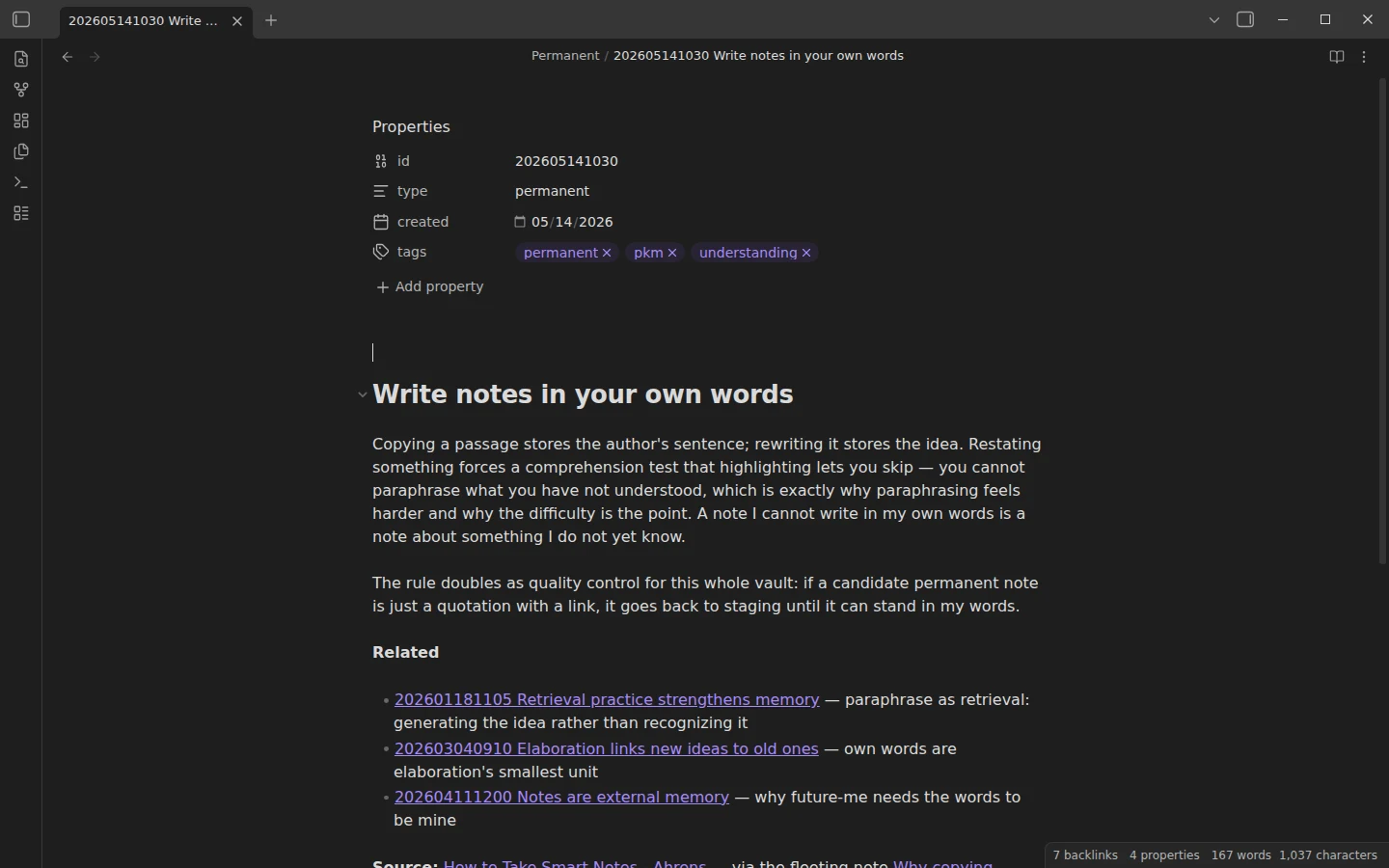
- Permanent/ — eight one-idea notes filed under timestamp IDs, like
202605141030 Write notes in your own words. These are the actual Zettelkasten; everything else is staging. - Index — the entry point, holding three threads (practice that sticks; understanding, not storage; memory systems) so no cluster of notes sinks out of reach.
- Templates/ — one template per note type: fleeting, literature, permanent.
Fleeting, literature, permanent: how the zettelkasten template flows
One worked chain runs end to end, and the Start Here note points you down it: the fleeting thought Why copying quotes never sticks gains a vocabulary in the Ahrens literature note, and the two become the permanent note Write notes in your own words — one idea, stated as a claim, linked onward with a phrase saying how each connection relates. The rules the vault teaches by example: one idea per note, your own words, at least one link to an existing note, and the fleeting note gets deleted once processed — that deletion is the system working, not data loss. The theory, including why the IDs look the way they do, is in our Zettelkasten method guide; this vault is the method with the wheels on.
Plugins the zettelkasten vault uses
None required: everything runs on the core Templates plugin, preconfigured to Templates/. Templater is the one optional add-on — with it, the permanent-note template stamps its own YYYYMMDDHHMM ID and dates; without it, you type the timestamp by hand, which is less of a chore than it sounds.
Install the zettelkasten template
Download the zip, unzip it, and pick Open folder as vault in Obsidian; the GitHub mirror carries the identical folder. If template insertion is new to you — or you want the automatic IDs — core Templates vs Templater covers both paths. If most of your literature notes start life as books, the book notes template handles the reading-tracker side and hands its restated ideas to this vault cleanly. The zettelkasten templates category collects the rest.
More templates
-
 Zettelkasten: Free Starter Vault & Setup The Zettelkasten Method: How It Works and How to Start The zettelkasten method explained in plain terms: the three note types, the numbering system, how Luhmann ran it on paper and how to run it in Obsidian with a free starter vault. Read guide →
 -
 TTRPG Templates: D&D Campaigns & Worldbuilding Obsidian D&D Character Sheet: a 5e Template That Calculates Itself Free D&D 5e character sheet for Obsidian: ability scores in properties, and Dataview works out modifiers, skills, saves, Passive Perception and spell DC. View template →
 -
 Kanban & Project Management Templates Obsidian Gantt Chart Template: Timelines Drawn from Your Task Notes Free Obsidian Gantt chart template: tasks are notes with start and end dates, and a Dataview query draws a Mermaid Gantt chart per project, by phase. View template →
 -
 Meeting Note Templates for Work Obsidian CRM Template: A Personal CRM Vault with Contacts, Deals and Follow-ups Free Obsidian CRM template: contacts, companies, deals and dated interactions, with a Dataview dashboard for follow-ups, pipeline by stage and cold contacts. View template →