Obsidian Book Notes Template with a Self-Updating Reading Tracker
Quick install: unzip the file and open the folder as a vault in Obsidian, or copy the templates into your existing vault. Full install guide
What plugins you need
- Required
- Dataviewcore Templates
- Optional
- Book Search
A book note has one job: months later, tell you what the book argued and what you did about it. This Obsidian book notes template keeps one structured note per book and moves the bookkeeping into frontmatter — author, genre, rating, status, start and finish dates — where Dataview can turn it into a reading tracker that updates itself.
What's inside this Obsidian book template
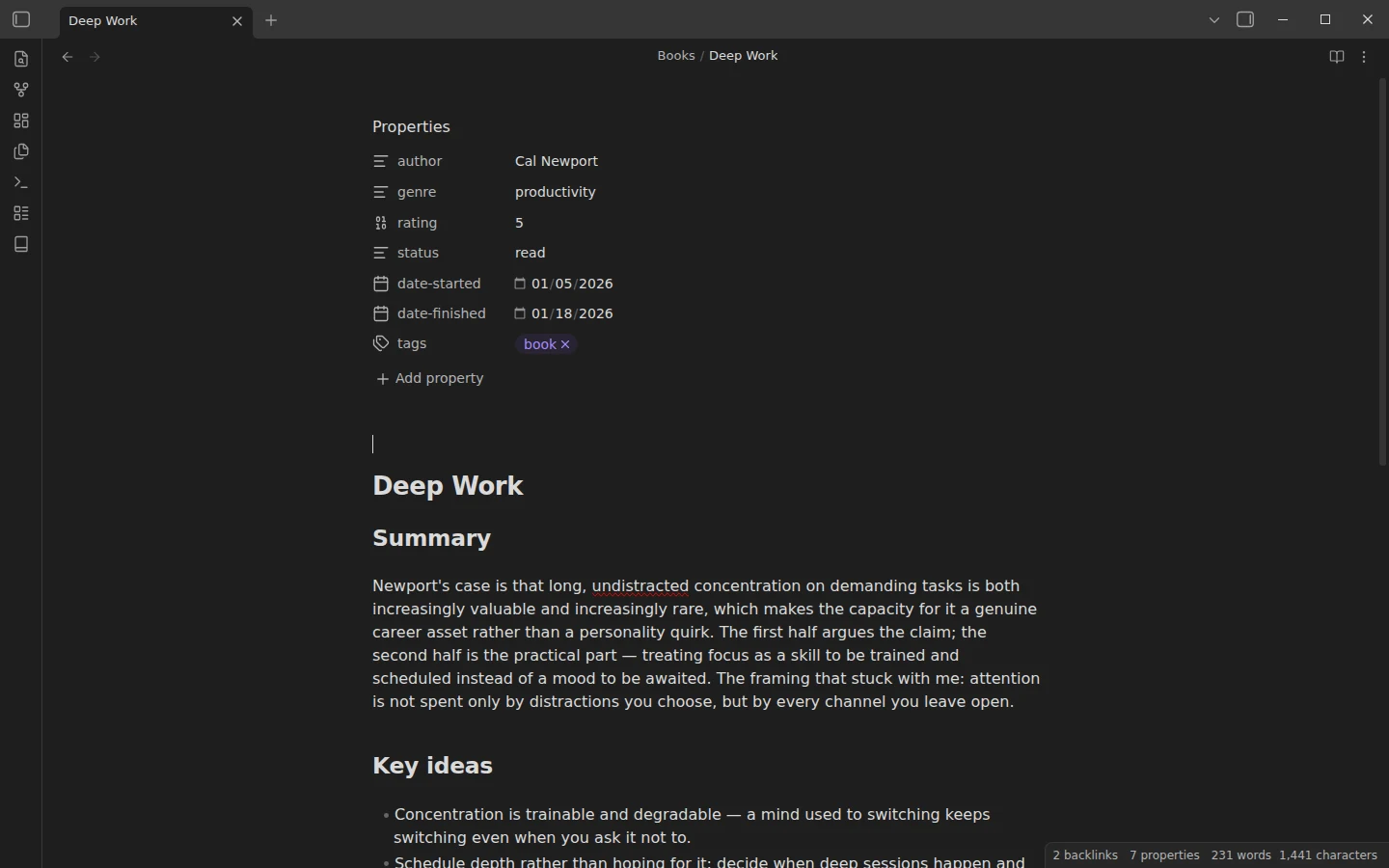
- Books/ — six real example notes in mixed states, so every shelf renders on first open: Deep Work (Cal Newport), Atomic Habits (James Clear), How to Take Smart Notes (Sönke Ahrens) and Show Your Work (Austin Kleon) finished and rated; The Pragmatic Programmer (Andrew Hunt and David Thomas) mid-read; Essentialism (Greg McKeown) waiting on the to-read shelf.
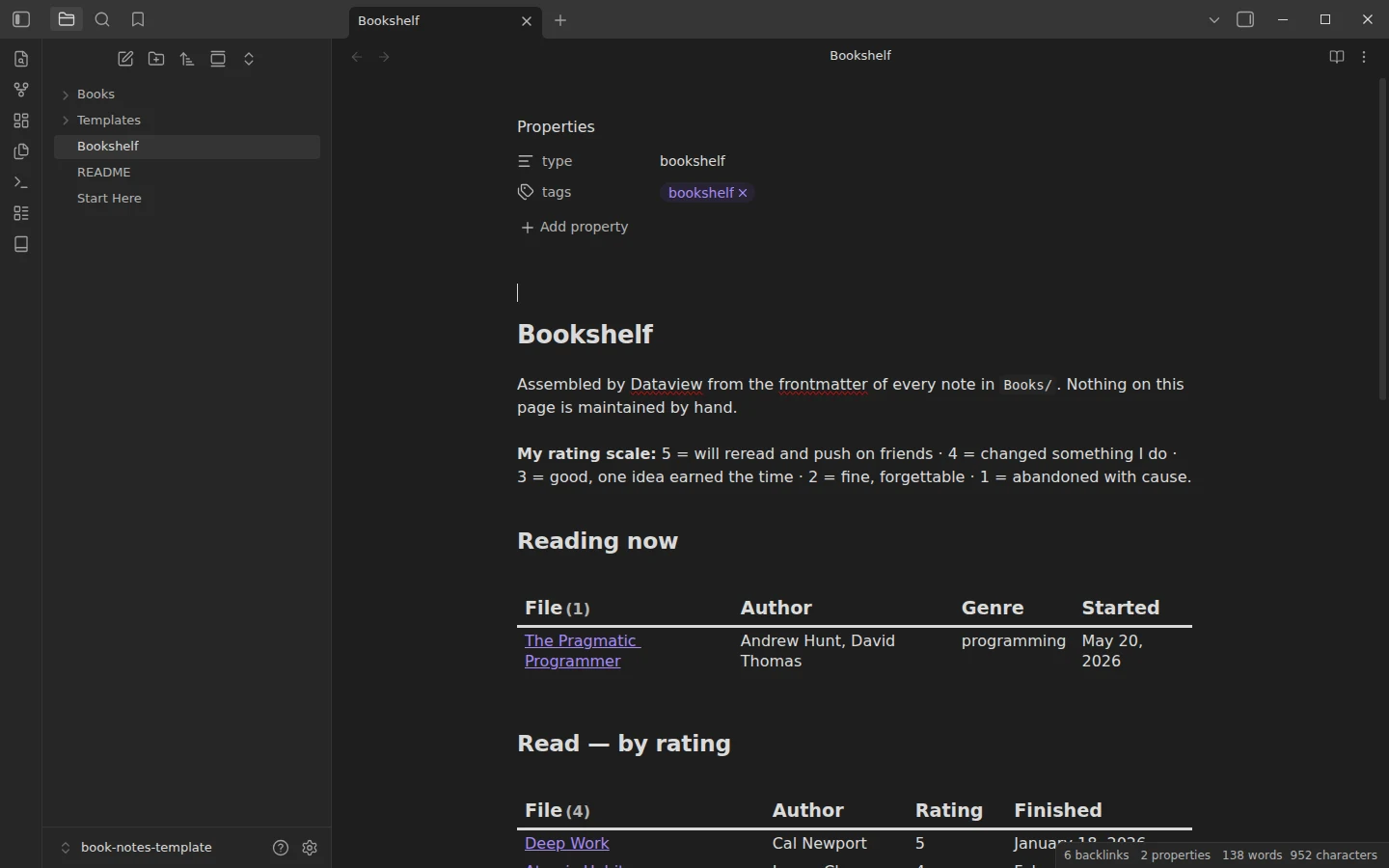
- Bookshelf — three Dataview shelves: reading now, read by rating, to-read. It opens with a worked example of a personal rating scale, because a rating is only useful once you decide what a 5 means to you.
- Templates/Book Note — the structure every new book gets.
How the reading tracker bookshelf works
The shelves are assembled from frontmatter and never maintained by hand. Finish a book, flip status: reading to read, add a rating and a finish date — the note moves shelf on its own. Starting a book costs one field; abandoning one is cheap and honest. Because the data lives in each note rather than in a central list, the tracker behaves the same whether the shelf holds six books or a few hundred.
A book review template, not a quote collector
The note structure pushes against highlight hoarding. Summary: three to five sentences in your own words, written within a day of finishing. Key ideas: four to six bullets, restated as you would explain them. Quotes: at most one, short and attributed — if nothing earns the spot, a paraphrase that names the idea is worth more than a passage you collected. The closing section, "What changed because of it", is the review that matters. And if you want those restated ideas to graduate into permanent, linked notes, the zettelkasten starter vault picks up exactly where this template stops — Ahrens's book sits in both vaults for a reason.
Plugins the book notes template uses
Dataview is required; the Bookshelf is blank without it. Book Search is optional but earns its slot fast: it creates a book note with title, author and metadata pre-filled from an online search. The core Templates plugin ships configured.
Install the book notes template
Download the zip, unzip it, choose Open folder as vault, install Dataview and open the Bookshelf — six books should already be on their shelves. A GitHub mirror carries the same folder. Inserting the template into your own notes is covered in core Templates vs Templater. Students tracking course reading should look at the student vault, which applies the same frontmatter-first approach to deadlines; the books and journaling category holds the related downloads.
More templates
-
 Book Notes & Journaling Templates Obsidian Journal Template: Bullet Journal & Daily Journal Vault Free Obsidian journal template with bullet-journal rapid logging, a prose daily journal variant and monthly reflections, plus two weeks of entries. View template →
 -
 TTRPG Templates: D&D Campaigns & Worldbuilding Obsidian D&D Character Sheet: a 5e Template That Calculates Itself Free D&D 5e character sheet for Obsidian: ability scores in properties, and Dataview works out modifiers, skills, saves, Passive Perception and spell DC. View template →
 -
 Kanban & Project Management Templates Obsidian Gantt Chart Template: Timelines Drawn from Your Task Notes Free Obsidian Gantt chart template: tasks are notes with start and end dates, and a Dataview query draws a Mermaid Gantt chart per project, by phase. View template →
 -
 Meeting Note Templates for Work Obsidian CRM Template: A Personal CRM Vault with Contacts, Deals and Follow-ups Free Obsidian CRM template: contacts, companies, deals and dated interactions, with a Dataview dashboard for follow-ups, pipeline by stage and cold contacts. View template →