Obsidian Journal Template: Bullet Journal & Daily Journal Vault
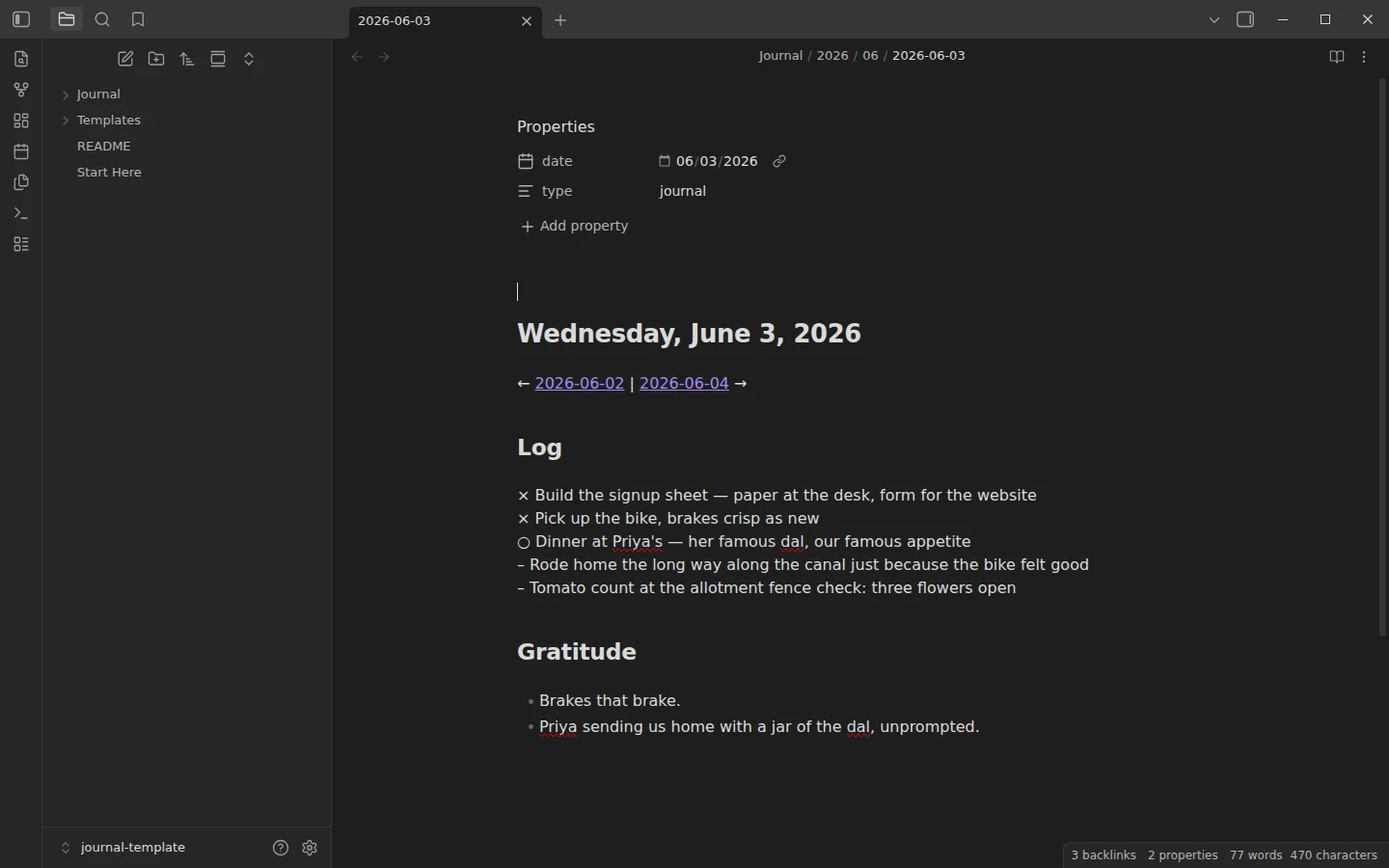
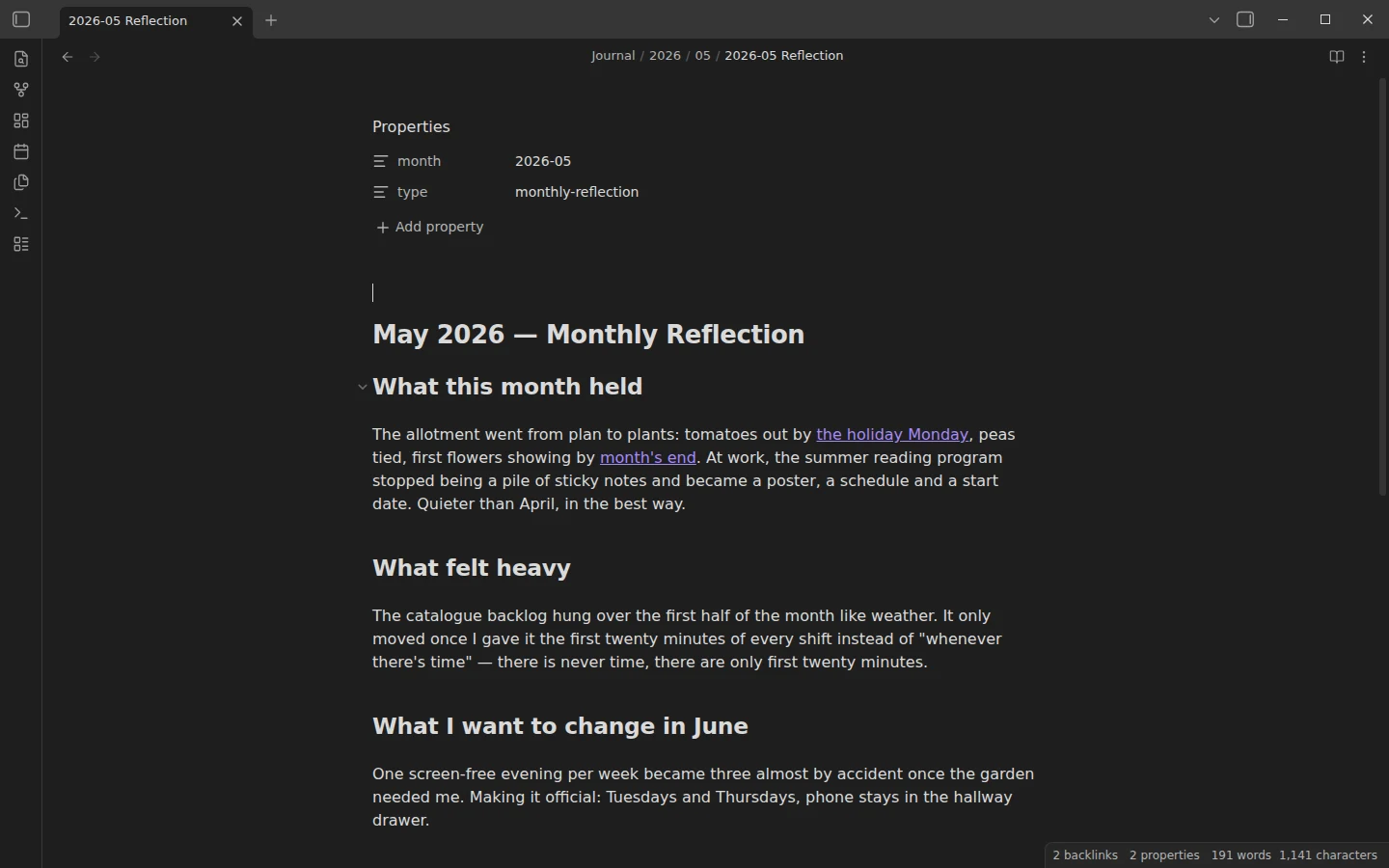
Quick install: unzip the file and open the folder as a vault in Obsidian, or copy the templates into your existing vault. Full install guide
What plugins you need
- Required
- core Daily notescore Templates
- Optional
- Templater
This Obsidian journal template is built around bullet-journal rapid logging: short symbol-prefixed lines instead of essays, a small gratitude section per day, and a monthly reflection that stitches the days together. Brevity is the design goal — a journal survives on tired days only if an entry can be three lines. The download is a complete vault with two real weeks of entries and a finished monthly reflection, so you can feel the rhythm before writing a word.
What's inside this Obsidian journal template
- Journal/2026/05/ and Journal/2026/06/ — 14 daily entries covering May 25 to June 7, 2026, one folder per month, plus the completed 2026-05 Reflection. Read the two weeks in order, then the reflection, to see what the daily lines are for.
- Templates/ — four templates: Journal Entry (bullet journal), the default for new daily notes; Journal Entry (daily journal), a long-form prose variant; Journal Entry (Templater), which adds prev/next day links; and Monthly Reflection.
- Start Here.md — the tour, including the full logging key.
The core Daily notes plugin is preconfigured with the format YYYY/MM/YYYY-MM-DD, so today's entry is created in the right month folder automatically, pre-filled from the bullet journal template.
The bullet journal template and the rapid logging key
One line per item, symbol first: a bullet for a task, an x for done, a circle for an event, a dash for a note, and an angle bracket for a task migrated to another day. The one Obsidian quirk: a bare > at the start of a line becomes a quote block, so migrations are written escaped as \>, pointed at a date link. The example entries demonstrate this twice — you can follow a casserole dish being migrated from May 25 to May 26. Gratitude stays to one or two lines; the monthly reflection is twenty minutes on the last day of the month with the entries open in another pane.
Daily journal and diary variants
Not every day is a bullet day. The daily journal template swaps the log for three prose prompts — what happened, what's on my mind, gratitude — and shares the same frontmatter, so both styles coexist in the same folder: log in symbols on busy days, write properly when there is something to say. Used that way the vault works as a plain diary template too. If your journaling leans toward tracking rather than writing, the habit tracker covers that side, and the daily note template is the variant for people whose day notes are more agenda than diary.
Plugins: none required, Templater optional
Everything runs on the core Daily notes and Templates plugins, already configured. The optional Templater plugin powers the third entry variant: automatic yesterday/tomorrow links computed from the file name. Install it, set Templates as its template folder, and switch the Daily notes template setting to the Templater variant.
Download the journal template
The zip is the full vault — Markdown plus plain-JSON settings, mirrored on GitHub. Open it as its own vault or copy Journal/ and Templates/ into yours; how to install a Vaultorial template walks through both. More reading and writing systems live in the books & journaling section.
More templates
-
 Book Notes & Journaling Templates Obsidian Book Notes Template with a Self-Updating Reading Tracker Free Obsidian book notes template: one structured note per book plus a Dataview bookshelf tracking status, rating and dates. Six example books included. View template →
 -
 TTRPG Templates: D&D Campaigns & Worldbuilding Obsidian D&D Character Sheet: a 5e Template That Calculates Itself Free D&D 5e character sheet for Obsidian: ability scores in properties, and Dataview works out modifiers, skills, saves, Passive Perception and spell DC. View template →
 -
 Kanban & Project Management Templates Obsidian Gantt Chart Template: Timelines Drawn from Your Task Notes Free Obsidian Gantt chart template: tasks are notes with start and end dates, and a Dataview query draws a Mermaid Gantt chart per project, by phase. View template →
 -
 Meeting Note Templates for Work Obsidian CRM Template: A Personal CRM Vault with Contacts, Deals and Follow-ups Free Obsidian CRM template: contacts, companies, deals and dated interactions, with a Dataview dashboard for follow-ups, pipeline by stage and cold contacts. View template →