Obsidian Task Management Vault: GTD with the Tasks Plugin
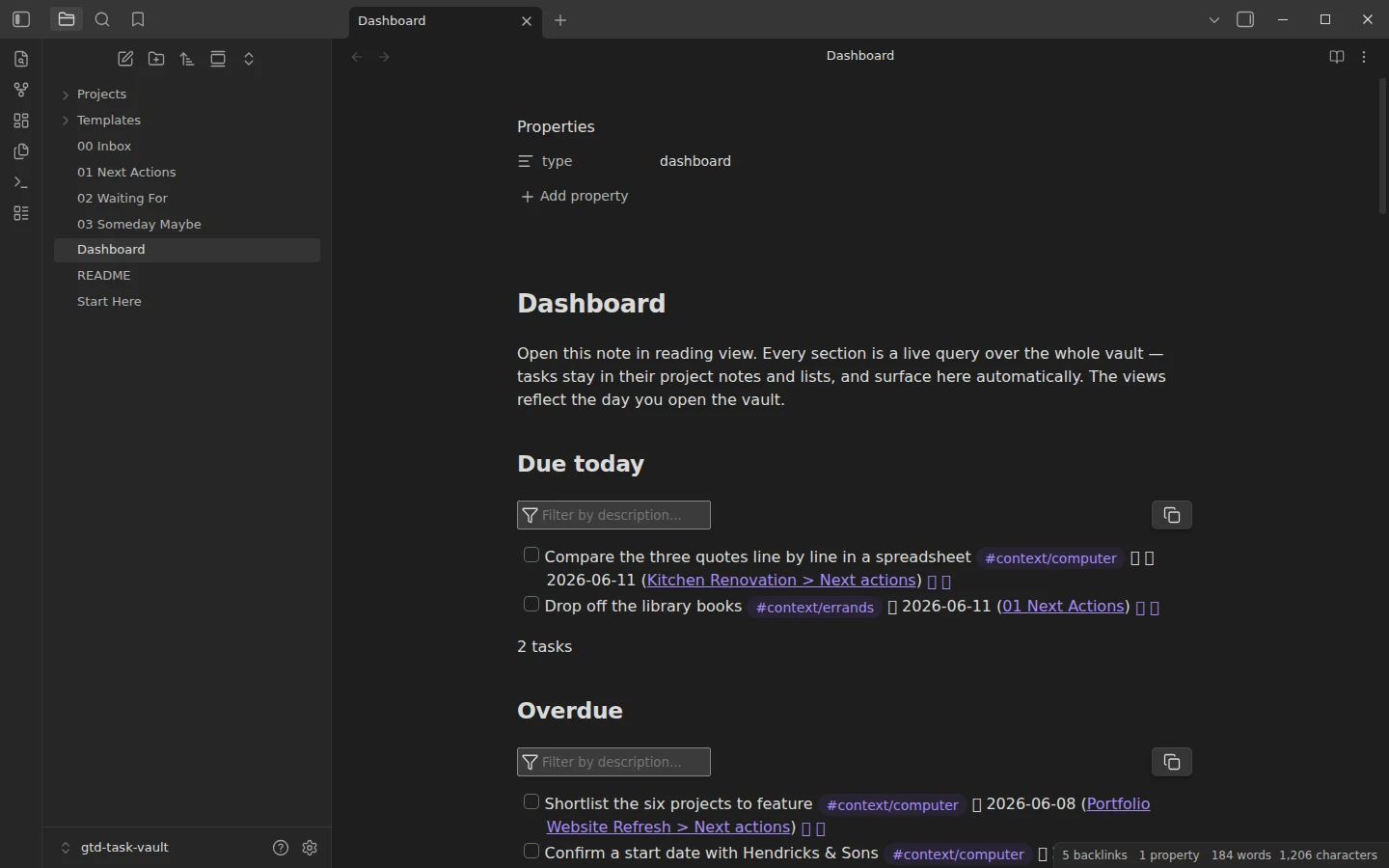
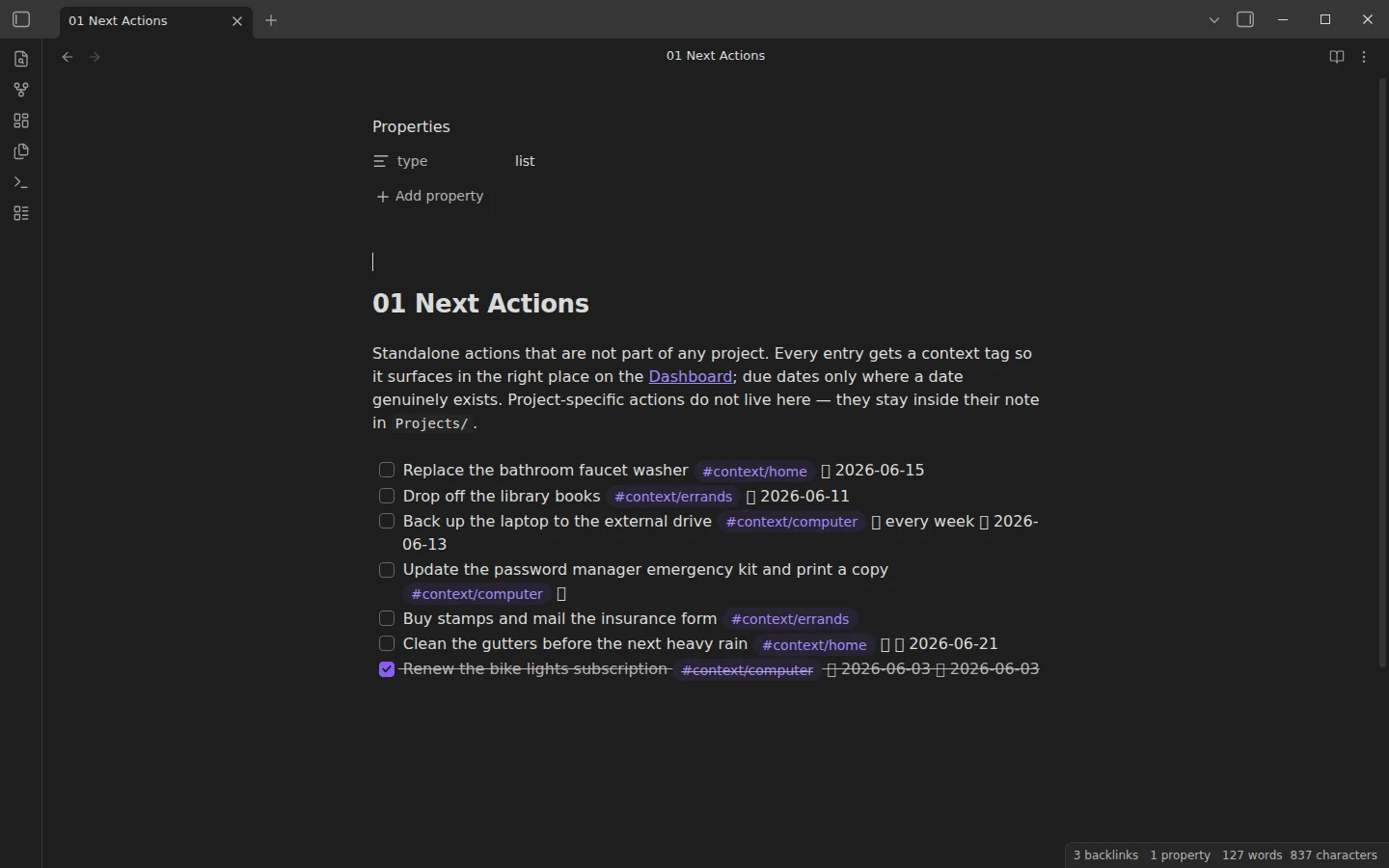
Quick install: unzip the file and open the folder as a vault in Obsidian, or copy the templates into your existing vault. Full install guide
What plugins you need
- Required
- Tasks
- Optional
- Dataview
This Obsidian task management vault is a ready-to-run Getting Things Done system built on the Tasks plugin. It implements the whole GTD loop — capture, clarify, organize, reflect, engage — with numbered lists, context tags and a dashboard of live queries, and it ships with three sample projects and 36 example tasks so every view shows something real from the first open. The structure is the product; the sample content is just a demonstration to replace with your own work.
What's inside the task management vault
- 00 Inbox — the capture point. Everything lands here unsorted.
- 01 Next Actions — standalone actions, each with a context tag.
- 02 Waiting For — delegated and blocked items, tagged
#waiting, each with the date you intend to chase it. - 03 Someday Maybe — ideas without commitment, kept as plain bullets on purpose so they stay out of the task queries.
- Projects/ — one note per project; tasks live inside the project that owns them. The three samples (a kitchen renovation, a camping trip, a portfolio refresh) are fully worked, down to a quote being chased in Waiting For.
- Dashboard — live queries over the whole vault: due today, overdue, the next ten dated tasks, tasks by context, waiting-for, and inbox items to process.
- Templates/Project — the template for new project notes, with an outcome field you can tick the whole project against.
GTD's classic @home and @computer contexts become nested tags here — #context/home, #context/computer, #context/errands — because Obsidian tags cannot contain the @ character. Add your own by tagging tasks and copying a query block on the dashboard.
More than an Obsidian todo list: the GTD loop
A flat todo list dies because everything lives in one undifferentiated pile. The loop here: capture into the inbox fast and messy; process it to zero — under two minutes, do it now; single actions move to Next Actions with a context; multi-step outcomes become a project note from the template. Once a week, review: empty the inbox, scan every project for a stalled next action, chase everything in Waiting For. The dashboard makes the engage step trivial — open it in reading view and work from Due today, Overdue, or whatever context you are standing in. The weekly note template gives the review step a home of its own if you want one.
The Tasks plugin does the heavy lifting
Tasks is the one required community plugin: every query block on the dashboard runs on it, and its notation handles due dates, priorities and recurrence right inside the checkbox line. Dataview is optional and powers only the projects overview table at the bottom of the dashboard — everything else works without it. The core Templates plugin comes preconfigured for the project template.
Download the GTD vault
The zip is the complete vault with plain-JSON settings, mirrored on GitHub. Open it as its own vault, install Tasks, and the dashboard populates from the sample data; how to install a Vaultorial template covers merging it into an existing vault instead. If your projects want a visual flow rather than lists, the kanban board template is the complementary view, and the rest of the task systems live in the tasks section.
More templates
-
 TTRPG Templates: D&D Campaigns & Worldbuilding Obsidian D&D Character Sheet: a 5e Template That Calculates Itself Free D&D 5e character sheet for Obsidian: ability scores in properties, and Dataview works out modifiers, skills, saves, Passive Perception and spell DC. View template →
 -
 Kanban & Project Management Templates Obsidian Gantt Chart Template: Timelines Drawn from Your Task Notes Free Obsidian Gantt chart template: tasks are notes with start and end dates, and a Dataview query draws a Mermaid Gantt chart per project, by phase. View template →
 -
 Meeting Note Templates for Work Obsidian CRM Template: A Personal CRM Vault with Contacts, Deals and Follow-ups Free Obsidian CRM template: contacts, companies, deals and dated interactions, with a Dataview dashboard for follow-ups, pipeline by stage and cold contacts. View template →
 -
 Obsidian for Work: Meetings, Projects, Clients and the Commercial License How to use Obsidian for work: one vault for meetings, projects, clients and tasks, whether you need the commercial license, and what teams can share. Read guide →