Obsidian Weekly Note Template with a Built-In Weekly Review
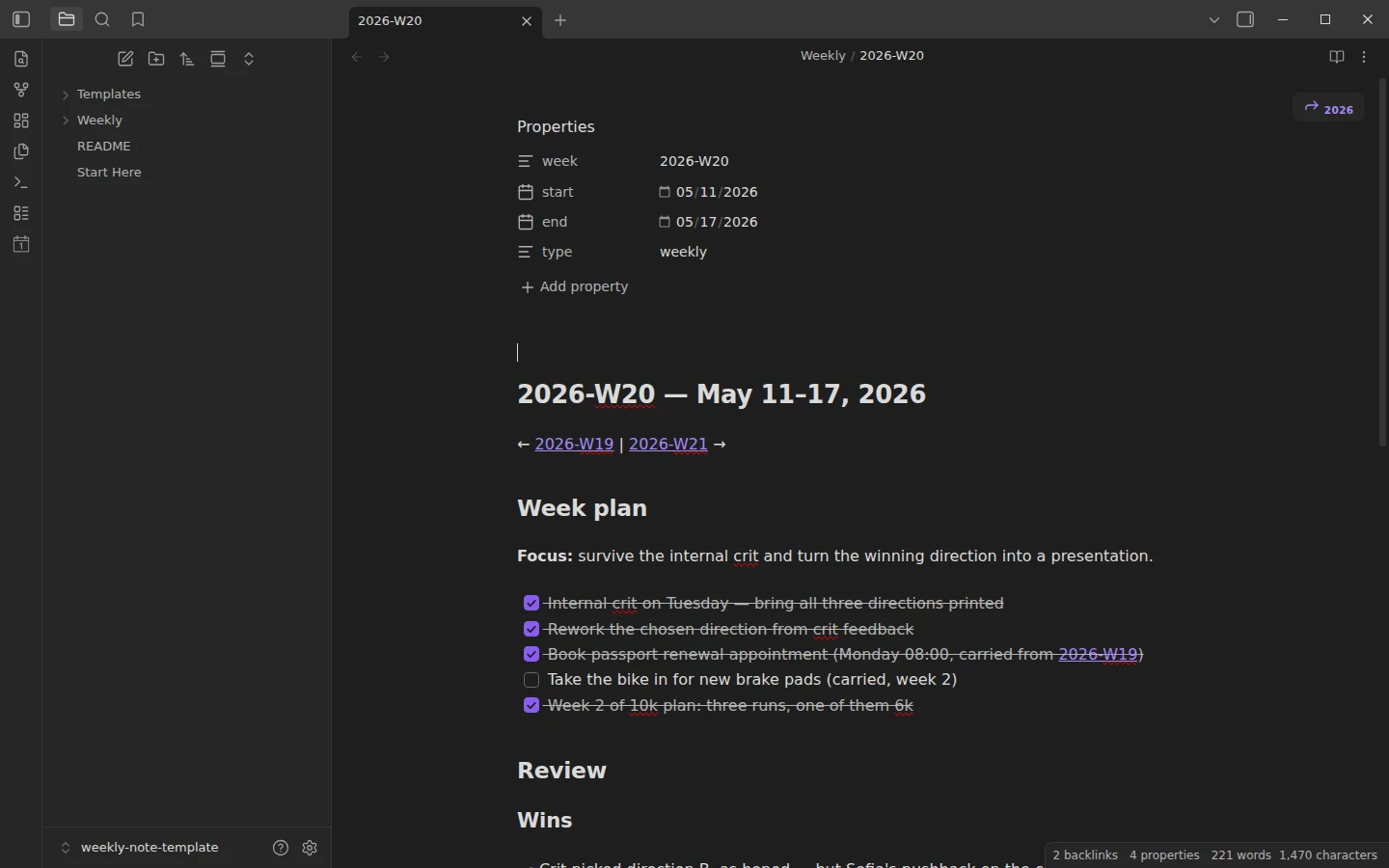
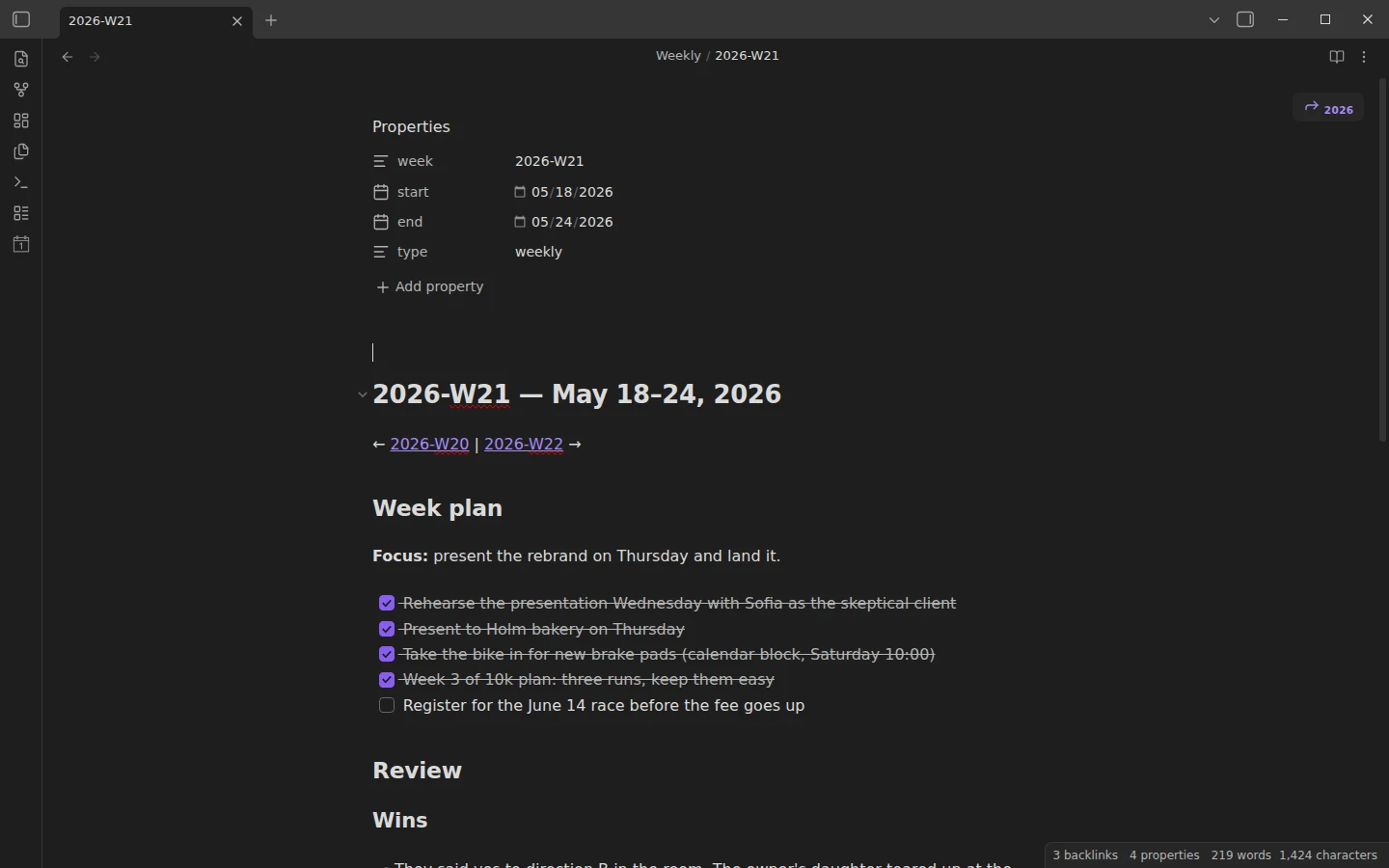
Quick install: unzip the file and open the folder as a vault in Obsidian, or copy the templates into your existing vault. Full install guide
What plugins you need
- Required
- core Templates
- Optional
- Periodic NotesTemplater
This Obsidian weekly note template does one thing: a single note per week that holds both your plan and your review of it. You fill the plan on Monday, touch nothing during the week, and close it with a GTD-style review on Friday or Sunday — same file, no scattering. The download is a complete vault with four consecutive example weeks already filled in.
What's inside the weekly notes template
- Weekly/ — four example weeks,
2026-W19through2026-W22, covering May 2026. They read as a continuous story: a client rebrand crosses all four weeks, a bike repair gets carried over twice before it finally happens, and the last week closes with an empty Carried over section. That narrative is the fastest way to learn the method. - Templates/ — two variants of the weekly note: Weekly Note (core Templates), which needs no plugins, and Weekly Note (Templater), which adds the week's date range and prev/next week links computed from the file name.
- Start Here.md — the tour and first steps.
Each note has two halves. Week plan: a one-line focus and three to five tasks. Review: four subsections — Wins, Numbers (a small metrics table), Carried over, and Next week focus.
The weekly review template, built into every week
The review is the half that pays rent. Fill it in one sitting at the end of the week: list the wins, fill the Numbers table — only things you genuinely count, like workouts or reading nights; two or three metrics are plenty — and move anything unfinished into Carried over. The rule that makes the loop work: every carried-over item must show up in next week's plan or be deliberately dropped. Items that drag three weeks running are telling you something. If you run a full GTD task system, this weekly note is a natural place for its weekly review step.
Plugins: core Templates now, two optional upgrades
Out of the box the vault uses only the core Templates plugin, already enabled and pointed at Templates/. Two community plugins are worth adding later:
- Periodic Notes — gives you an "open this week's note" command instead of creating the file by hand. Set the weekly format to
GGGG-[W]WWand the folder toWeekly. - Templater — powers the second template variant: the heading gains the week's real date range and prev/next links, all derived from the ISO week in the file name.
Download the weekly note template
The zip is the whole vault — Markdown plus a plain-JSON .obsidian/ folder, nothing executable — and the same files are mirrored on GitHub. Open it as its own vault, or copy Weekly/ and Templates/ into your existing one; how to install a Vaultorial template covers both routes. The weekly note pairs naturally with the daily note template — days feed the week, the week steers the days — and more periodic systems live in the weekly & periodic notes section.
More templates
-
 TTRPG Templates: D&D Campaigns & Worldbuilding Obsidian D&D Character Sheet: a 5e Template That Calculates Itself Free D&D 5e character sheet for Obsidian: ability scores in properties, and Dataview works out modifiers, skills, saves, Passive Perception and spell DC. View template →
 -
 Kanban & Project Management Templates Obsidian Gantt Chart Template: Timelines Drawn from Your Task Notes Free Obsidian Gantt chart template: tasks are notes with start and end dates, and a Dataview query draws a Mermaid Gantt chart per project, by phase. View template →
 -
 Meeting Note Templates for Work Obsidian CRM Template: A Personal CRM Vault with Contacts, Deals and Follow-ups Free Obsidian CRM template: contacts, companies, deals and dated interactions, with a Dataview dashboard for follow-ups, pipeline by stage and cold contacts. View template →
 -
 Obsidian for Work: Meetings, Projects, Clients and the Commercial License How to use Obsidian for work: one vault for meetings, projects, clients and tasks, whether you need the commercial license, and what teams can share. Read guide →