Obsidian Kanban Template: A Ready-Made Project Board
Quick install: unzip the file and open the folder as a vault in Obsidian, or copy the templates into your existing vault. Full install guide
What plugins you need
- Required
- Kanban
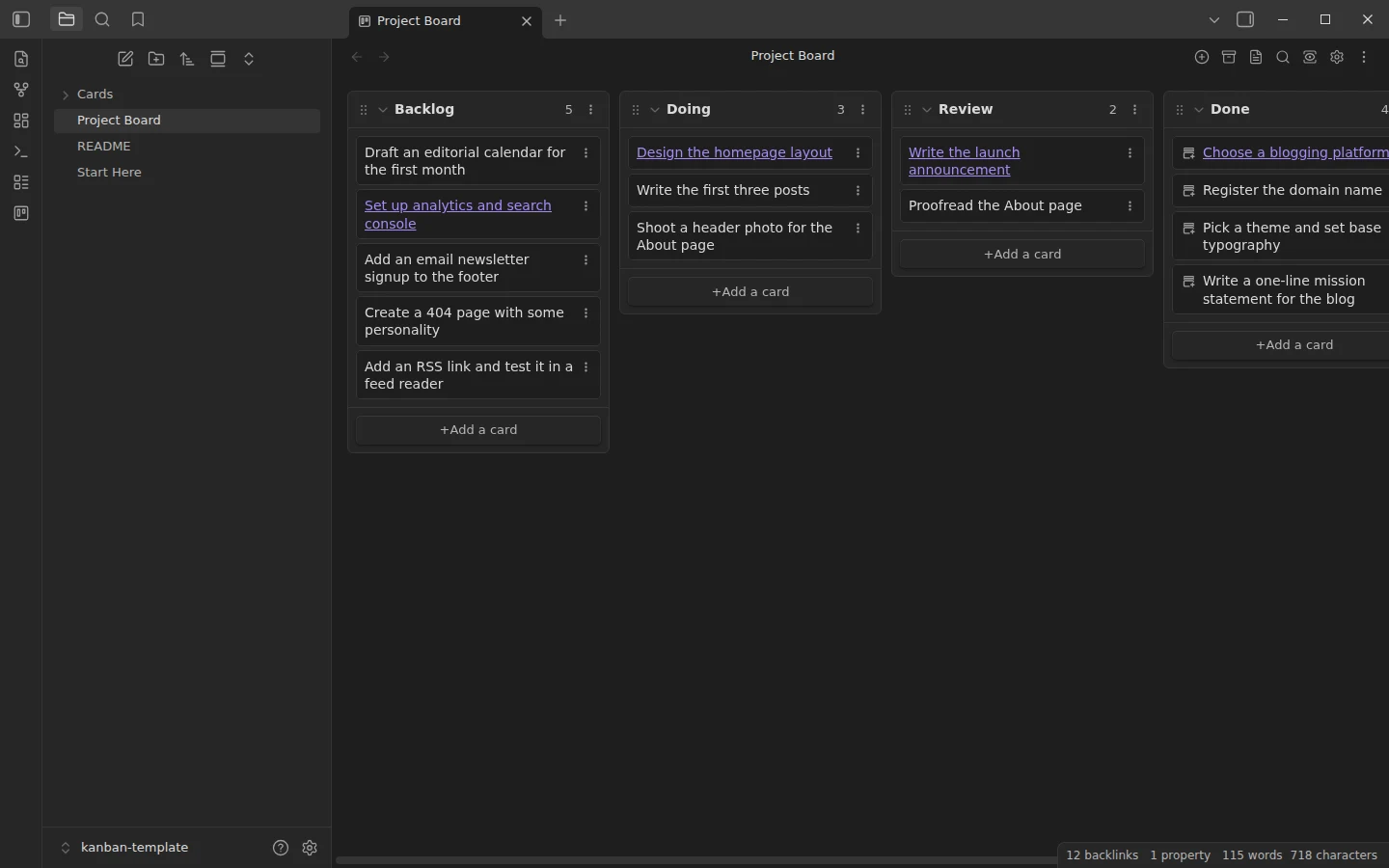
This Obsidian kanban template is deliberately minimal: one board, four columns, and a realistic example project — launching a personal blog — already in flight. The example is not the point, though. What you are downloading is a workflow pattern: cards stay one-liners on the board, and the moment one needs room to think, it grows into a full note that the card links to.
What's inside this Obsidian kanban template
- Project Board.md — the board itself, with 14 cards spread across Backlog (everything you might do), Doing (what you are actually working on), Review (done but not checked) and Done.
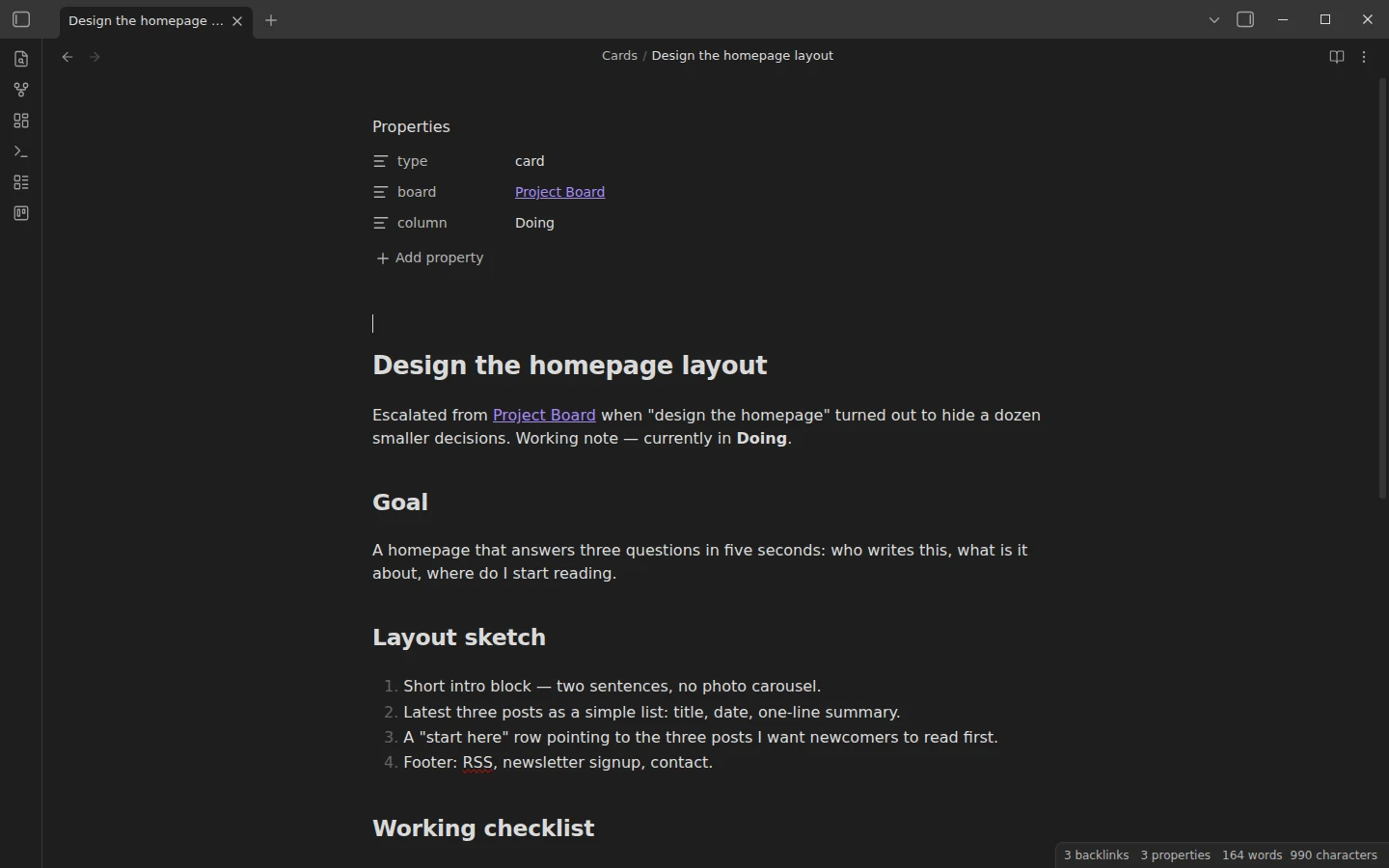
- Cards/ — four notes that started life as board cards: a platform decision kept as a record of why, a homepage design note, a launch announcement draft with its review checklist, and an analytics setup note.
- Start Here.md — the workflow tour and first steps.
A detail worth knowing before you commit to any board tool: the Kanban plugin stores boards as plain Markdown. Open Project Board.md without the plugin and it is a readable checklist grouped by headings — your data is never locked in, which is half the reason to like this plugin.
How the kanban board is set up
The four columns encode a working rhythm, not just status. Backlog holds candidates without guilt. Doing is capped by discipline rather than software — keep it to two or three cards. Review exists because "finished" and "checked" are different states; the example board has a launch announcement sitting there, one read-aloud away from shipping. Done collects evidence that the project moves. Drag cards between columns, add new ones at the bottom of a column, and edit the board file directly whenever that is faster.
Cards that grow into notes
The pattern that keeps boards skimmable: when a card needs sub-tasks, research or a draft, right-click it and choose New note from card. The plugin creates a note named after the card and replaces the card text with a link; the card keeps moving across the board as a status marker while the thinking lives in the note. Four cards on the example board have already been through this — open Choose a blogging platform to see the shape: a context line, the actual content, a link back to the board. This vault keeps escalated notes in Cards/, set in the board's settings.
The Kanban plugin is the only requirement
One required community plugin: Kanban. Install it from Obsidian's community plugins directory, open the board, and the Markdown renders as a drag-and-drop view. No optional plugins, no configuration debt.
Download the kanban template
The zip is a complete vault with plain-JSON settings, mirrored on GitHub. Open it as its own vault or copy the board and Cards/ into your existing one — how to install a Vaultorial template covers both. When a project outgrows a single board and wants owners, milestones and timelines, the project management template is the next step up; for personal task flow across many areas at once, the GTD task vault takes the list-based route. Both live in the kanban & projects section.
More templates
-
 Kanban & Project Management Templates Obsidian Gantt Chart Template: Timelines Drawn from Your Task Notes Free Obsidian Gantt chart template: tasks are notes with start and end dates, and a Dataview query draws a Mermaid Gantt chart per project, by phase. View template →
 -
 Kanban & Project Management Templates Obsidian Project Management Template with Milestones and a Dashboard Free Obsidian project management template: one note per project with milestones, a Mermaid Gantt timeline, meeting notes and a Dataview dashboard. View template →
 -
 TTRPG Templates: D&D Campaigns & Worldbuilding Obsidian D&D Character Sheet: a 5e Template That Calculates Itself Free D&D 5e character sheet for Obsidian: ability scores in properties, and Dataview works out modifiers, skills, saves, Passive Perception and spell DC. View template →
 -
 Meeting Note Templates for Work Obsidian CRM Template: A Personal CRM Vault with Contacts, Deals and Follow-ups Free Obsidian CRM template: contacts, companies, deals and dated interactions, with a Dataview dashboard for follow-ups, pipeline by stage and cold contacts. View template →