PARA Method Template for Obsidian: A Pre-Populated Starter Vault
Quick install: unzip the file and open the folder as a vault in Obsidian, or copy the templates into your existing vault. Full install guide
What plugins you need
- Required
- core Templates
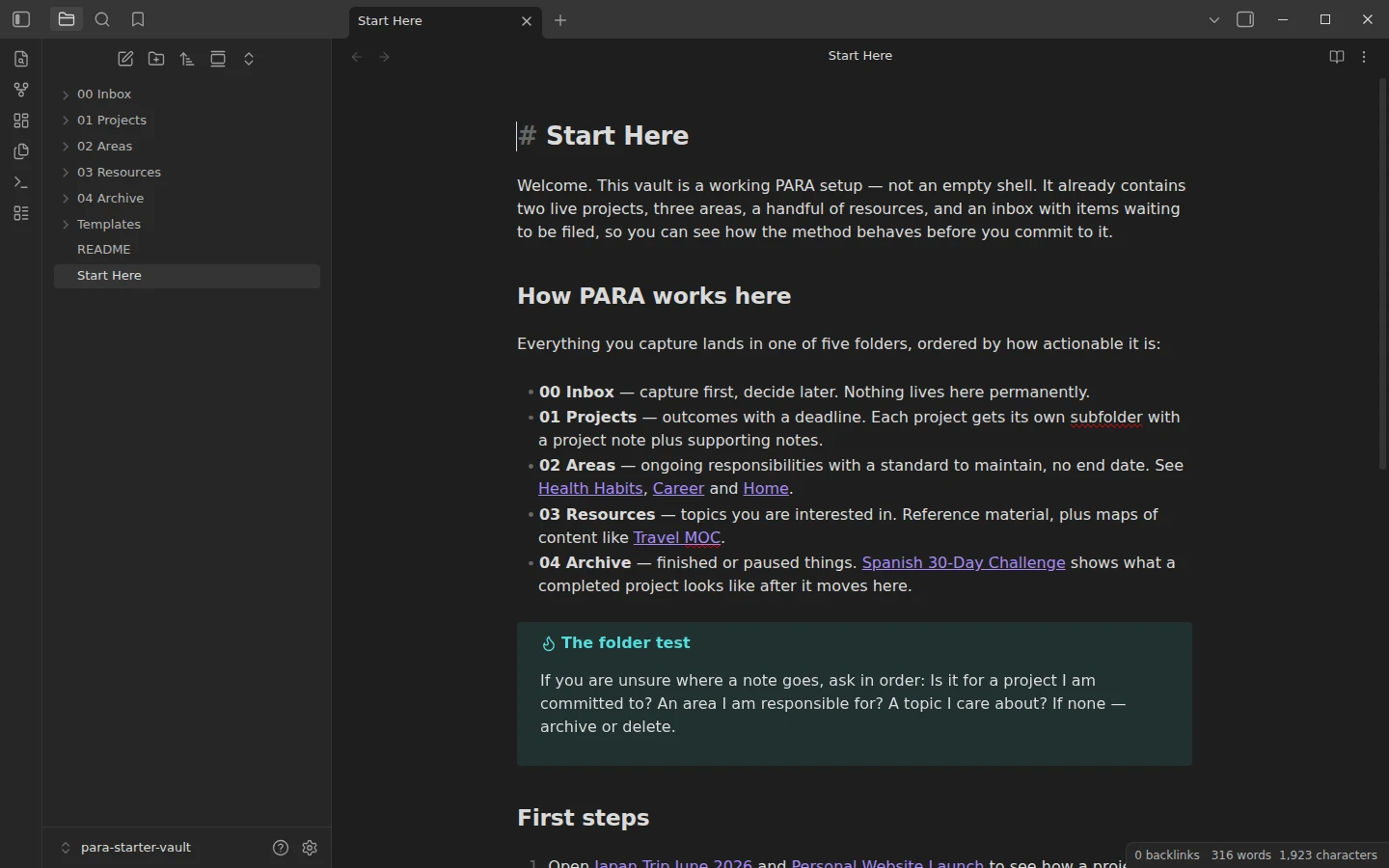
Most PARA explainers hand you four empty folders and a promise. This PARA method template for Obsidian ships the system already running: two live projects, three areas, linked resources, an archive with one finished project in it, and an inbox holding captures that have not been filed yet — so you can study how the method behaves before trusting your own notes to it.
What's inside the PARA starter vault
- 00 Inbox — two captures waiting for a filing decision.
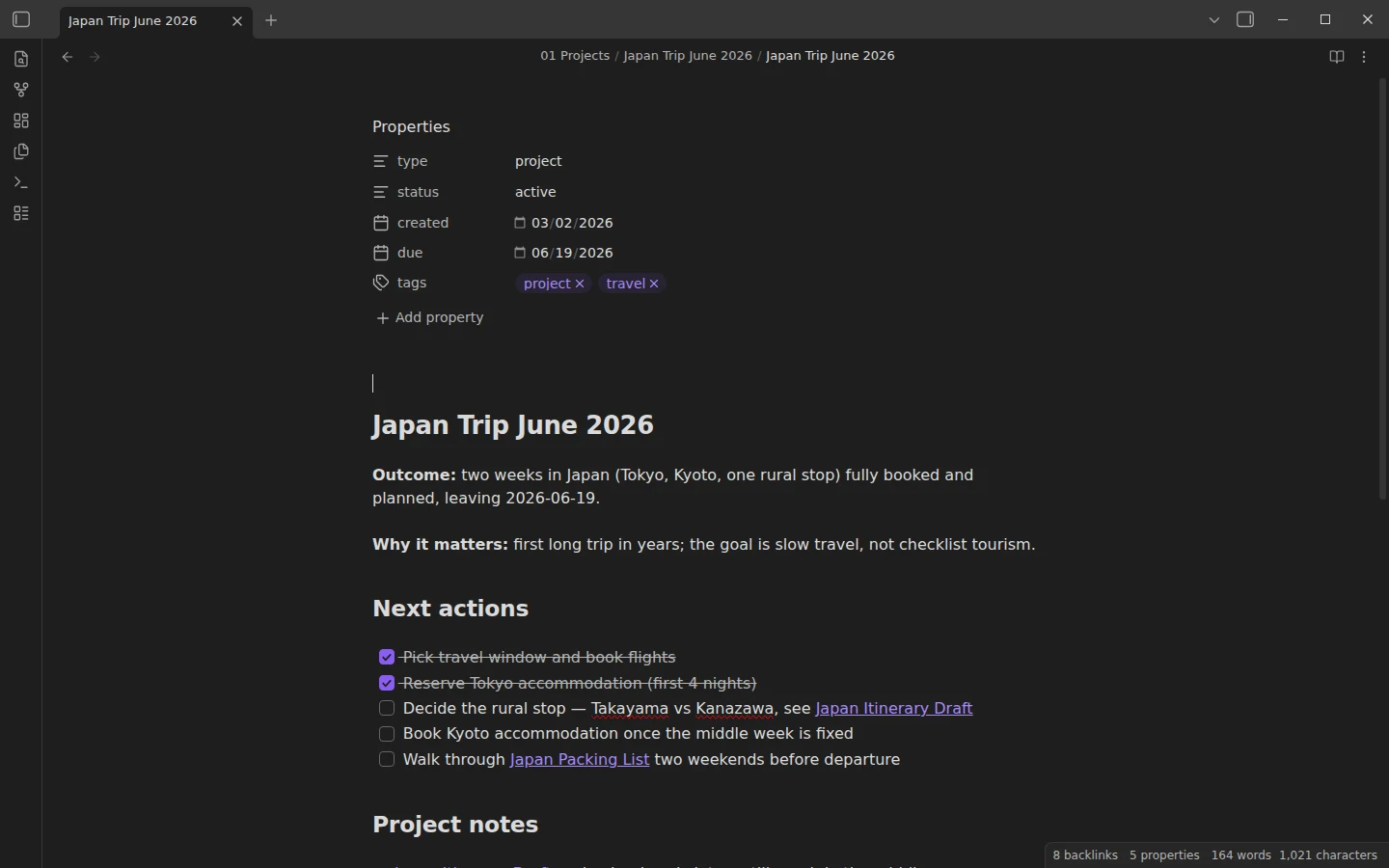
- 01 Projects — Japan Trip June 2026 (project note, itinerary draft, packing list) and Personal Website Launch (project note, content plan). Each project is a subfolder: one project note tying its child notes together.
- 02 Areas — Career, Health Habits and Home: ongoing responsibilities with a standard to keep and no end date.
- 03 Resources — reference notes plus two maps of content, Travel MOC and Habits & Routines MOC, indexing notes that stay in their PARA homes.
- 04 Archive — Spanish 30-Day Challenge, a completed project with an honest post-mortem: what "done" looks like in this system.
Fifteen example notes in total, plus project, area and resource templates and a Start Here note.
How the PARA template files a note: inbox to destination
Capture first, decide later. The inbox note Clipping - batch cooking takeaways walks the decision in real time: is it for a project? No — no deadline or outcome attached. An area? It supports Home, but it is reference material, not a responsibility. So it goes to Resources at the next weekly review, and the note says so, in writing. That running commentary is what a pre-populated vault is for: the folder test (project, then area, then resource, otherwise archive or delete) is printed in Start Here, but watching it applied to a real capture teaches faster. The reasoning behind the method itself — why sorting by actionability beats sorting by topic — is the job of our PARA method guide; this vault is that guide's working model.
A PARA vault with no required plugins
There is nothing to install. The vault runs on the core Templates plugin alone, already pointed at Templates/, and you can keep restricted mode on when Obsidian asks. That is deliberate: PARA is a filing discipline, not a software stack, and a first vault with zero dependencies still works on your phone and after every update.
Install the PARA method template
Download the zip, unzip it, and choose Open folder as vault in Obsidian; the same folder lives on GitHub. Inserting the project, area and resource templates is covered in core Templates vs Templater, along with when the fancier option pays off. The two included MOCs follow the same conventions as our MOC starter kit — the natural next download once your Resources folder starts filling up. The second brain and PARA category lists the rest of the cluster.
More templates
-
 Second Brain & PARA Templates for Obsidian Obsidian MOC Template: A Map of Content Starter Kit Free Obsidian MOC template: a home MOC, three topic maps and fifteen linked notes showing the full three-level structure. Core plugins only. View template →
 -
 Second Brain & PARA Templates for Obsidian How to Build a Second Brain in Obsidian, Step by Step Build an Obsidian second brain that survives past week two: choose between PARA and zettelkasten as the backbone, wire it with maps of content, and start from a free vault. Read guide →
 -
 Second Brain & PARA Templates for Obsidian The PARA Method: What It Is and How to Build It in Obsidian What the PARA method is, how Projects, Areas, Resources and Archive actually divide your notes, and how to set the system up in Obsidian with a free starter vault. Read guide →
 -
 TTRPG Templates: D&D Campaigns & Worldbuilding Obsidian D&D Character Sheet: a 5e Template That Calculates Itself Free D&D 5e character sheet for Obsidian: ability scores in properties, and Dataview works out modifiers, skills, saves, Passive Perception and spell DC. View template →