Obsidian CRM Template: A Personal CRM Vault with Contacts, Deals and Follow-ups
Quick install: unzip the file and open the folder as a vault in Obsidian, or copy the templates into your existing vault. Full install guide
What plugins you need
- Required
- Dataviewcore Templates
- Optional
- core Bases
A CRM does three jobs: it remembers who you know, what you promised them and which deals are still open. This Obsidian CRM template does all three in plain Markdown files you own, with no subscription and no per-seat pricing. It comes with the pipeline of an invented design consultancy already filled in, so the dashboard shows real follow-ups, a pipeline split by stage and the contacts that are going cold the first time you open it.
What's inside this Obsidian CRM template
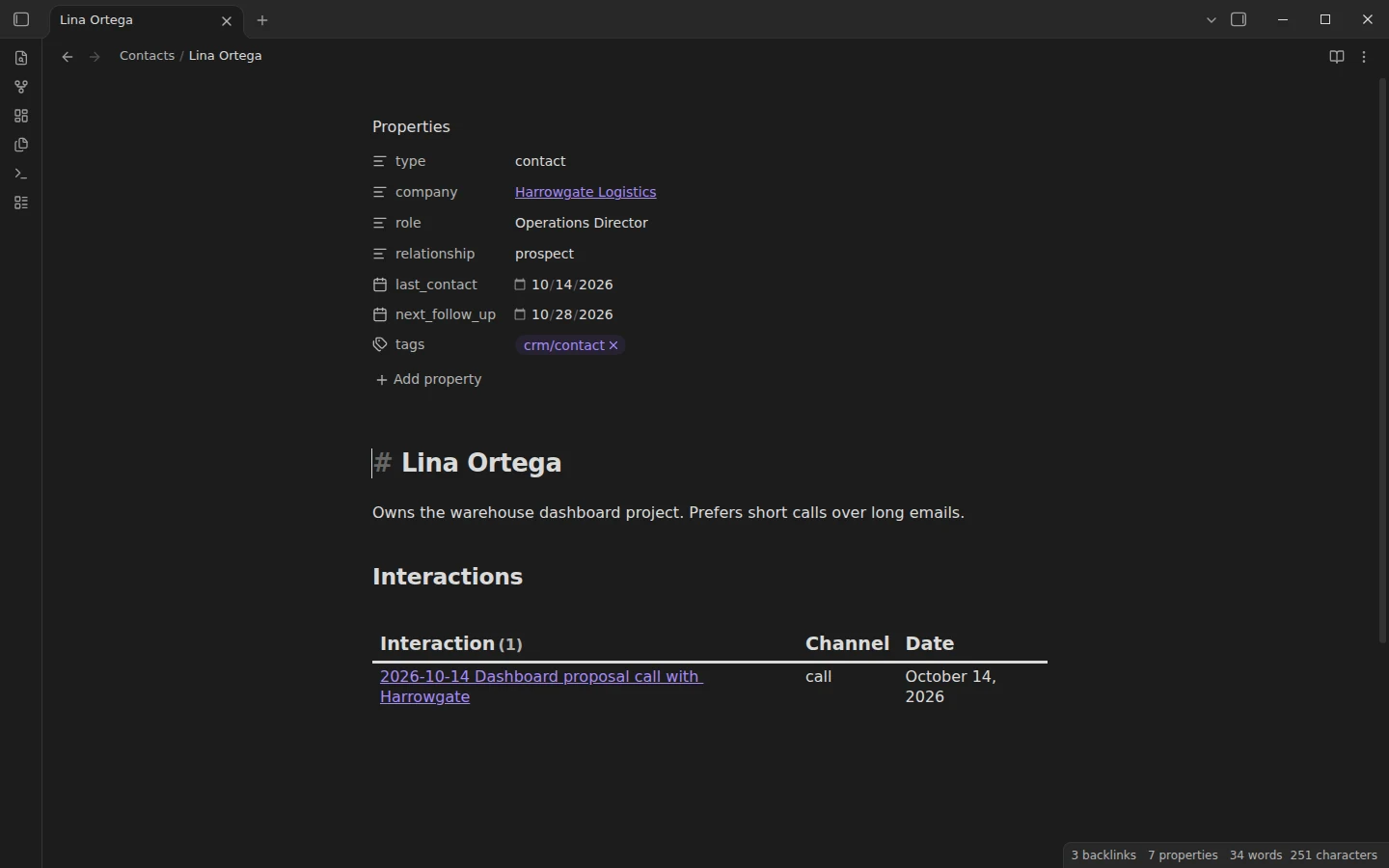
- Contacts/: eight people with
company,role,relationship,last_contactandnext_follow_upproperties, from Lina Ortega at a logistics firm to a referral partner who has gone quiet since summer. - Companies/: four organisations. Each note lists its people and its deals on its own, through queries on the links.
- Deals/: six opportunities with
value,stageandclose_date, covering every stage from lead to won and lost. - Interactions/: a dated note for each call, email and meeting, with the follow-up tasks it produced.
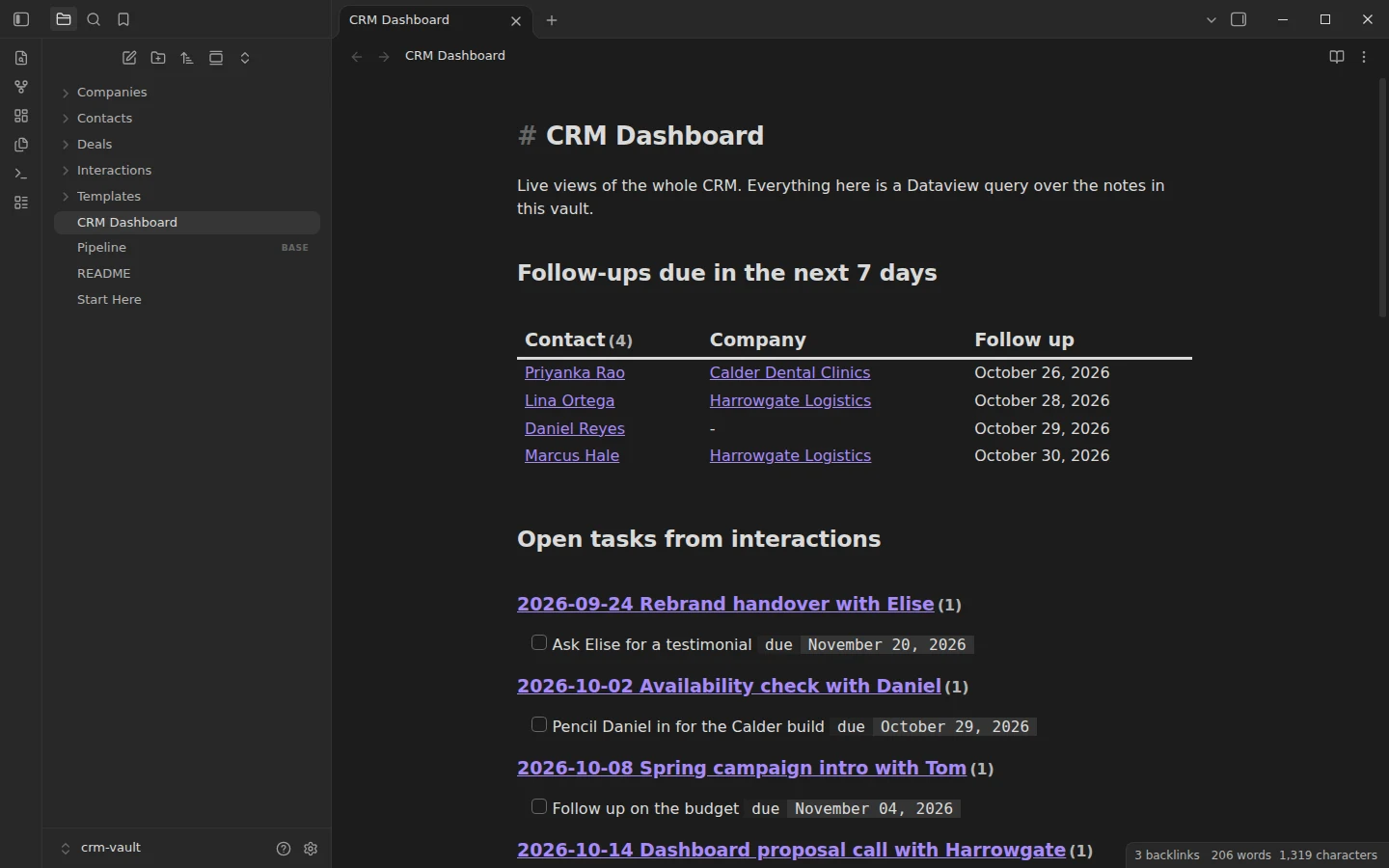
- CRM Dashboard: follow-ups due in the next seven days, open tasks, pipeline value by stage, open deals, contacts not reached in 60 days and the latest interactions.
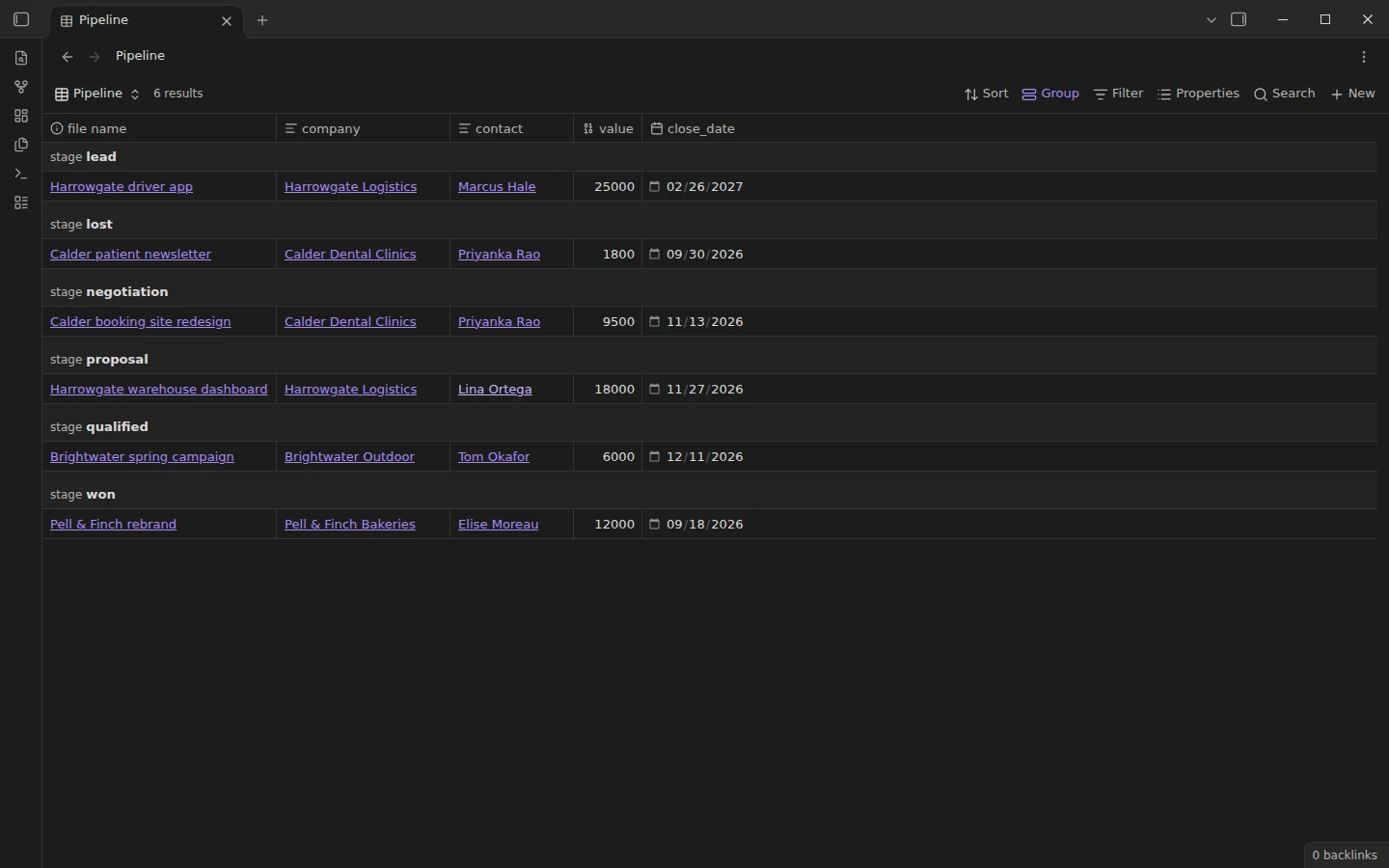
- Pipeline.base: the same deals as an editable table grouped by stage, built with the core Bases plugin.
- Templates/: contact, company, deal and interaction.
How the personal CRM works in Obsidian
The whole system rests on links. An interaction note names its contact, a contact names its company, a deal names both, and every list inside a note is a Dataview query on those links, so you never maintain a list by hand. The routine is short. After a conversation, create an interaction from the template, write two lines of summary and any next steps as tasks, then update the contact's last_contact and next_follow_up. Once a week, open the dashboard and work down the follow-ups at the top. Dates are written as YYYY-MM-DD so that the queries can compare them with today.
Tracking deals and follow-ups
Each deal moves through six stages, written in the stage property: lead, qualified, proposal, negotiation, won and lost. The dashboard adds up the value of each stage with GROUP BY, so you can see at a glance how much work is waiting on a proposal. The "not contacted in 60 days" view is the one people tend to keep: it catches the referral partner or past client you meant to call. If you prefer clicking to writing queries, open Pipeline.base, change a stage in the table and the dashboard follows. Our Obsidian Dataview guide explains every query in the vault line by line.
Plugins the CRM vault uses
Dataview is required: the dashboard and the lists inside contact and company notes run on it. The core Templates plugin is enabled and pointed at the Templates folder. The pipeline table uses the core Bases plugin, included in current versions of Obsidian, and everything else works without it.
Download the Obsidian CRM template
Unzip the download, choose Open folder as vault in Obsidian, allow community plugins and install Dataview. Open Start Here first, then the CRM Dashboard in reading view. When your own contacts are in, delete the sample ones: the structure is the product, the data is there to show it working. For meeting notes that feed the same contacts, pair it with the meeting notes pack.
More templates
-
 Meeting Note Templates for Work Obsidian Meeting Notes Template: Team, 1-on-1, Client Call, Standup and Retro Pack Free Obsidian meeting notes templates: team meeting, 1-on-1, client call, daily standup and retrospective, plus a Dataview dashboard of open action items. View template →
 -
 TTRPG Templates: D&D Campaigns & Worldbuilding Obsidian D&D Character Sheet: a 5e Template That Calculates Itself Free D&D 5e character sheet for Obsidian: ability scores in properties, and Dataview works out modifiers, skills, saves, Passive Perception and spell DC. View template →
 -
 Kanban & Project Management Templates Obsidian Gantt Chart Template: Timelines Drawn from Your Task Notes Free Obsidian Gantt chart template: tasks are notes with start and end dates, and a Dataview query draws a Mermaid Gantt chart per project, by phase. View template →
 -
 Obsidian for Work: Meetings, Projects, Clients and the Commercial License How to use Obsidian for work: one vault for meetings, projects, clients and tasks, whether you need the commercial license, and what teams can share. Read guide →