Obsidian Student Template: A Working Vault for Courses, Deadlines and Exams
Quick install: unzip the file and open the folder as a vault in Obsidian, or copy the templates into your existing vault. Full install guide
What plugins you need
- Required
- Dataviewcore Templates
- Optional
- Calendar
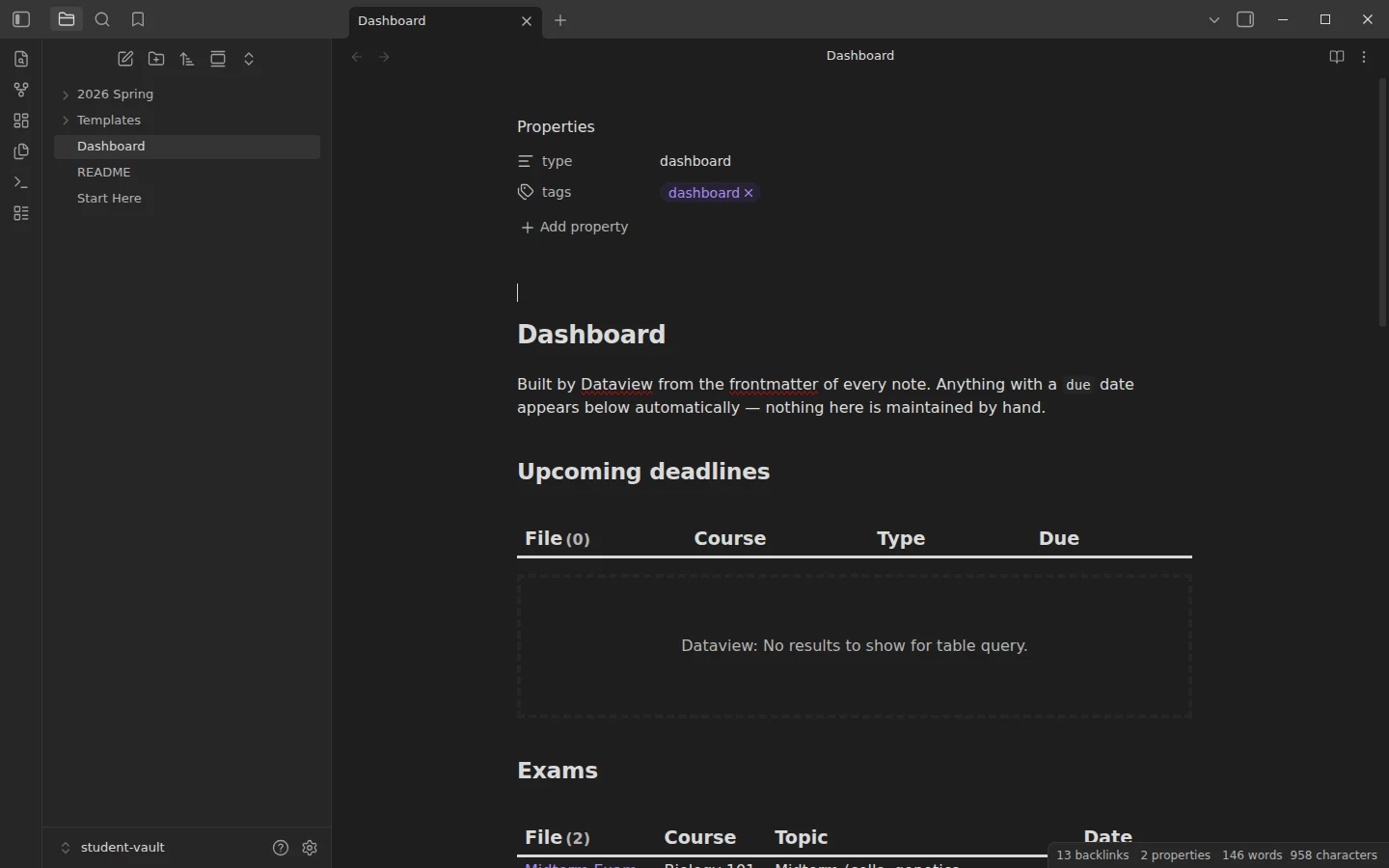
Most student setups die in week six, when the system starts needing more maintenance than the coursework. This Obsidian student template keeps the moving parts down to one habit: every lecture, reading or exam-prep note carries a due date and a type in its frontmatter, and a Dataview dashboard lists everything that is coming — deadlines, exams, readings — without ever being maintained by hand.
What's inside the Obsidian student vault
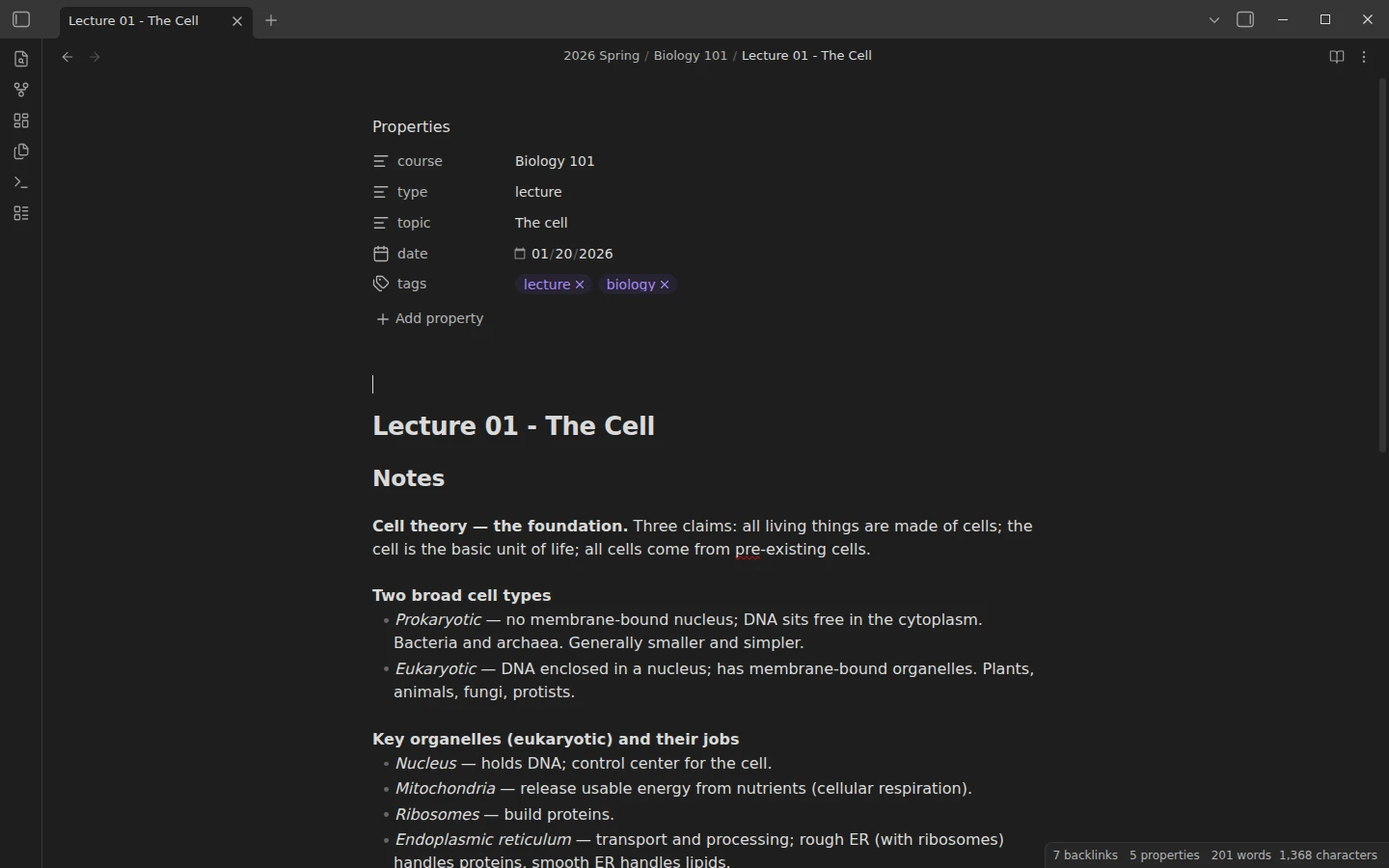
- 2026 Spring/ — a full example term with two courses, Biology 101 and Statistics 201, and twelve filled notes between them: lectures, readings, problem sets and exam prep. The material is correct general content (cell biology, descriptive statistics), so you study the structure on real notes rather than placeholder text.
- Templates/ — Lecture Note, Exam Prep and Reading Note, wired to the core Templates plugin.
- Dashboard — Dataview tables for upcoming deadlines (anything with a future
due), exams (type: exam) and reading assignments, plus a per-course breakdown.
The example midterm note shows the pattern: it carries due: 2026-03-16 and type: exam, and it appears on the dashboard with no further work.
How the student template tracks deadlines and exams
The one habit: set the due field the moment a deadline is announced. The dashboard can only show what you tell it — but if you tell it, you never track deadlines from memory again. Scaling is structural rather than configurable: a new course is a new folder inside the term, a new term is a new YYYY Season/ folder, and the queries pick both up automatically.
The Exam Prep template earns a separate mention: a topic checklist that links back to the lecture note each topic came from, a "How I'm studying this" section that asks for method rather than material, and a "Still shaky" list to spend the final sessions on instead of re-reading what you already know.
Plugins the student vault needs
Dataview is required — the dashboard is empty without it. Calendar is optional, a month view that sits well alongside daily notes. The core Templates plugin comes preconfigured to the Templates folder.
Install the student template
Download the zip, unzip it, choose Open folder as vault, install Dataview, and open the Dashboard — the tables should populate from the example notes. The vault is also mirrored on GitHub. Template insertion and the core-versus-community question are covered in core Templates vs Templater. For in-class capture, the Cornell notes template drops straight into this vault's Templates folder; for tracking course reading book by book, see the book notes template. More coursework downloads live in the student templates category.
More templates
-
 For Students: Free Templates & Vaults Obsidian Cornell Notes Template: Callouts Plus One CSS Snippet Free Obsidian Cornell notes template: cue, notes and summary zones built from callouts and one CSS snippet. No community plugins, 3 worked examples. View template →
 -
 TTRPG Templates: D&D Campaigns & Worldbuilding Obsidian D&D Character Sheet: a 5e Template That Calculates Itself Free D&D 5e character sheet for Obsidian: ability scores in properties, and Dataview works out modifiers, skills, saves, Passive Perception and spell DC. View template →
 -
 Kanban & Project Management Templates Obsidian Gantt Chart Template: Timelines Drawn from Your Task Notes Free Obsidian Gantt chart template: tasks are notes with start and end dates, and a Dataview query draws a Mermaid Gantt chart per project, by phase. View template →
 -
 Meeting Note Templates for Work Obsidian CRM Template: A Personal CRM Vault with Contacts, Deals and Follow-ups Free Obsidian CRM template: contacts, companies, deals and dated interactions, with a Dataview dashboard for follow-ups, pipeline by stage and cold contacts. View template →