Templates
Obsidian Dashboards: Examples & Free Templates

Real Obsidian Dashboard Examples
A dashboard in Obsidian is just a note that shows the state of your vault: today's tasks, active projects, what you touched last. The download in this category, the Homepage / Dashboard template, gives you that note in two variants. Home (simple) is built from callouts and static links and works with community plugins switched off entirely. Home is the live version, with Dataview queries that pull today's tasks, the upcoming week, active projects, recently edited notes and vault counts, designed to open automatically at launch through the Homepage plugin. Both arrive inside a small cross-linked example vault, three projects, two areas and three evergreen notes with dated tasks, so every section renders real data the moment you open it.
Start with the simple variant if you mainly want a front door for your vault. Switch to the Dataview version once you start dating your tasks, because that is the point where a static page stops being enough.
Dashboards also live inside our more specialized vaults. The GTD task vault runs its whole system from one, and the project management vault rolls every project up by status, owner and due date. If one of those is your actual use case, take the dashboard with the system already built around it.
Obsidian Dashboard Gallery: 10 Real Dashboards and Their Queries
Each dashboard below ships inside one of our free vaults. The screenshot is the real note open in Obsidian with the vault's example data, and the code block is one query copied from that note, so you can see exactly how each panel is built before you download anything.
Obsidian homepage dashboard
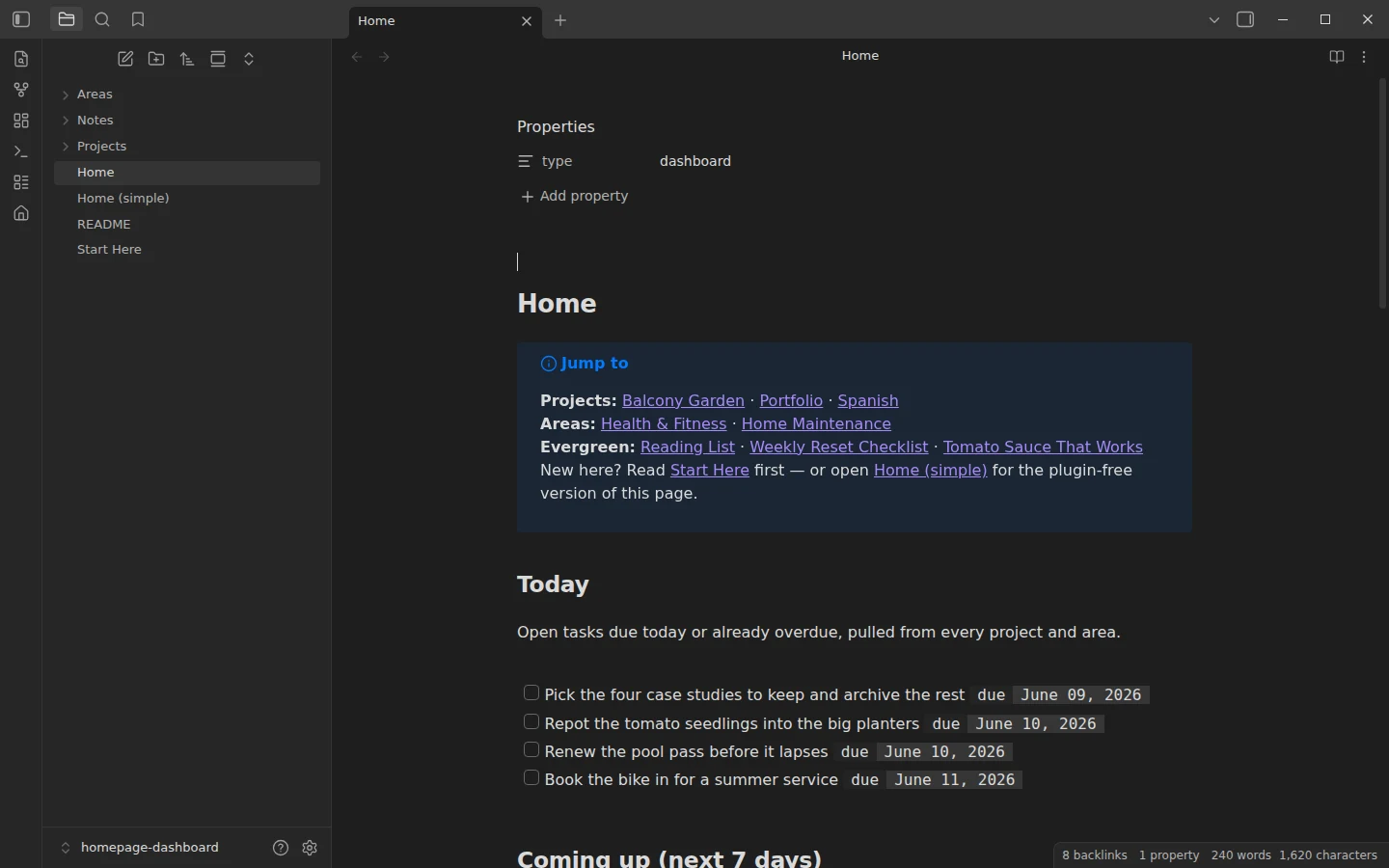
The front page of a general vault, built to open at launch with the Homepage plugin. Five panels run from today's tasks to vault counts: Today, Coming up, Active projects, Recently touched and Vault at a glance. This query fills the Today panel with every unfinished task due today or earlier in Projects and Areas.
```dataview
TASK
FROM "Projects" OR "Areas"
WHERE !completed AND due AND due <= date(today)
SORT due ASC
```
GTD task dashboard
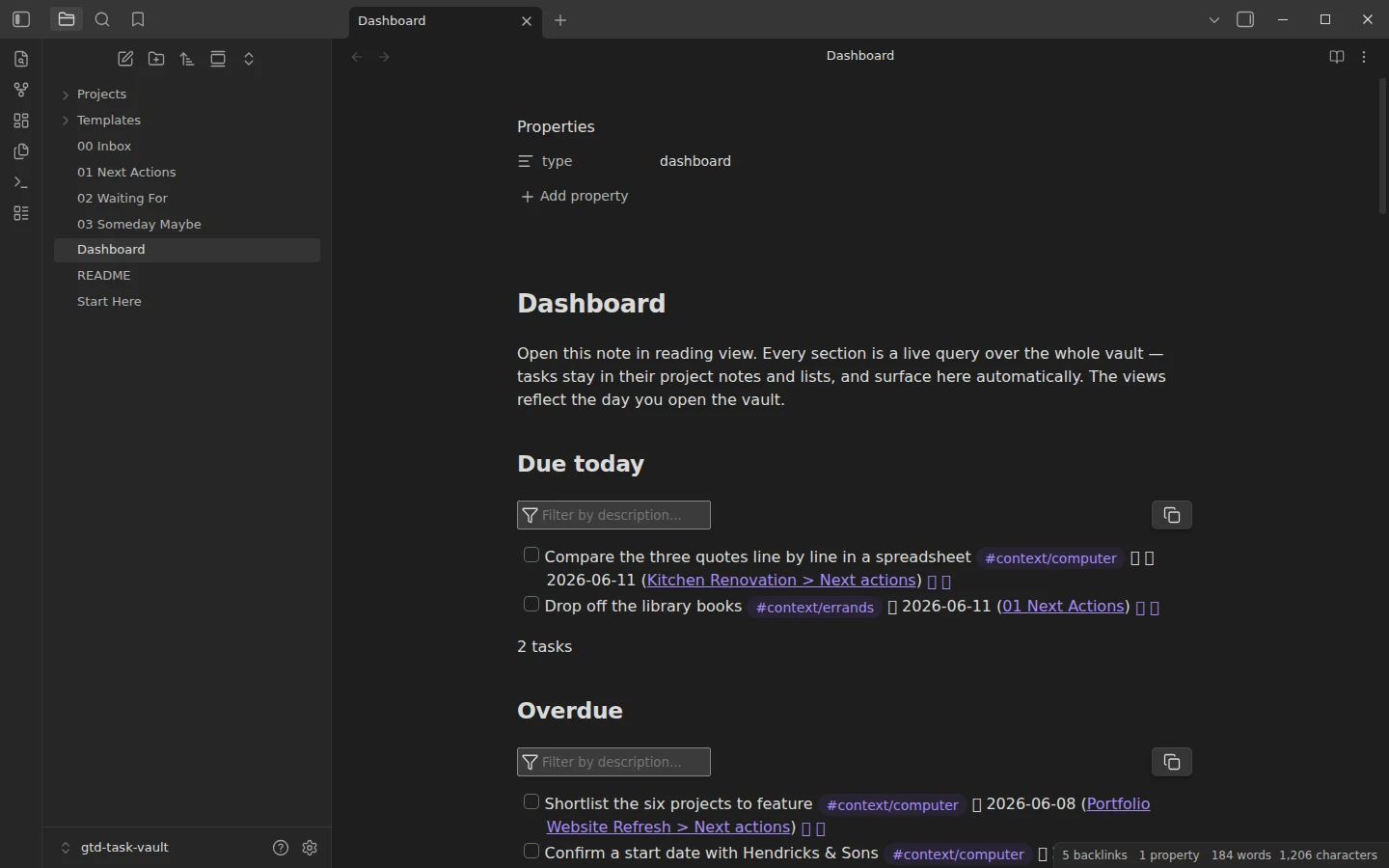
A whole Getting Things Done system run from one note: due today, overdue, coming up, next actions by context (Home, Computer, Errands), waiting-for items, the inbox and a projects overview. It runs on the Tasks plugin rather than Dataview, so each panel is a Tasks query like this one, which lists today's tasks and leaves out anything tagged #waiting.
```tasks
not done
due today
tags do not include #waiting
```
Project management dashboard
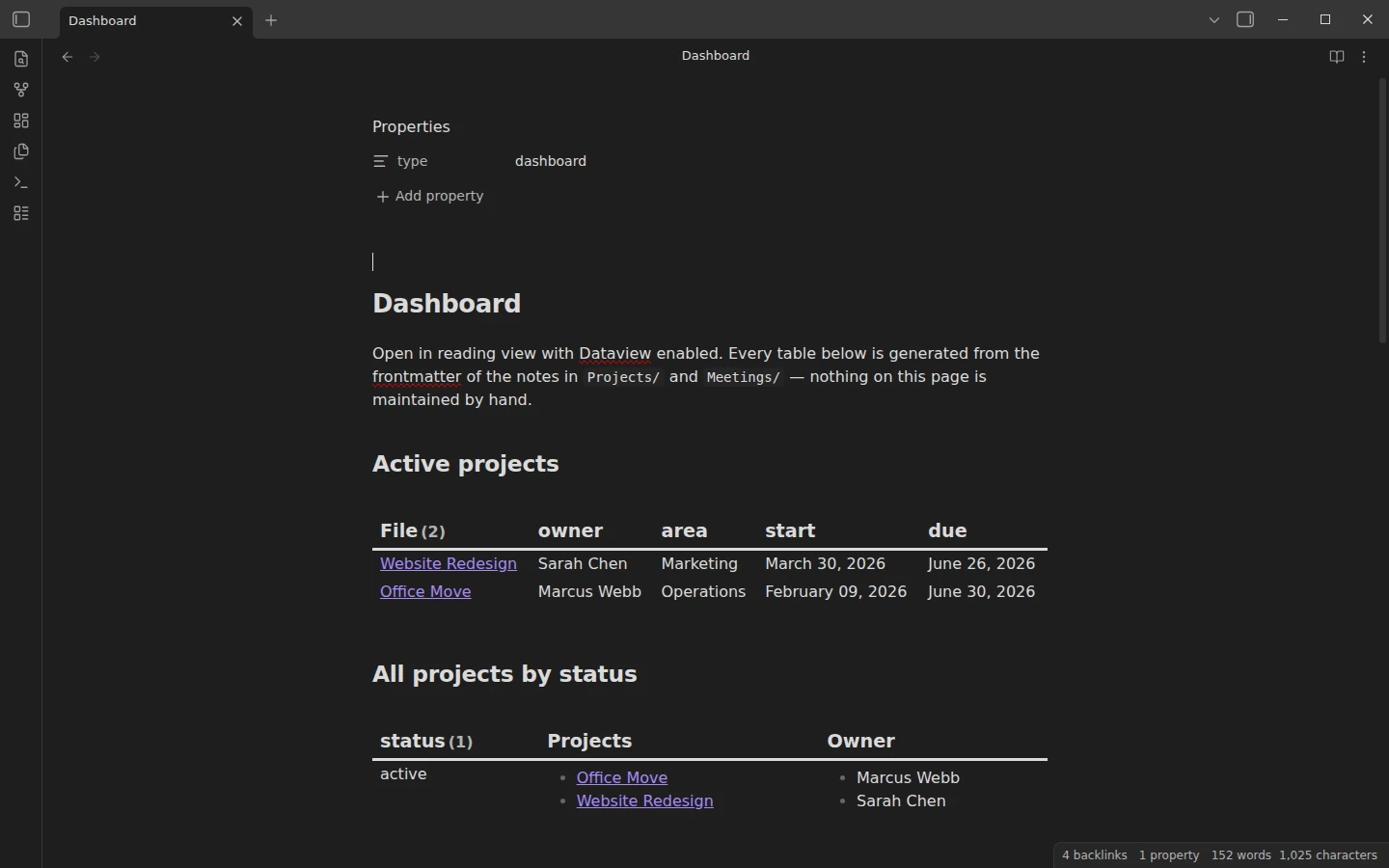
Every project rolled up in one place: active projects, all projects by status, projects by owner, what is due in the next 30 days, recent meetings and the action items still open from them. The first panel is this table, which reads owner, area and dates from each project note's properties.
```dataview
TABLE owner, area, start, due
FROM "Projects"
WHERE status = "active"
SORT due ASC
```
Meeting notes dashboard
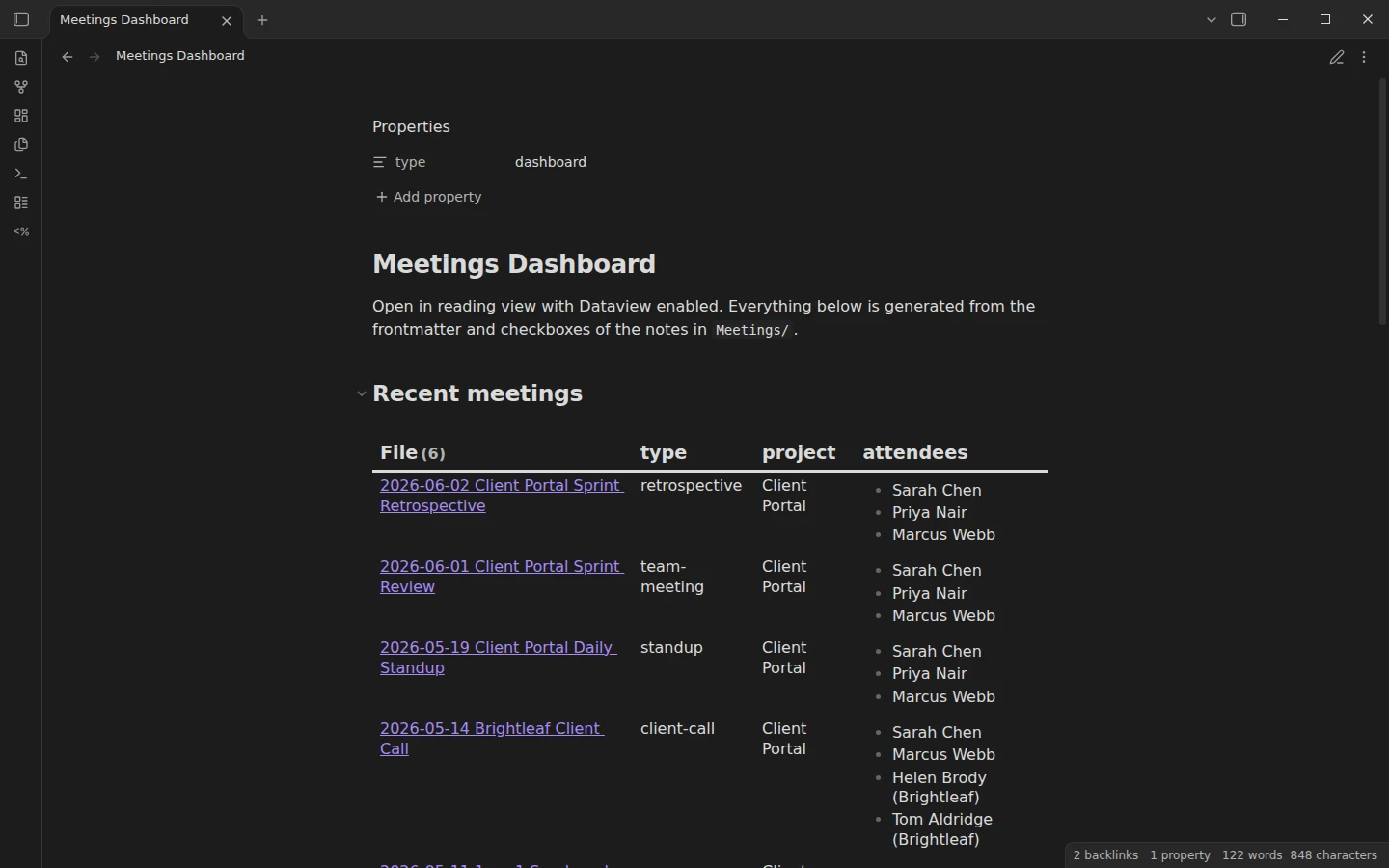
A dashboard for the meetings folder: the latest meetings, meetings grouped by type and by project, open action items and a running decisions log. The query below is the Recent meetings panel.
```dataview
TABLE type, project, attendees
FROM "Meetings"
SORT date DESC
LIMIT 15
```
Personal CRM dashboard
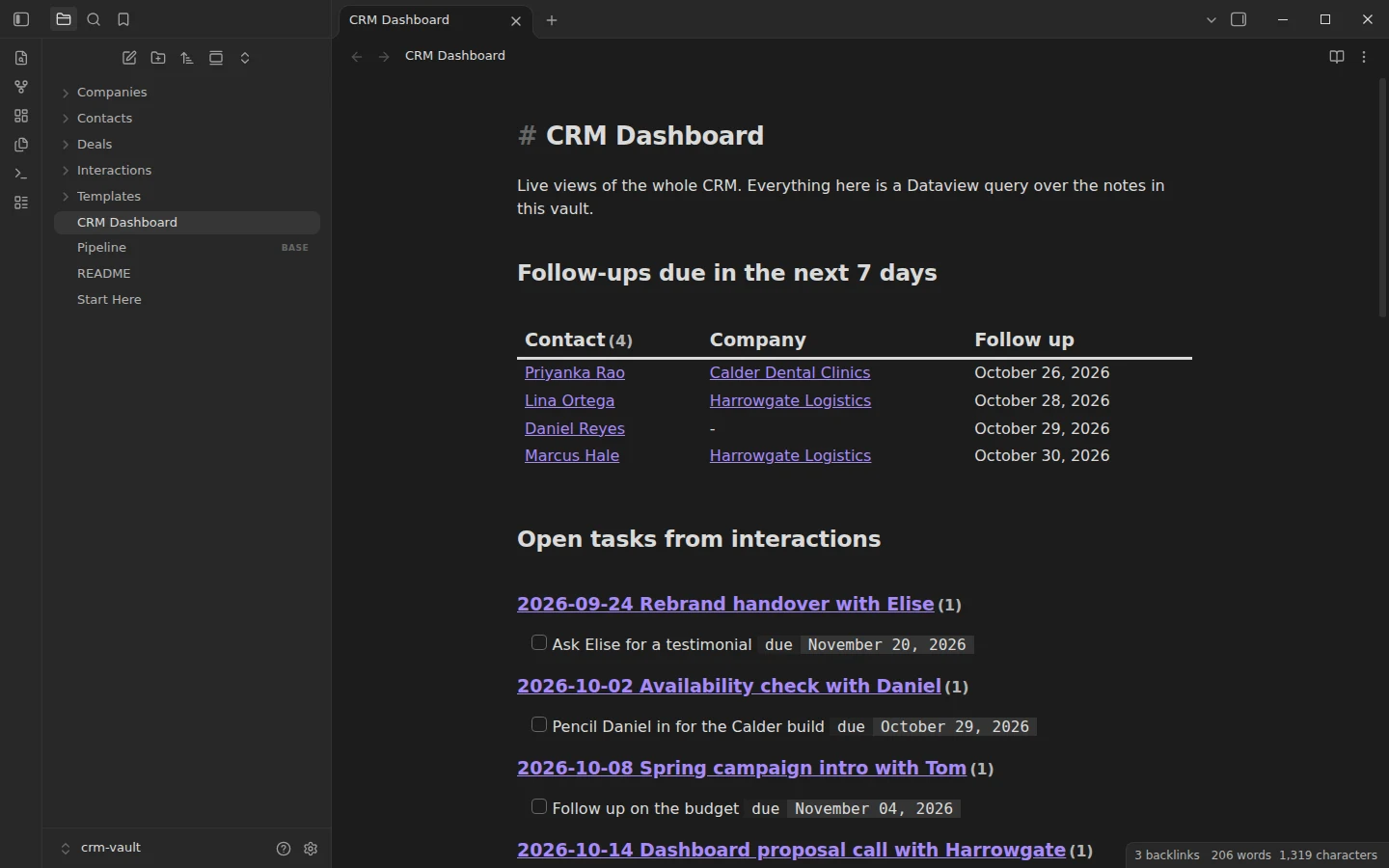
The CRM vault opens on follow-ups due in the next seven days, open tasks from past interactions, the pipeline by stage, open deals, contacts nobody has spoken to in 60 days and the latest interactions. The follow-up panel is this query. The vault also ships a Bases view of the same pipeline for anyone who prefers a table they can sort and edit.
```dataview
TABLE WITHOUT ID file.link AS "Contact", company AS "Company", next_follow_up AS "Follow up"
FROM "Contacts"
WHERE next_follow_up AND next_follow_up <= date(today) + dur(7 days)
SORT next_follow_up ASC
```
Student dashboard
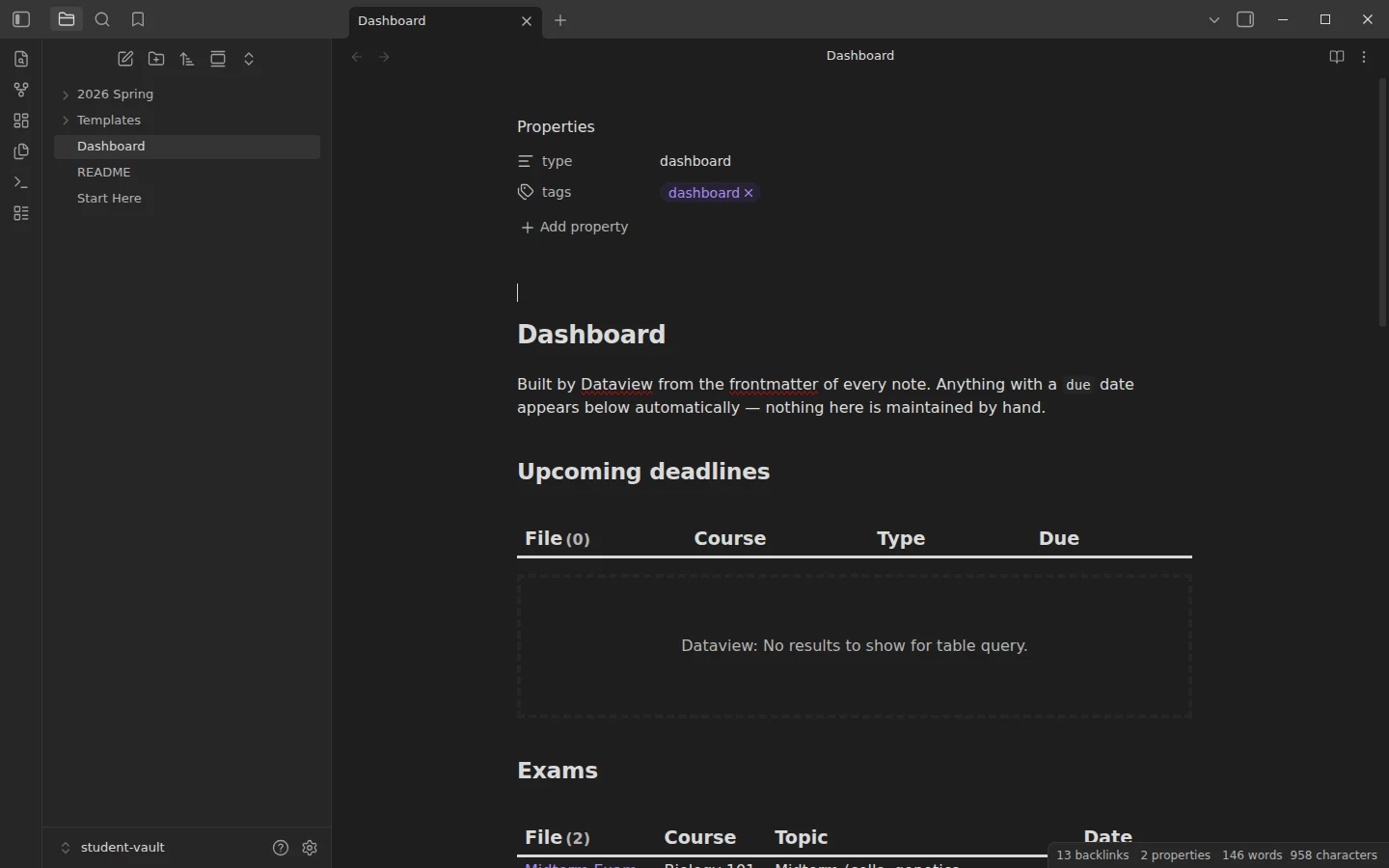
One page for a semester: upcoming deadlines, exams, reading assignments and everything grouped by course. Deadlines come from a due property on each assignment note, so the list below sorts itself as the term goes on.
```dataview
TABLE course AS "Course", type AS "Type", due AS "Due"
FROM "2026 Spring"
WHERE due AND due >= date(today)
SORT due ASC
```
Habit tracker dashboard
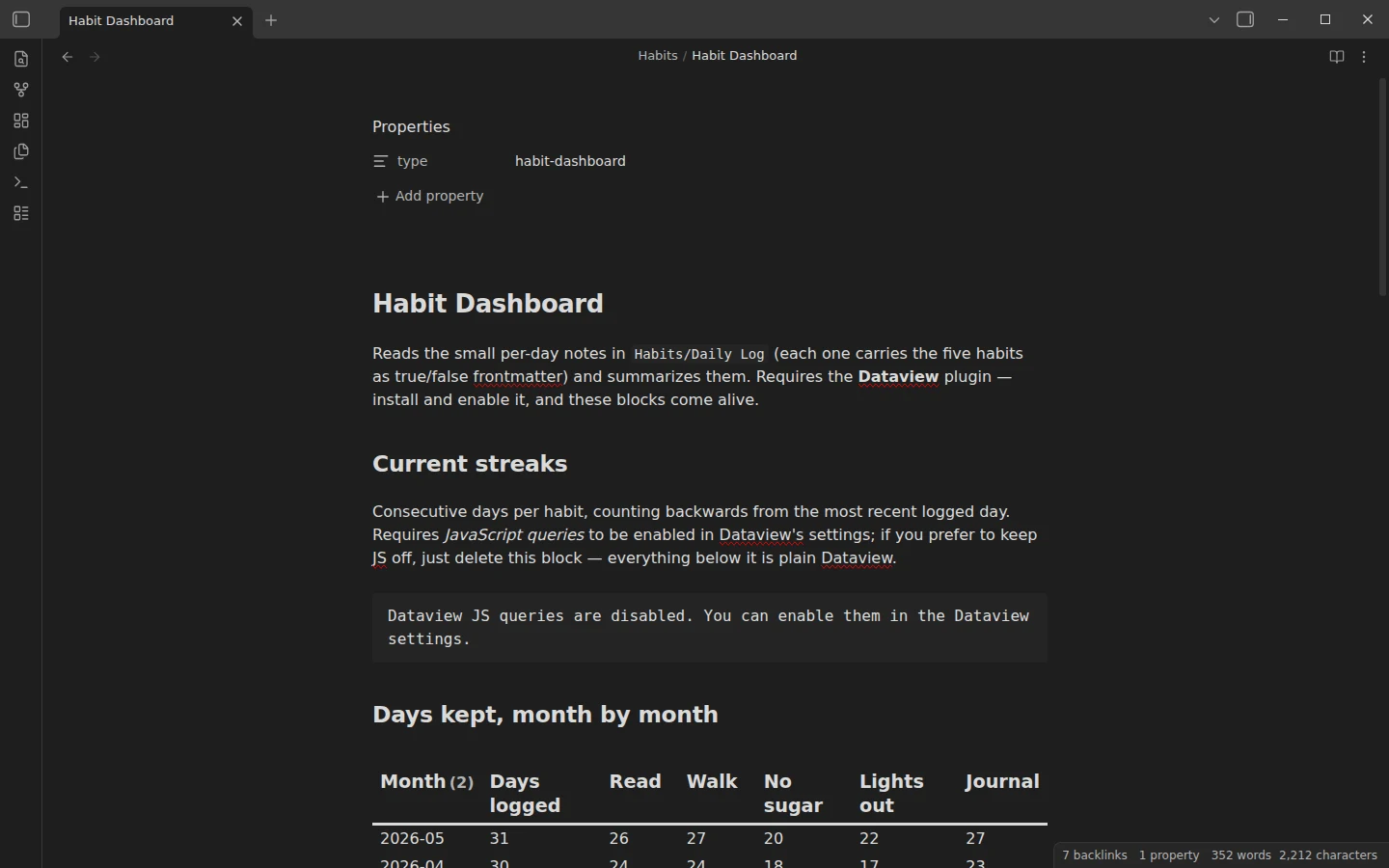
Current streaks, days kept month by month, the last 14 logged days and a list of perfect days. The habits themselves are true or false properties in each daily log, which is why the perfect-days panel needs only one line of conditions.
```dataview
LIST
FROM "Habits/Daily Log"
WHERE read AND walk AND no_sugar AND sleep_on_time AND journal
SORT date DESC
```
D&D campaign dashboard (DM screen)
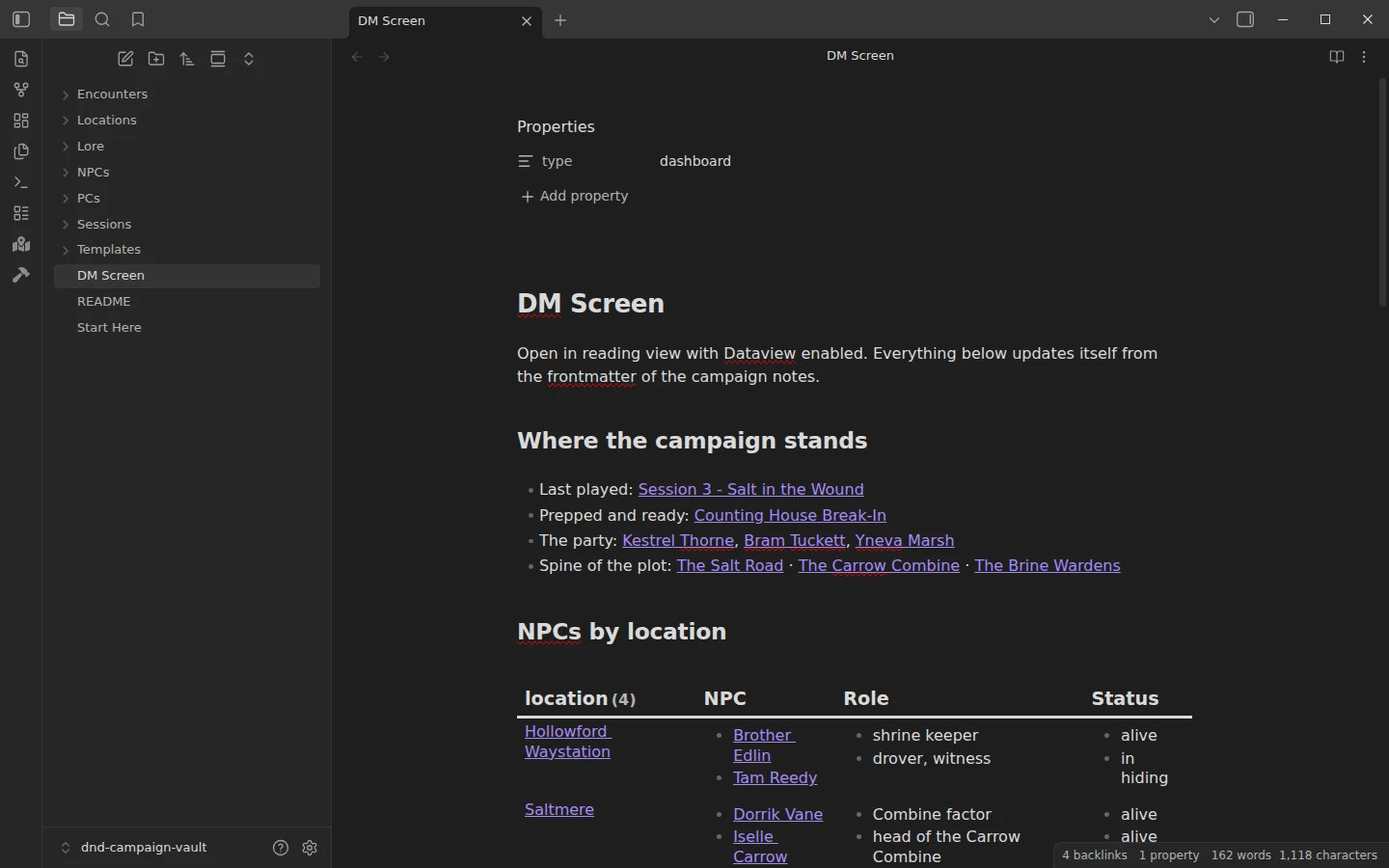
A DM screen for the table: where the campaign stands, NPCs by location and by faction, sessions with the latest first, encounters ready to run and those already run, and the party. This query groups every NPC under the place they live.
```dataview
TABLE rows.file.link AS "NPC", rows.role AS "Role", rows.status AS "Status"
FROM "NPCs"
GROUP BY location
```
NPC roster dashboard
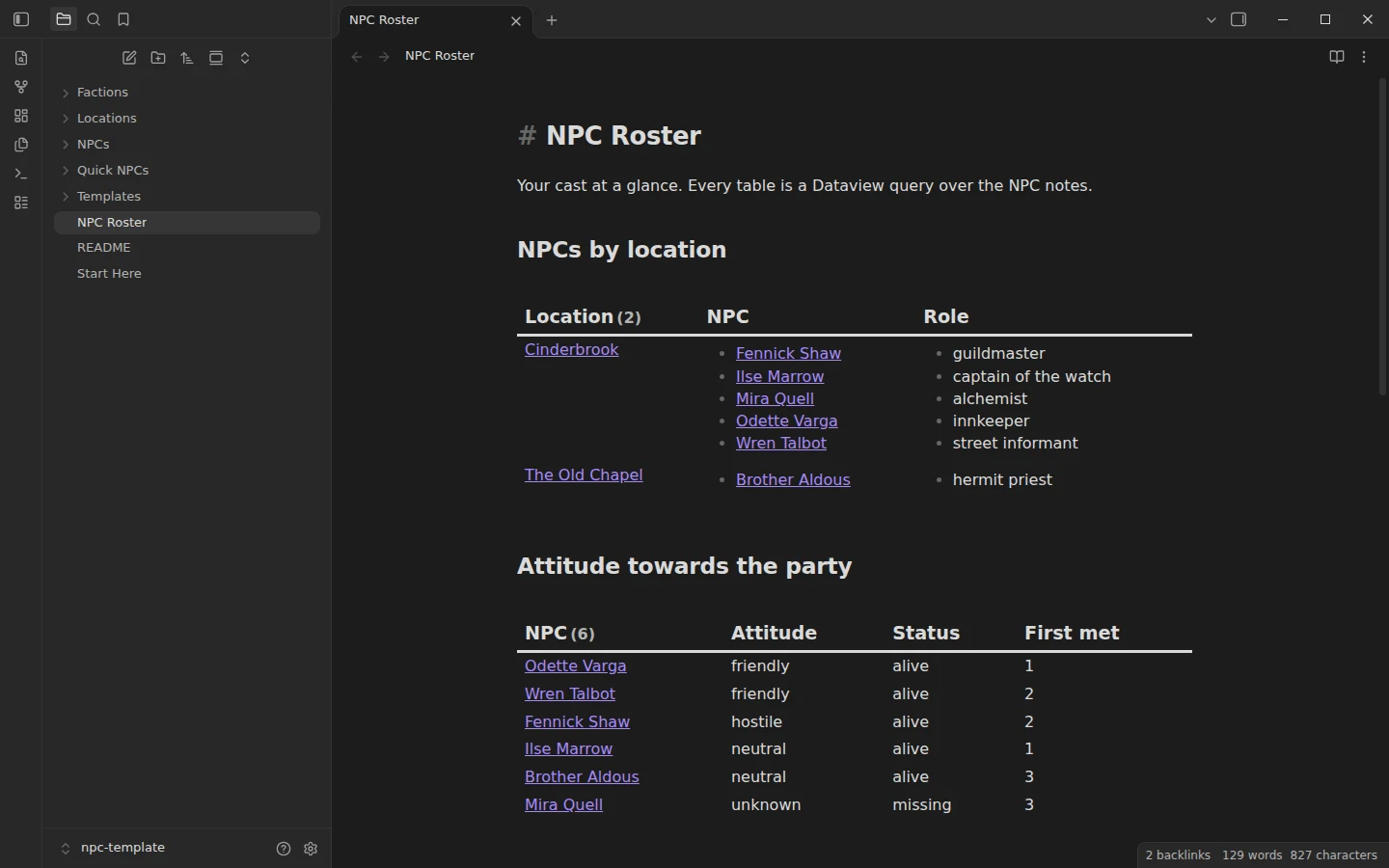
A roster for the people of a campaign: NPCs by location, their attitude towards the party, faction members, quick NPCs ready to improvise and the secrets the players have not uncovered yet. That last panel is this query, which works because every NPC note carries a secret and a revealed property.
```dataview
LIST secret
FROM "NPCs"
WHERE revealed = false
```
Worldbuilding dashboard (World Index)
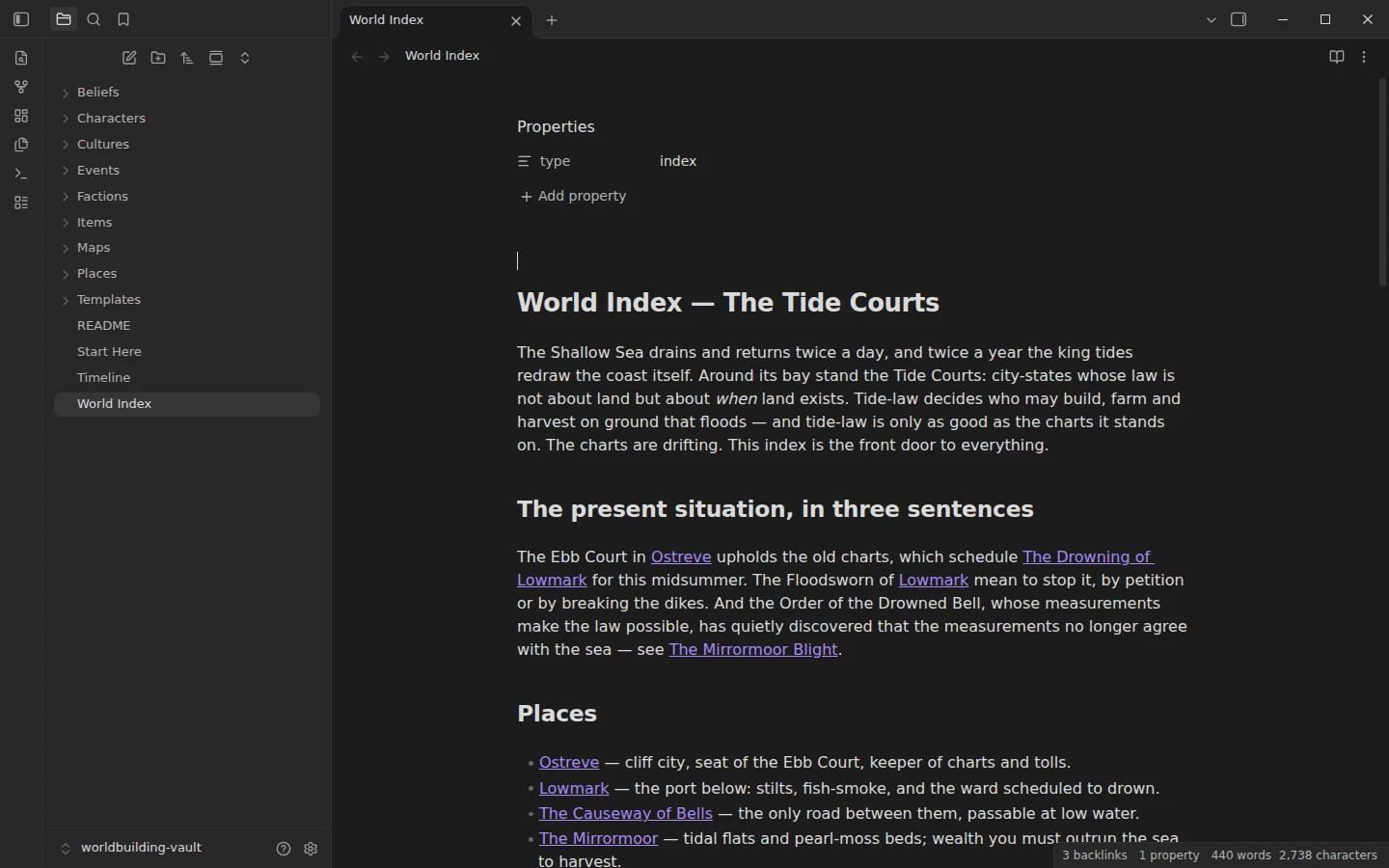
The front door of a fictional world: places, factions, people listed by faction, cultures, beliefs and important objects, and the chronology. This panel lists the objects that drive the plot, with who holds each one and where it is kept.
```dataview
TABLE held-by AS "Held by", location AS "Kept in", status
FROM "Items"
SORT file.name ASC
```
Obsidian Dashboard Plugins: Dataview, Tasks, Bases and Homepage
Most of these dashboards are Dataview queries. Dataview reads the properties at the top of your notes, the folders they sit in and their tasks, and turns them into live tables and lists, so it covers almost every panel you would want. The GTD dashboard uses the Tasks plugin instead, because Tasks understands due dates, recurrence and priorities written on the task line itself. Bases is the core plugin for database-style views of your notes, and the CRM vault uses it for a pipeline table you can sort and edit in place. Homepage is optional in every case: it simply opens your dashboard note whenever Obsidian starts.
If you prefer a visual board to a page of queries, Obsidian's core Canvas plugin can hold notes, images and links on one surface, and many people use a canvas as their dashboard. A note-based dashboard has one advantage over it: the queries keep it up to date without you moving anything. The Dataview guide covers the query language behind every table on this page.