Obsidian MOC Template: A Map of Content Starter Kit
Quick install: unzip the file and open the folder as a vault in Obsidian, or copy the templates into your existing vault. Full install guide
What plugins you need
- Required
- core Templates
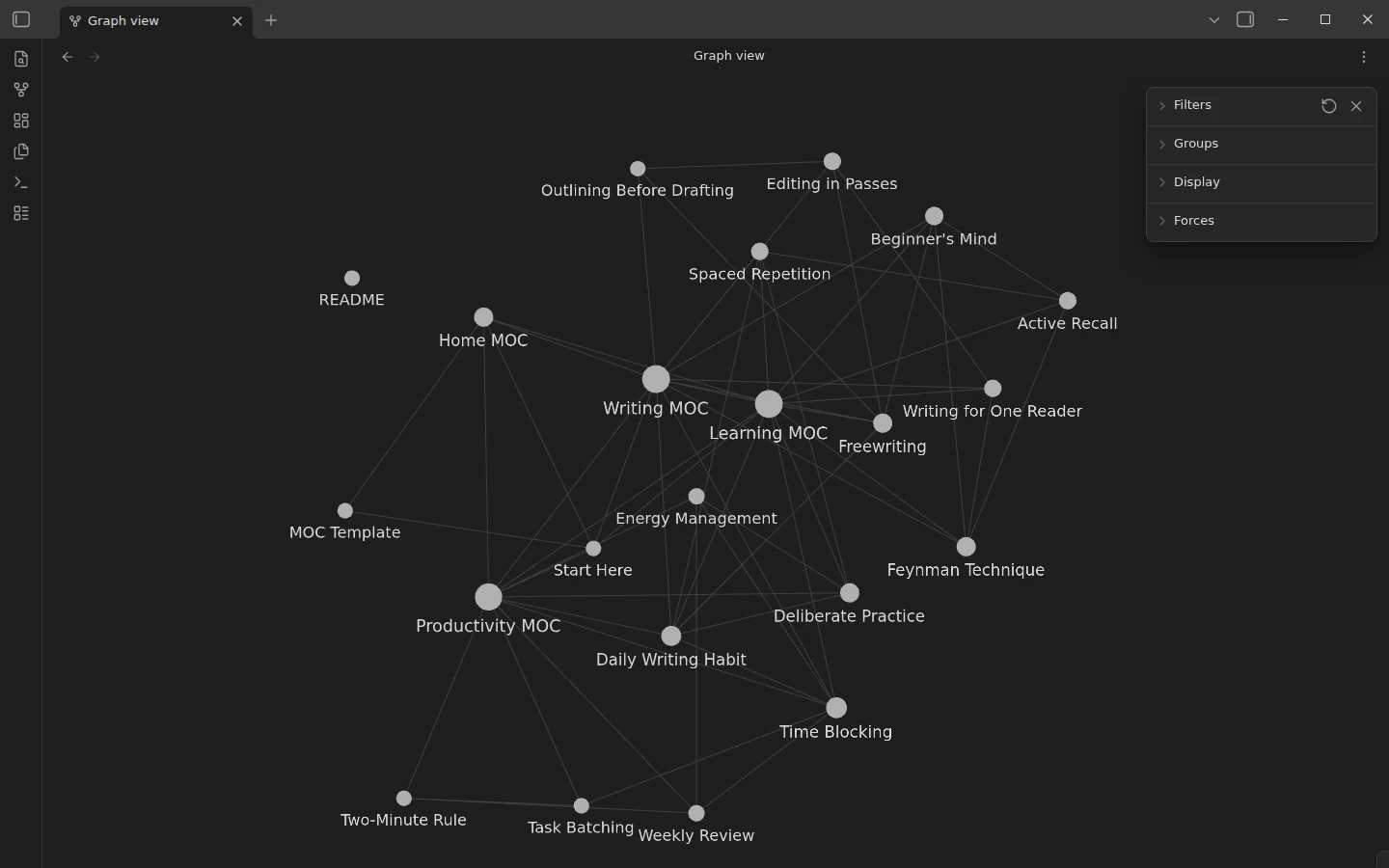
Maps of Content are the middle layer most vaults are missing — between one giant index nobody updates and a flat pile of notes nobody can navigate. This Obsidian MOC template ships that layer fully worked: a home MOC, three topic maps and fifteen interlinked notes underneath, so the graph view shows the three-level tree the moment you open it.
What's inside the MOC starter kit
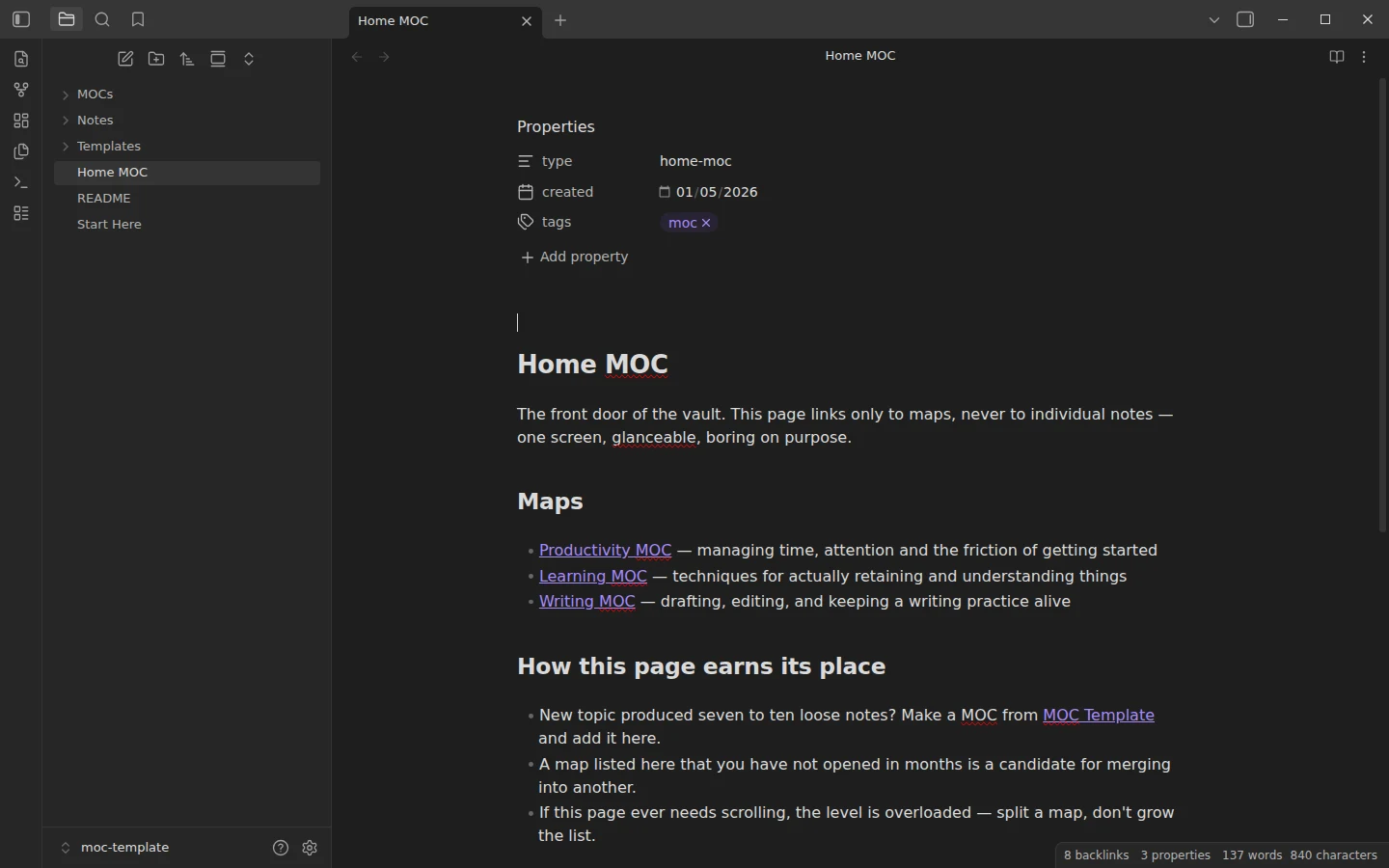
- Home MOC — level one, the single front door. It links only to maps, never to individual notes: one screen, glanceable, boring on purpose.
- MOCs/ — level two: Productivity MOC, Learning MOC and Writing MOC, each arranging its notes with a line of context per link.
- Notes/ — level three: fifteen one-idea notes, from Spaced Repetition to Editing in Passes, living flat in a single folder. The maps carry the structure; the folder tree stays dumb.
- MOC Template — a new-map template with the linking conventions written into it.
How a map of content works in Obsidian
Three conventions do all the work here. The home MOC links only to MOCs. Each MOC links its notes with a phrase of commentary — which notes made the cut, in what order, with what context; that curation is what separates a map of content from a tag search. And every note carries an Up: link back to its map, so you can always climb out, while sideways links between notes give the graph its texture. The rule of thumb baked into the template: a topic earns its own MOC when seven to ten loose notes accumulate around it — not when the topic merely exists.
An Obsidian MOC setup with no plugins
The kit runs entirely on core plugins — keep restricted mode on if Obsidian asks. The core Templates plugin comes preconfigured for creating new maps. After installing, open the graph view: three clusters around three hubs, with the home MOC above them, is the method made visible.
What Is a MOC in Obsidian?
A MOC, short for map of content, is an ordinary note whose job is to link other notes and say why they belong together. The term was popularised by Nick Milo's Linking Your Thinking approach, and it solves a specific problem: once a vault holds a few hundred notes, folders and search stop telling you what you know about a topic. A MOC is the note you open when you want the overview, written by you, in the order that makes sense to you. It needs no plugin; it is links and a few lines of context.
Obsidian MOC vs Folders and Tags
A folder can hold a note in one place only, and a tag lists everything that carries it without telling you which notes matter. A MOC can include the same note in several maps, put the important ones first and explain each link in a phrase. That is why this kit keeps every note in one flat folder and lets the maps carry the structure. Tags still help for status and type, such as #moc on the maps themselves, but they are not where the thinking happens.
Obsidian MOC Examples from the Kit
The kit has three levels you can copy. The Home MOC links only to the topic maps. Each topic MOC groups its notes under headings with a line of commentary, like this excerpt from the Learning MOC:
# Learning MOC

Up: [[Home MOC]]

## Keeping it in

- [[Active Recall]] — test yourself instead of rereading; the single highest-leverage switch
- [[Spaced Repetition]] — return to material on a widening schedule, just as it starts to fade
Every note underneath starts with an Up: link back to its map, so you can always climb out of a note to the overview above it.
Find Notes a MOC Is Missing with Dataview
Because each note links up to its MOC, the map can check itself. Paste this query at the bottom of any MOC and it lists the notes that point to the map but are not yet linked from it, which is the to-do list for your next review. It needs the Dataview plugin; the kit itself works without it.
```dataview
LIST
FROM [[]] AND -"MOCs"
WHERE !contains(this.file.outlinks, file.link)
```
Install the MOC template
Download the zip, unzip it, choose Open folder as vault — or clone the folder from GitHub. Your first own map is one template insertion away; core Templates vs Templater shows how. MOCs also slot into larger systems: our Obsidian second brain guide covers where maps sit next to PARA and the Zettelkasten, and the PARA starter vault ships two MOCs working inside a folder structure, if you want both patterns at once. More of the cluster lives in the second brain and PARA category.
More templates
-
 Second Brain & PARA Templates for Obsidian PARA Method Template for Obsidian: A Pre-Populated Starter Vault Free PARA method template for Obsidian: five folders, two live sample projects, three areas and an inbox showing capture-and-file. No plugins required. View template →
 -
 Second Brain & PARA Templates for Obsidian How to Build a Second Brain in Obsidian, Step by Step Build an Obsidian second brain that survives past week two: choose between PARA and zettelkasten as the backbone, wire it with maps of content, and start from a free vault. Read guide →
 -
 Second Brain & PARA Templates for Obsidian The PARA Method: What It Is and How to Build It in Obsidian What the PARA method is, how Projects, Areas, Resources and Archive actually divide your notes, and how to set the system up in Obsidian with a free starter vault. Read guide →
 -
 TTRPG Templates: D&D Campaigns & Worldbuilding Obsidian D&D Character Sheet: a 5e Template That Calculates Itself Free D&D 5e character sheet for Obsidian: ability scores in properties, and Dataview works out modifiers, skills, saves, Passive Perception and spell DC. View template →