Obsidian Gantt Chart Template: Timelines Drawn from Your Task Notes
Quick install: unzip the file and open the folder as a vault in Obsidian, or copy the templates into your existing vault. Full install guide
What plugins you need
- Required
- Dataview
- Optional
- core Templates
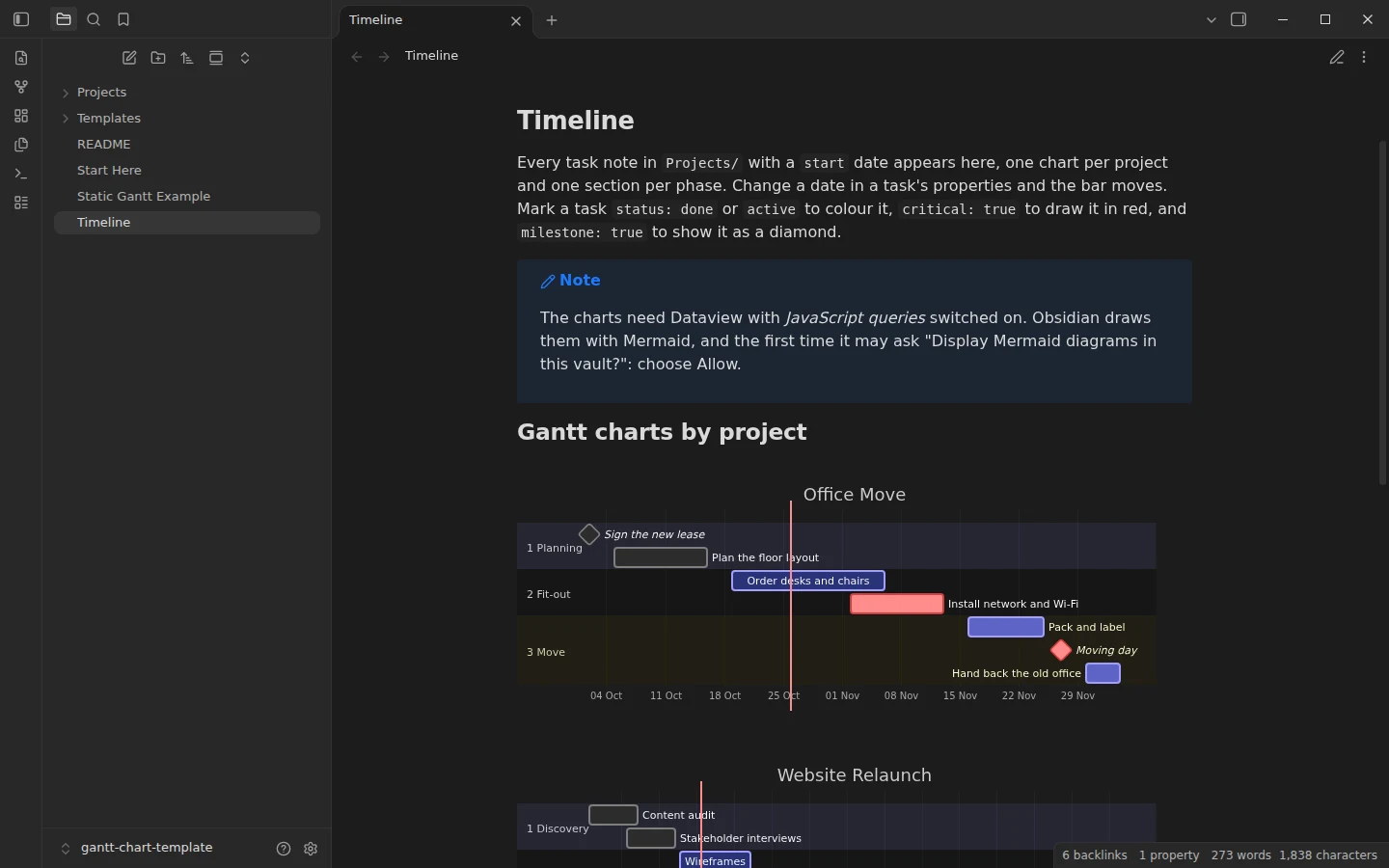
Obsidian can draw a Gantt chart with Mermaid, but a hand-written chart repeats every date you already wrote in your task notes, and the two drift apart the first time a task slips. This Obsidian Gantt chart template keeps the dates in one place. Each task is a note with a start and an end date in its properties, and a DataviewJS query reads them and draws the chart: one per project, one section per phase. Change a date in a task and the bar moves. Tasks without a start date wait in a list until you schedule them.
What's inside this Obsidian Gantt chart template
- Projects/: two example projects, an office move and a website relaunch, with fourteen dated tasks across three phases each. Some are done, some are in progress, some are marked critical, and both projects have milestones.
- Timeline: the generated charts, plus a table of tasks that have no start date yet.
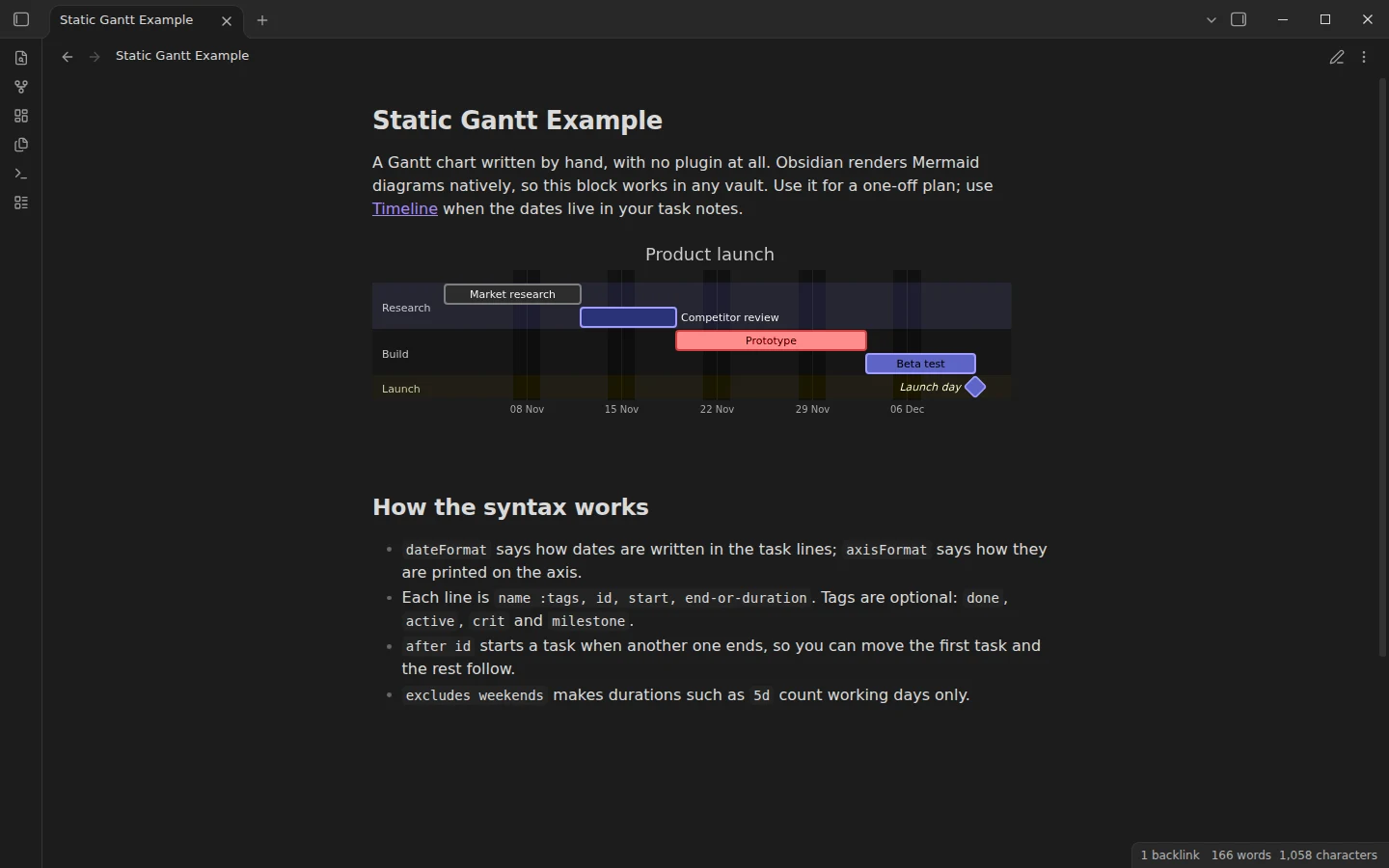
- Static Gantt Example: a hand-written Mermaid Gantt chart that needs no plugin, with the syntax explained line by line.
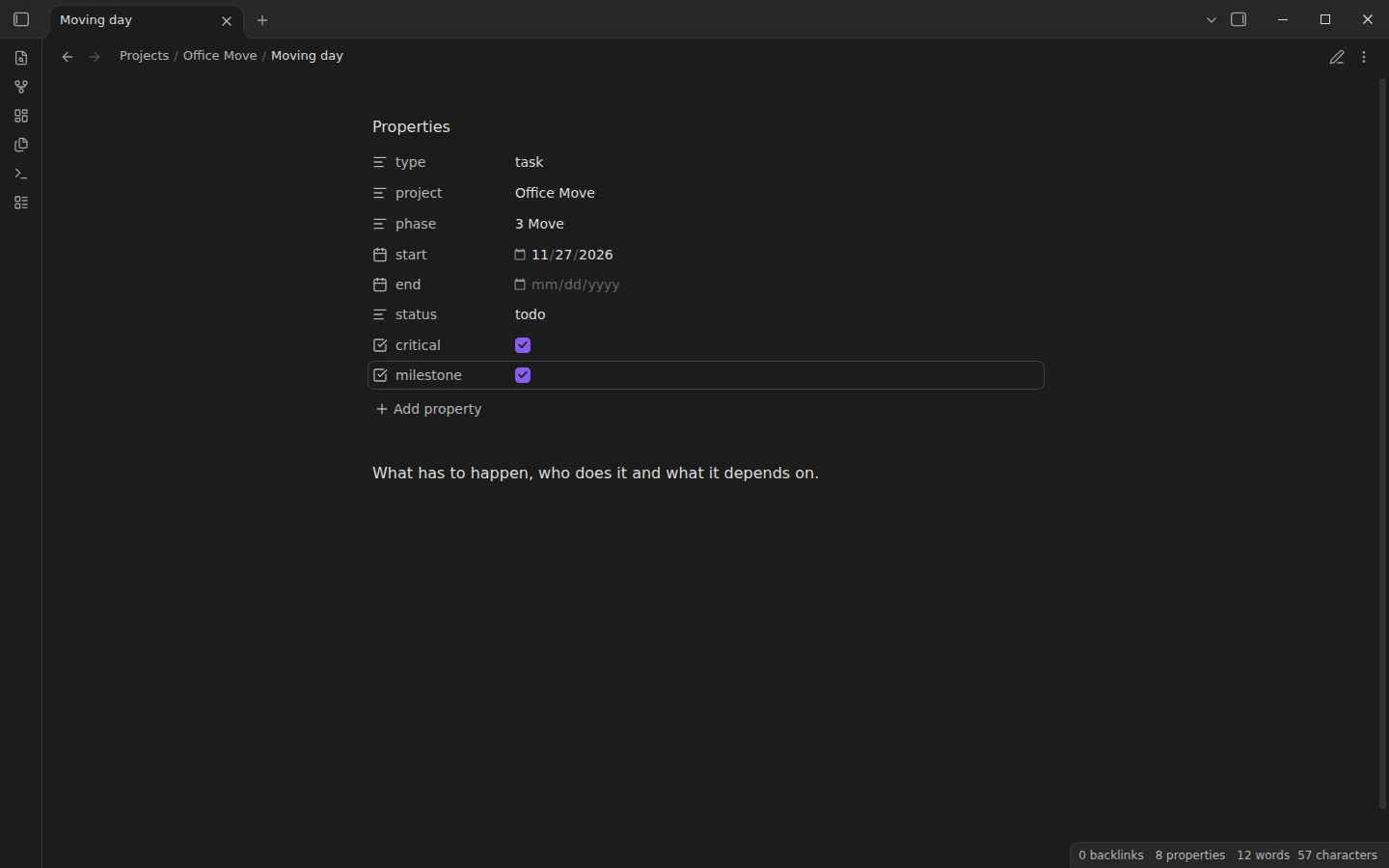
- Templates/Task: a blank task note with project, phase, start, end, status, critical and milestone properties.
How to make a Gantt chart in Obsidian from your notes
A task note only needs a few properties. project and phase decide which chart and which section the bar goes in, start and end are dates written as YYYY-MM-DD, and status, critical and milestone decide how it is drawn. A task looks like this:
---
type: task
project: Office Move
phase: 2 Fit-out
start: 2026-11-02
end: 2026-11-13
status: todo
critical: true
milestone: false
---
The Timeline note groups every task by project and then by phase, sorts each phase by start date and writes the Mermaid lines for you: done and active colour the bar, crit draws it in red and milestone turns it into a diamond. Prefix phases with a number, as the examples do, and they appear in order.
Obsidian Gantt chart without plugins
If you only need a chart for one plan, the Static Gantt Example shows the plugin-free route: a mermaid code block with dateFormat, axisFormat, sections and tasks, using after so each task starts when the previous one ends. Obsidian renders Mermaid on its own. The Kanban and projects category walks through the same syntax with a copyable timeline, and the project management vault adds a status dashboard on top.
Plugins the Gantt chart template uses
Dataview builds the charts, and needs its JavaScript queries setting switched on. Mermaid is part of Obsidian; current versions ask once per vault before drawing Mermaid diagrams, so allow it when the note asks. The static example works with no community plugins at all.
Download the Obsidian Gantt chart template
Unzip the download, open the folder as a vault in Obsidian, allow community plugins, install Dataview and switch on JavaScript queries. Open Timeline in reading view, then change a date in any task under Projects and come back to watch the bar move. For your own project, add a folder in Projects and create tasks from the Task template.
More templates
-
 Kanban & Project Management Templates Obsidian Project Management Template with Milestones and a Dashboard Free Obsidian project management template: one note per project with milestones, a Mermaid Gantt timeline, meeting notes and a Dataview dashboard. View template →
 -
 Kanban & Project Management Templates Obsidian Kanban Template: A Ready-Made Project Board Free Obsidian kanban template: a four-column project board for the Kanban plugin with 14 example cards and the card-to-note workflow built in. View template →
 -
 TTRPG Templates: D&D Campaigns & Worldbuilding Obsidian D&D Character Sheet: a 5e Template That Calculates Itself Free D&D 5e character sheet for Obsidian: ability scores in properties, and Dataview works out modifiers, skills, saves, Passive Perception and spell DC. View template →
 -
 Meeting Note Templates for Work Obsidian CRM Template: A Personal CRM Vault with Contacts, Deals and Follow-ups Free Obsidian CRM template: contacts, companies, deals and dated interactions, with a Dataview dashboard for follow-ups, pipeline by stage and cold contacts. View template →