Obsidian Project Management Template with Milestones and a Dashboard
Quick install: unzip the file and open the folder as a vault in Obsidian, or copy the templates into your existing vault. Full install guide
What plugins you need
- Required
- Dataview
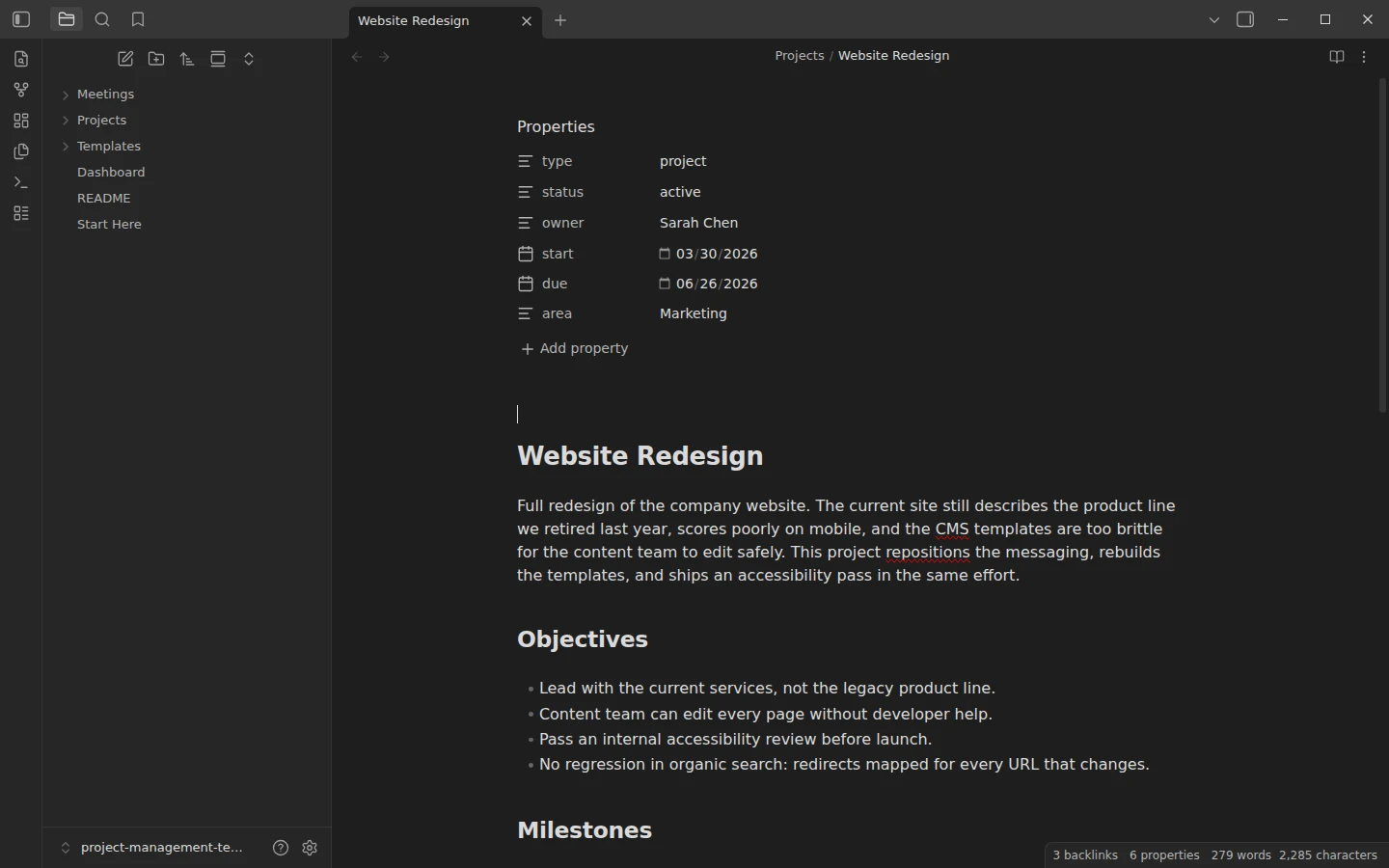
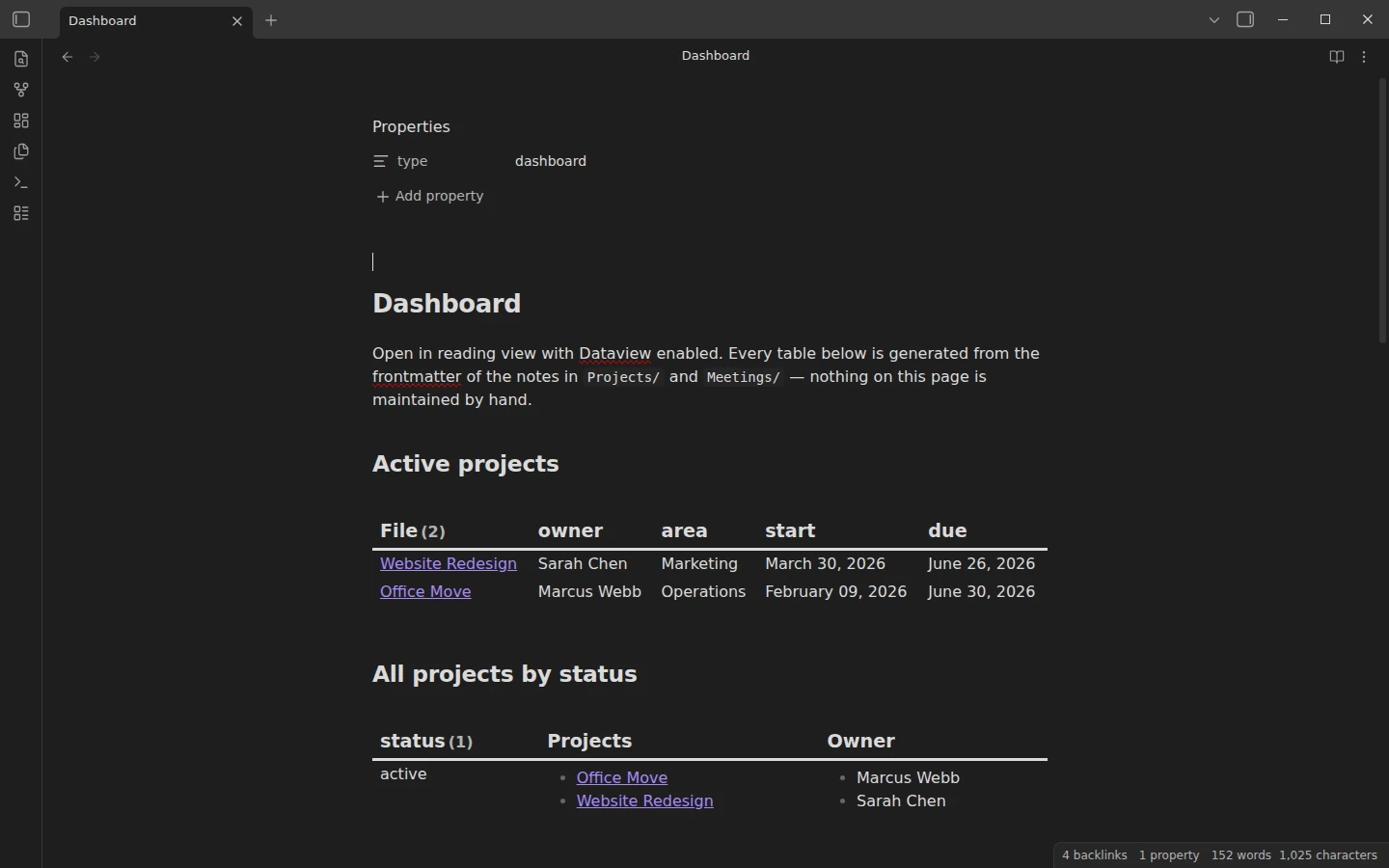
This Obsidian project management template runs on plain files and two conventions. Each project is a single note: structured frontmatter, objectives, a milestone table, a Gantt timeline and links to its meetings. Each meeting is a single note linked back to its project. A Dataview dashboard reads everything else. The download ships with two fully worked example projects — a website redesign and an office move — plus four realistic meeting notes, so every dashboard table has data behind it from the first open.
What's inside the project management template
- Projects/ — the two examples, each with
status,owner,start,dueandareain the frontmatter, a milestone table with target dates, a Mermaid timeline, and a risks section that reads like a project actually being run. - Meetings/ — four notes named
YYYY-MM-DD Project Topic(kickoff, design review, vendor walkthrough, logistics sync), each linked to its project in the frontmatter, with decisions and checkbox action items. - Dashboard.md — the rollups, nothing maintained by hand.
- Templates/ — Project Template and Meeting Template, wired to the core Templates plugin.
The conventions that make it work are spelled out in the vault: status is one of planning, active, on-hold, done, written exactly; owners are spelled the same way everywhere; dates are YYYY-MM-DD so Dataview parses them as real dates. Boring rules, but they are what turns frontmatter into a reporting layer.
A project timeline with Mermaid, no plugin needed
Each project note carries its timeline as a Mermaid gantt code block, rendered by Obsidian's built-in Mermaid support — no extra plugin involved. The example timelines use sections for phases, done and active markers for state, and a milestone entry for go-live, so the chart shows at a glance what is finished, what is running and what the critical path looks like. To make your own, copy the block from either example project and replace the bars; the syntax is one line per work package with a start date and a duration.
Current versions of Obsidian ask once per vault before drawing Mermaid diagrams. When a project note shows "Display Mermaid diagrams in this vault?", choose Allow, or switch on "Display Mermaid diagrams in notes" under Settings, Editor.
If your tasks already live in separate notes with dates, the Obsidian Gantt chart template draws this chart for you from their properties, one per project.
The Dataview dashboard: six rollups
Dataview is the one required plugin. The dashboard gives you active projects sorted by due date, all projects grouped by status, projects by owner, everything due in the next 30 days, recent meetings, and — the quietly useful one — every unchecked action item across all meeting notes, so commitments made in meetings stop evaporating. Tick them in the meeting note where they live; the dashboard reflects it.
Download the project management vault
The zip is a complete vault with plain-JSON settings, mirrored on GitHub. Open it as its own vault, install Dataview, and the dashboard populates; how to install a Vaultorial template explains how to merge it into an existing vault instead. If your projects are lighter — more flow than milestones — the kanban board template covers that end of the spectrum, and the meeting notes template expands the meeting layer into a standalone pack. More project systems live in the kanban & projects section.
More templates
-
 Kanban & Project Management Templates Obsidian Gantt Chart Template: Timelines Drawn from Your Task Notes Free Obsidian Gantt chart template: tasks are notes with start and end dates, and a Dataview query draws a Mermaid Gantt chart per project, by phase. View template →
 -
 Kanban & Project Management Templates Obsidian Kanban Template: A Ready-Made Project Board Free Obsidian kanban template: a four-column project board for the Kanban plugin with 14 example cards and the card-to-note workflow built in. View template →
 -
 TTRPG Templates: D&D Campaigns & Worldbuilding Obsidian D&D Character Sheet: a 5e Template That Calculates Itself Free D&D 5e character sheet for Obsidian: ability scores in properties, and Dataview works out modifiers, skills, saves, Passive Perception and spell DC. View template →
 -
 Meeting Note Templates for Work Obsidian CRM Template: A Personal CRM Vault with Contacts, Deals and Follow-ups Free Obsidian CRM template: contacts, companies, deals and dated interactions, with a Dataview dashboard for follow-ups, pipeline by stage and cold contacts. View template →