Obsidian NPC Template: Full and Quick NPC Notes with a Dataview Roster
Quick install: unzip the file and open the folder as a vault in Obsidian, or copy the templates into your existing vault. Full install guide
What plugins you need
- Required
- Dataviewcore Templates
The NPCs players remember are rarely the ones with the best stat blocks. They are the innkeeper who calls everyone "love", the guildmaster who laughs before he answers, the kid who sells rumours by the copper. This Obsidian NPC template is built around that: a full note for the characters who matter, a quick note for the ones you invent mid-session, and a roster that tells you who knows what before the party walks in. It comes with Cinderbrook, an original river town with six full NPCs, three quick ones and a mystery that ties them together.
What's inside this Obsidian NPC template
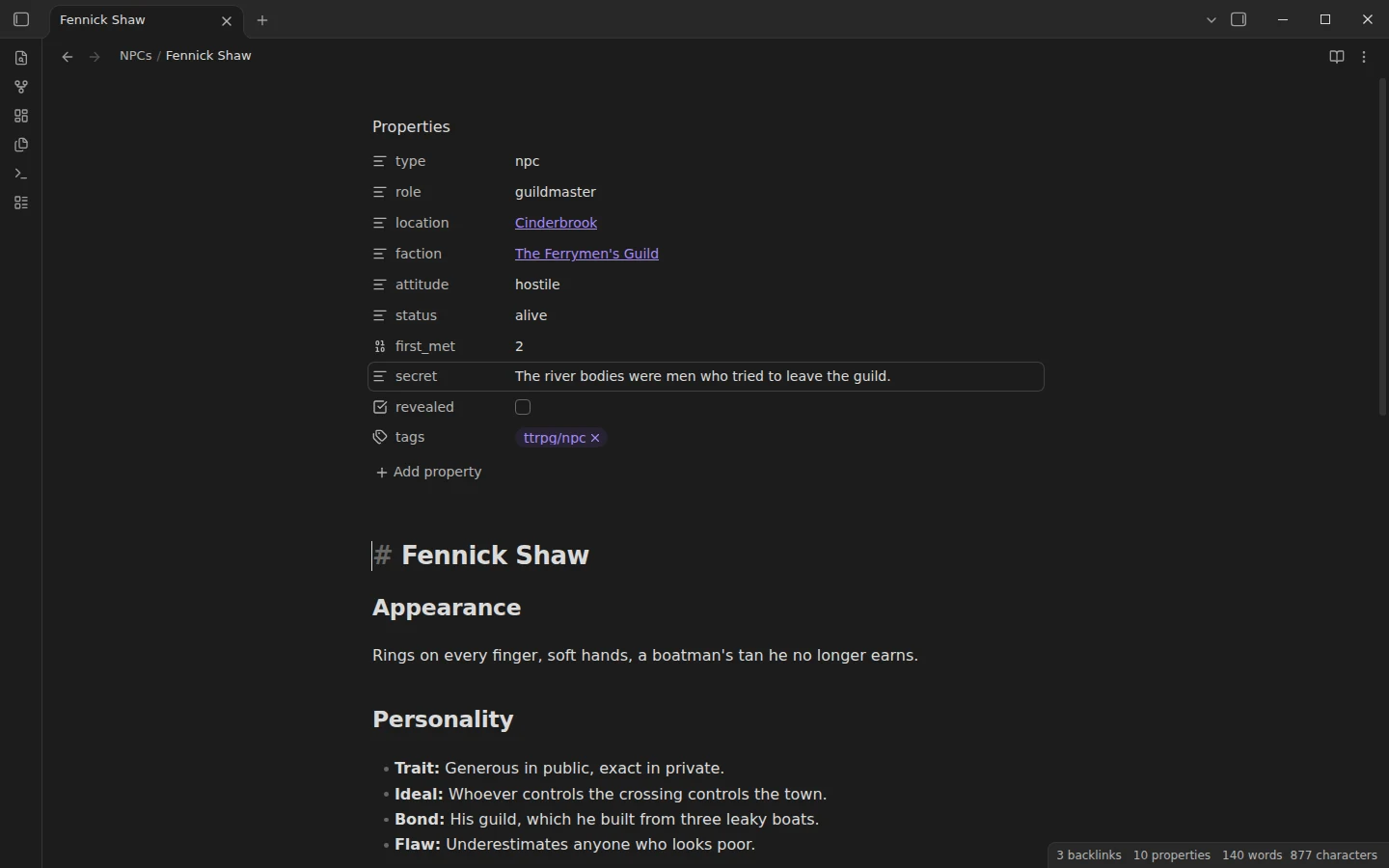
- NPCs/: six full NPCs. Each has appearance, a personality in four lines (trait, ideal, bond, flaw), voice and mannerisms, what they want, what they know, two adventure hooks, relationships to other NPCs and an optional stat block.
- Quick NPCs/: three improvised characters on one screen each: look, want, voice and secret.
- Factions/ and Locations/: the Lantern Watch, the Ferrymen's Guild, the town and its old chapel. Each lists its members automatically.
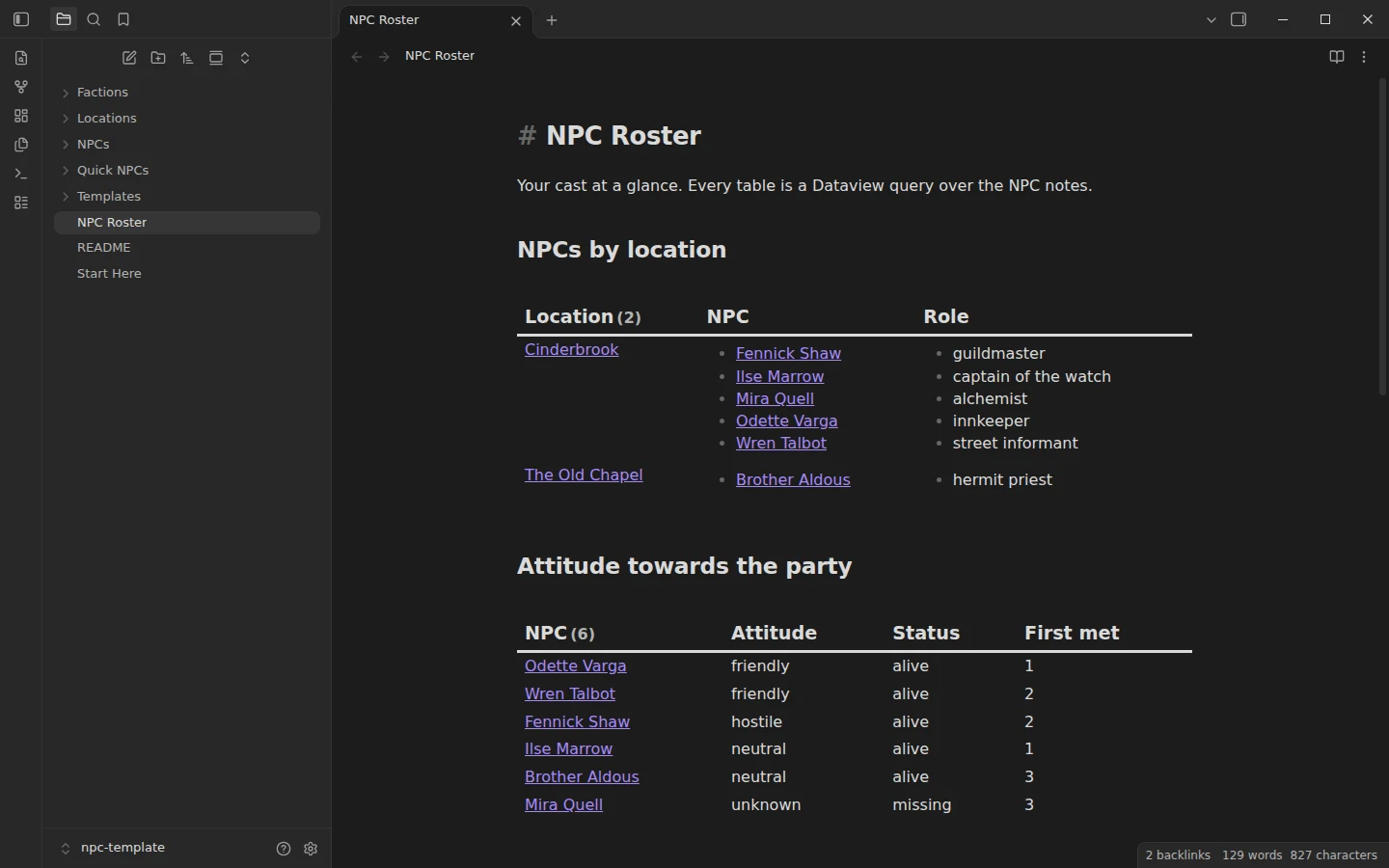
- NPC Roster: NPCs by location, attitude towards the party, faction members, the quick NPCs ready to use and every secret not yet revealed.
- Templates/: NPC and Quick NPC.
D&D NPC template: the full note and the quick one
The full template follows the personality model most game masters already know from D&D 5e, trait, ideal, bond and flaw, and adds the parts that matter at the table: how they talk, what they want and what they are hiding. The secret lives in the note's properties next to a revealed checkbox, so the roster can list what is still hidden and you can tick it off the moment it comes out. The stat block is optional and system neutral, with armour class, hit points and speed in one line; delete it for a social NPC or swap it for another system.
The quick template is for the guard, the ferry hand or the toll keeper the players decide to follow. Fill four lines in under a minute and keep playing. If they come back to that character next session, promote them: create a full NPC from the template and link the quick note.
An NPC roster in Obsidian with Dataview
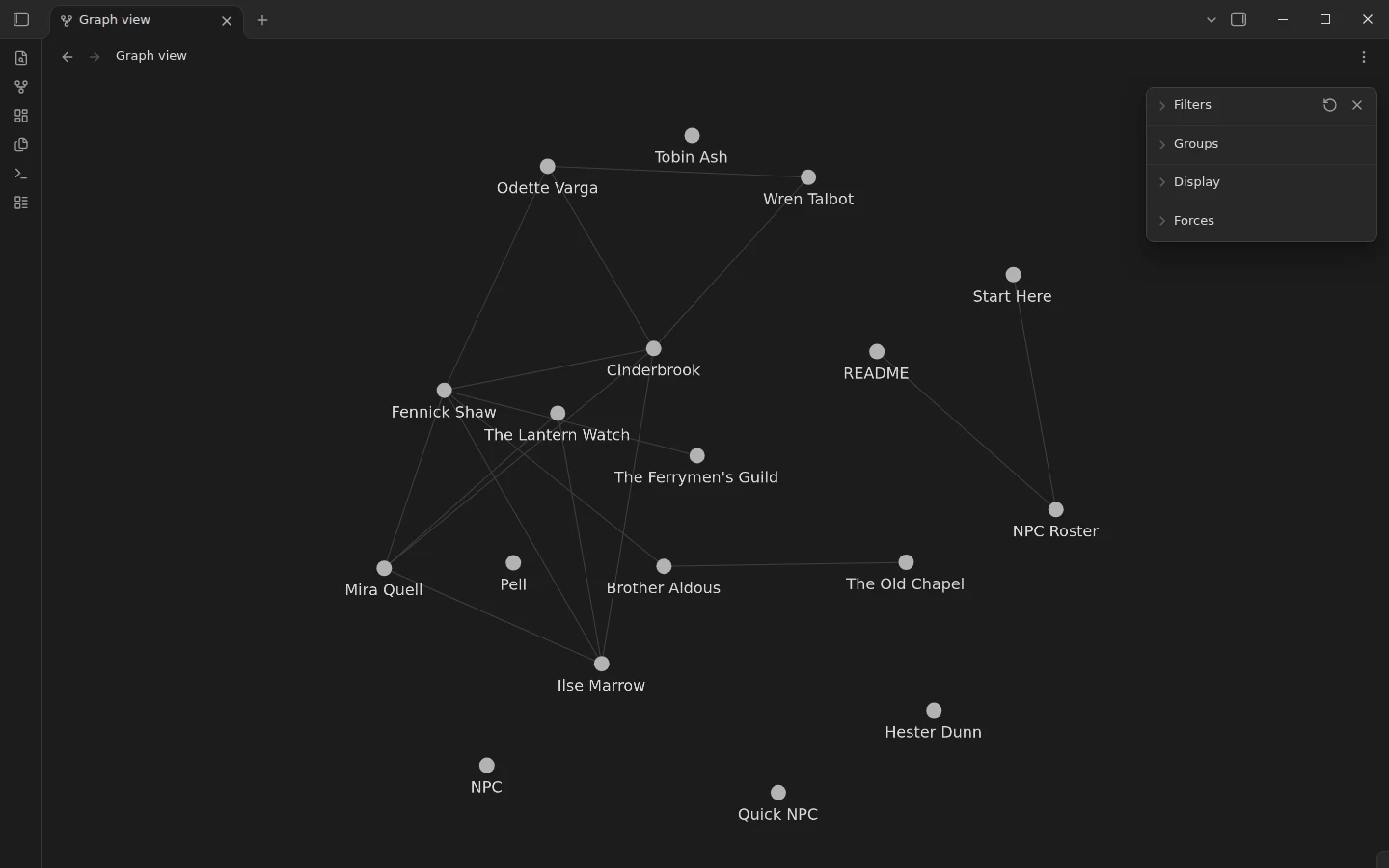
Before a session, the roster answers the questions a game master asks most: who is in this place, who likes the party and who does not, which faction each of them answers to, and which secrets the players have not found yet. Every table is a Dataview query on the NPC notes, so changing an NPC's attitude from neutral to hostile moves them in the roster at once. Open the graph view as well: relationships are links, and Cinderbrook's web of debts and grudges is visible at a glance.
If you also want sessions, encounters and player characters, the D&D campaign vault covers the whole campaign, and these NPC notes can be dropped into its NPC folder. For setting-level notes on places, factions and history, see the worldbuilding vault.
Plugins the NPC template uses
Dataview runs the roster and the member lists on faction and location notes. The core Templates plugin is enabled and pointed at the Templates folder. Without Dataview the NPC notes still work as plain notes; only the lists stay empty.
Download the Obsidian NPC template
Unzip the download, choose Open folder as vault in Obsidian, allow community plugins and install Dataview. Start with Start Here, then open the NPC Roster in reading view. Run Cinderbrook as written, take its NPCs for your own setting, or delete them and keep the templates.
More templates
-
 TTRPG Templates: D&D Campaigns & Worldbuilding Obsidian D&D Character Sheet: a 5e Template That Calculates Itself Free D&D 5e character sheet for Obsidian: ability scores in properties, and Dataview works out modifiers, skills, saves, Passive Perception and spell DC. View template →
 -
 TTRPG Templates: D&D Campaigns & Worldbuilding Obsidian Worldbuilding Vault: A Template with a Complete Example Setting Free Obsidian worldbuilding templates for places, characters, factions, events, cultures, beliefs and items, in a vault with a complete example setting. View template →
 -
 TTRPG Templates: D&D Campaigns & Worldbuilding Obsidian D&D Template: A Campaign Vault Loaded with a Playable Mini-Campaign Free Obsidian D&D templates: session, NPC, location, encounter and PC templates in a 5e campaign vault with a Dataview DM screen and a mini-campaign. View template →
 -
 Kanban & Project Management Templates Obsidian Gantt Chart Template: Timelines Drawn from Your Task Notes Free Obsidian Gantt chart template: tasks are notes with start and end dates, and a Dataview query draws a Mermaid Gantt chart per project, by phase. View template →